


- Your cart is currently empty.
Your Quick Guide to Reseller Hosting

Reseller hosting is web hosting that is intended for resale. This means that you lease space on the hosting provider’s server and then offer it to your subscribers. It allows you to make money and the freedom to set prices and create hosting packages. An added advantage is that you don’t have to invest in your own hardware, administration and server maintenance. All this is taken care of by your hosting provider, who also provides you with adequate technical support.
This type of hosting is most often used by website builders, web developers, graphic designers and those working in various areas of IT. Reseller hosting allows you to successfully extend your existing offer.

Benefits of
The biggest advantage of this type of hosting is the possibility of generating additional income. It also gives you the freedom to create separate cPanel accounts and hosting packages and prices. The amount you earn depends mainly on how effectively you sell your packages and, of course, on the number of subscribers. For companies with a large number of subscribers, reseller hosting is a great way to make money, and it’s quite simple.
Choosing the right package
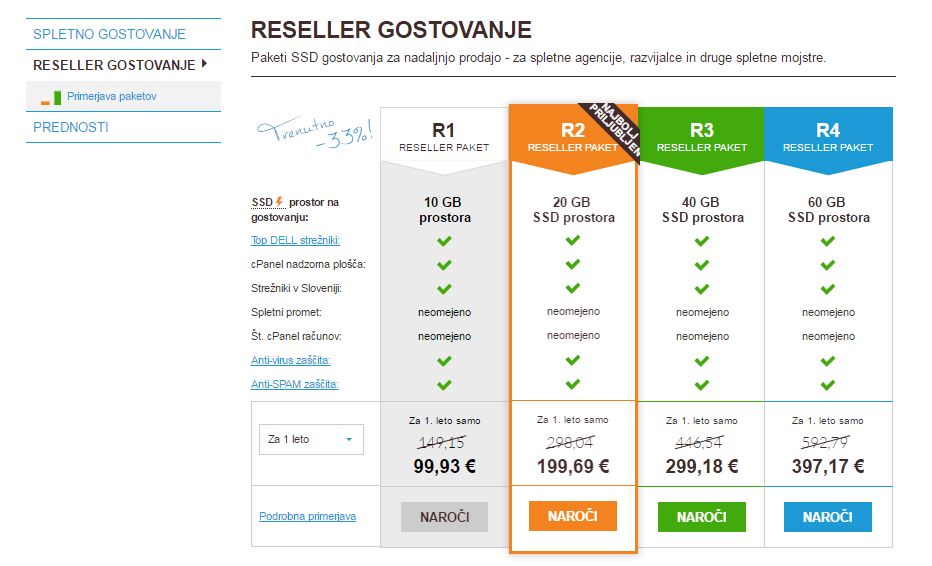
We offer four reseller hosting packages, which differ in terms of server capacity. You can choose from packages that offer from 10 GB to 60 GB of space.
When choosing the right package, focus on how many subscribers you want to offer hosting to and the size of their sites. Even if you find out later that you’ve purchased an inappropriate package, you can easily upgrade at any time.

To ensure that you can offer quality hosting to your customers, it’s a good idea that reseller hosting also offers:
- Unlimited number of hosting domains,
- unlimited monthly downloads,
- unlimited cPanel accounts,
- unlimited email addresses,
- hosting on SSD servers,
- server availability must be at least 99,9 %,
- unlimited MySQL databases.
For a full list of the facilities and services offered by our reseller hosting packages, please visit: https://www.neoserv.com/reseller-hosting/plan-comparison
Managing reseller hosting
You will manage your hosting package through the top-of-the-range cPanel WHM control panel, which allows you to create user accounts and hosting packages easily and transparently.
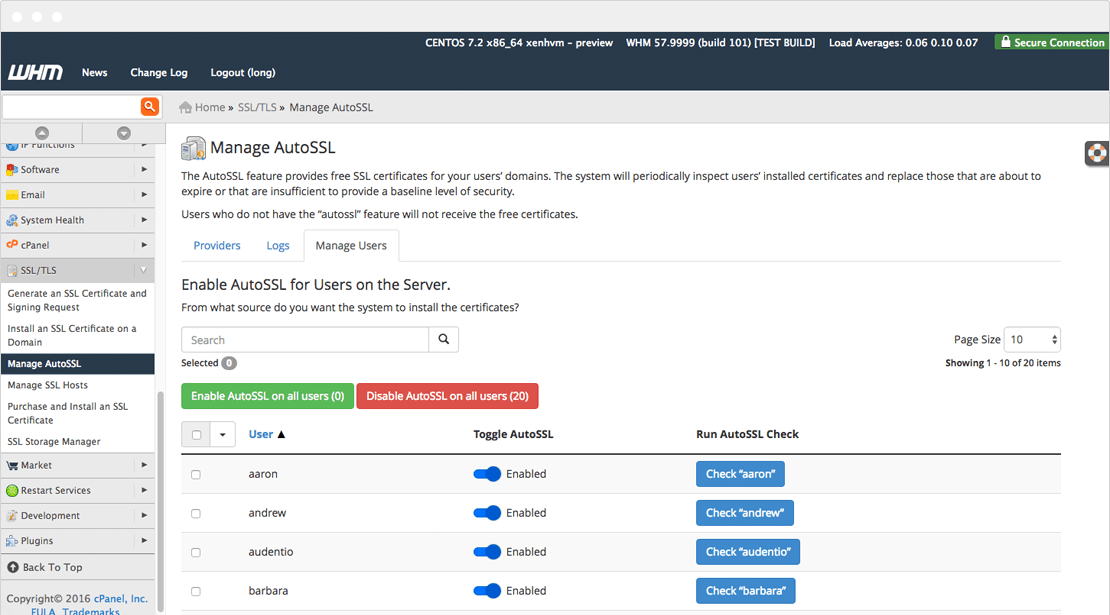
Your subscribers will also benefit from a first-class service, as they will be able to manage their hosting through the cPanel Control Panel, which is simple and advanced to use.
Responsibilities
As you will be offering hosting, your subscribers will also expect help from you, especially with the various setups, and support in case of technical problems. If it happens that you are not able to resolve a problem for them, they can contact our technical support. We will help you to come up with a suitable solution that you can offer to your customers.
Setting up a reseller package in 8 steps
Have you found that reseller hosting is the right choice for you? In a few simple steps you can set up the web hosting you’ll be offering to your customers.
1. Order your preferred package on our reseller hosting page.
2. Once you have placed your order, you will receive your cPanel WHM control panel access details to your e-mail.
3. When you log in to cPanel WHM, you will be taken to a landing page where you can edit everything related to the reseller hosting you have ordered.
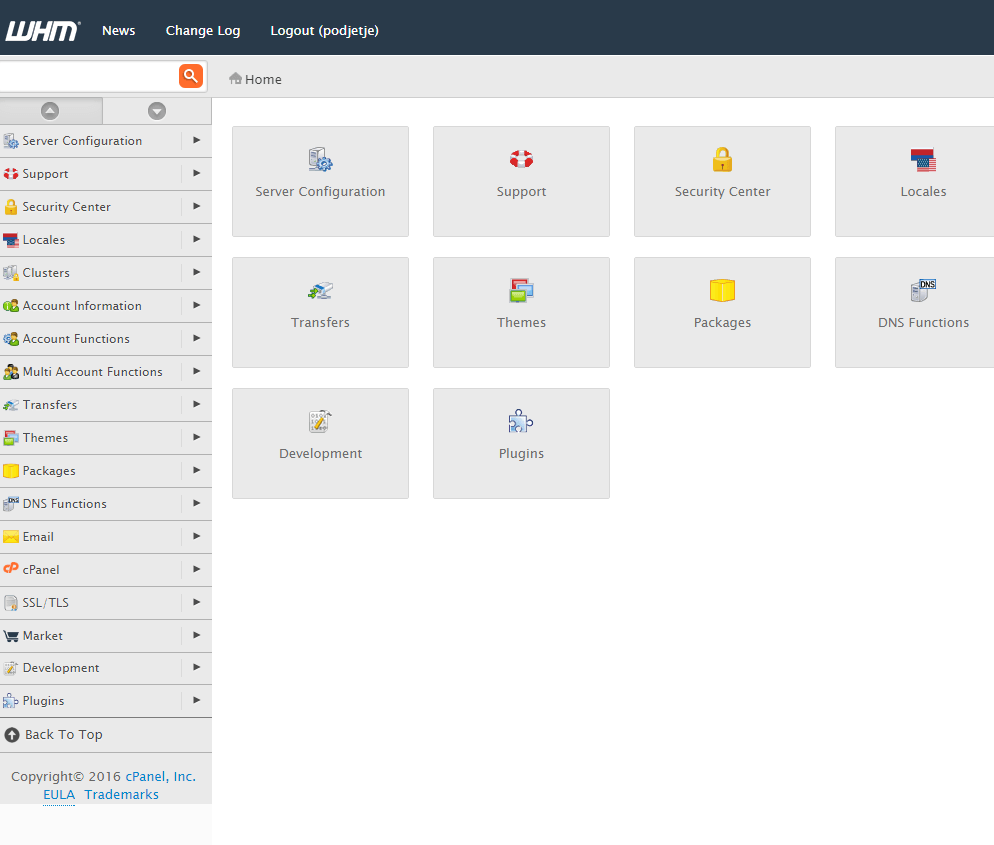
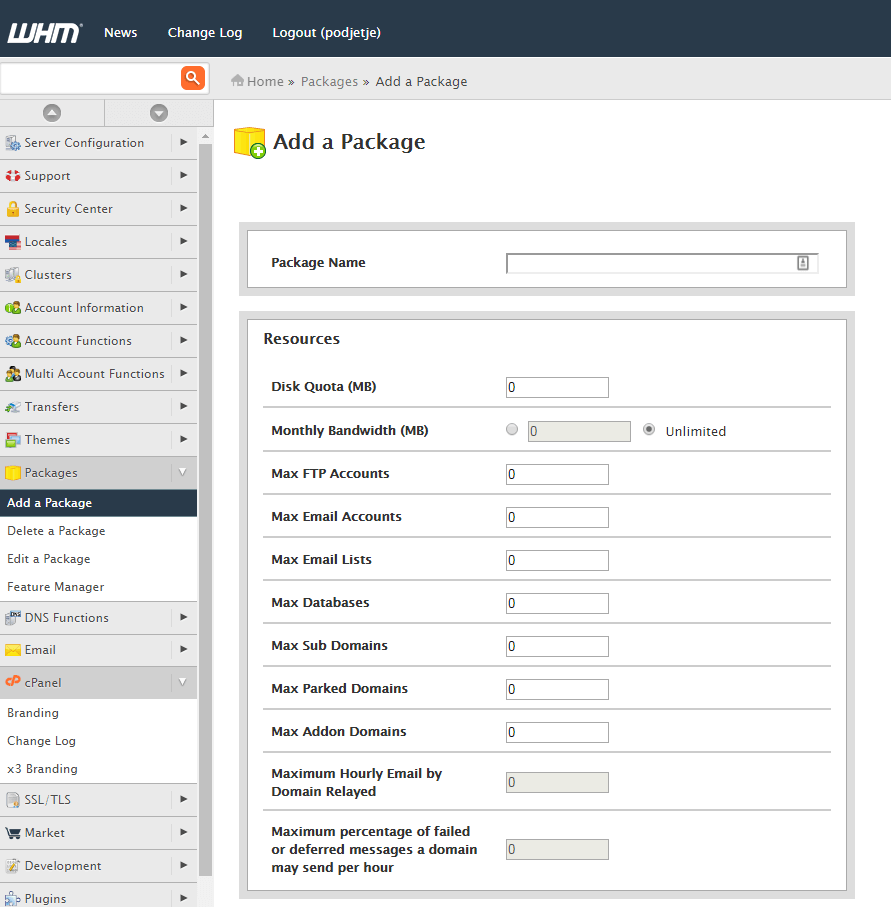
4. The next step is to create different hosting packages. Click on the Add a Package icon to create as many hosting packages as you want to offer to your customers. You can set all the important properties for each package.
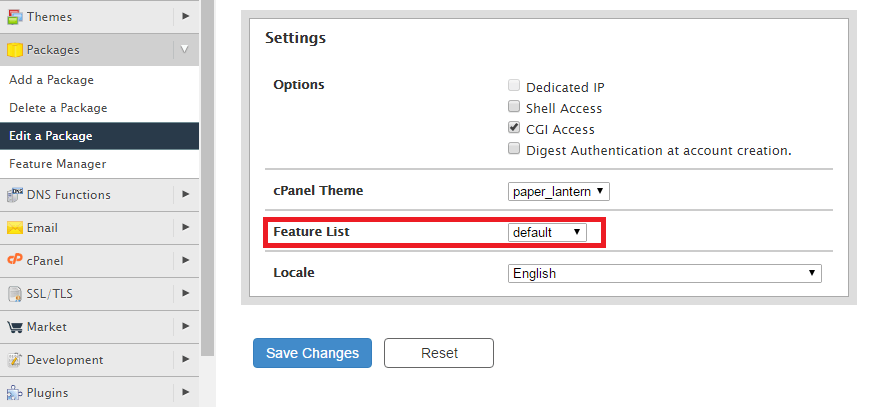
5. In the settings, also find the Featured List and select the features you want to be available for each package.
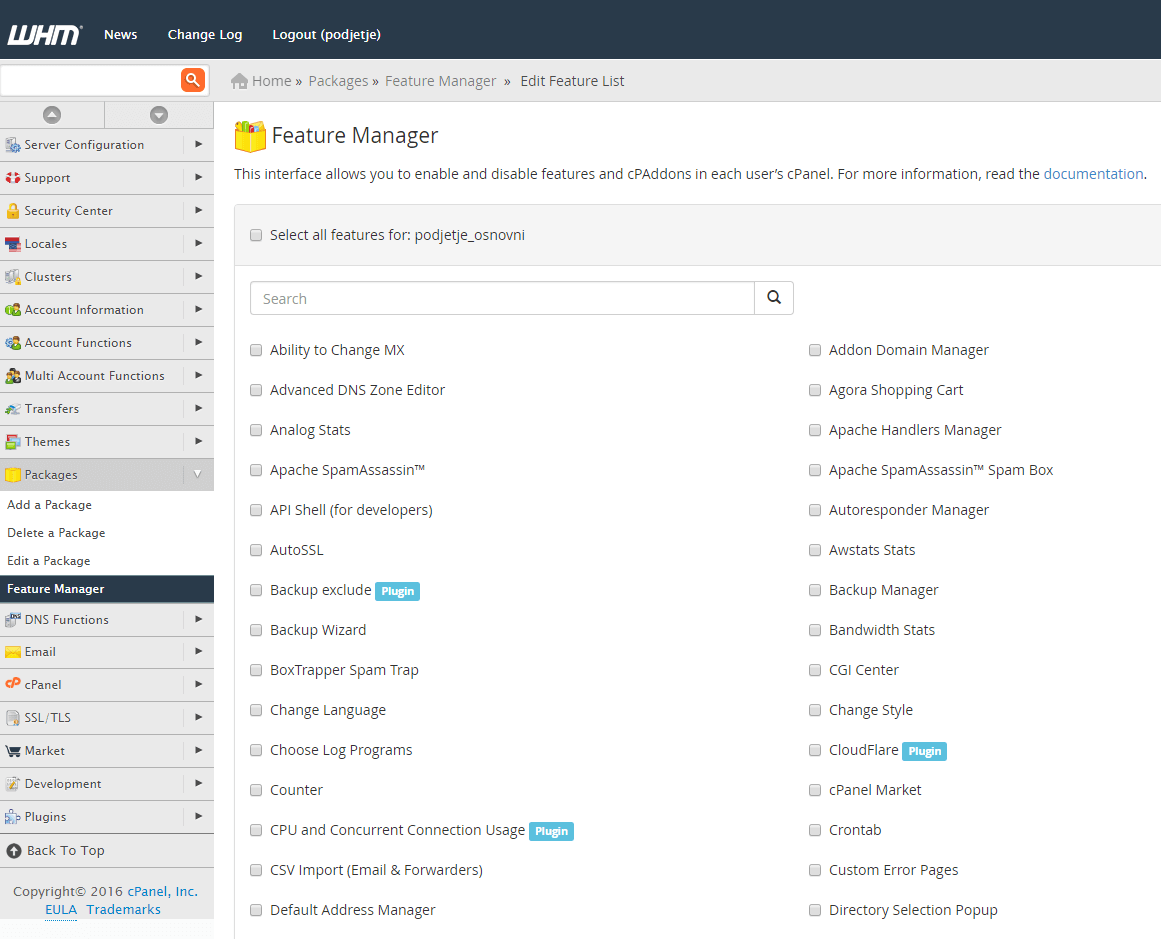
6. For hosting packages, you can also manually specify which features should be available. In the menu, under Packages, click on the Feature Manager icon. Enter the desired name and click on the Add a New Feature List button. You can select any number of features from the list.
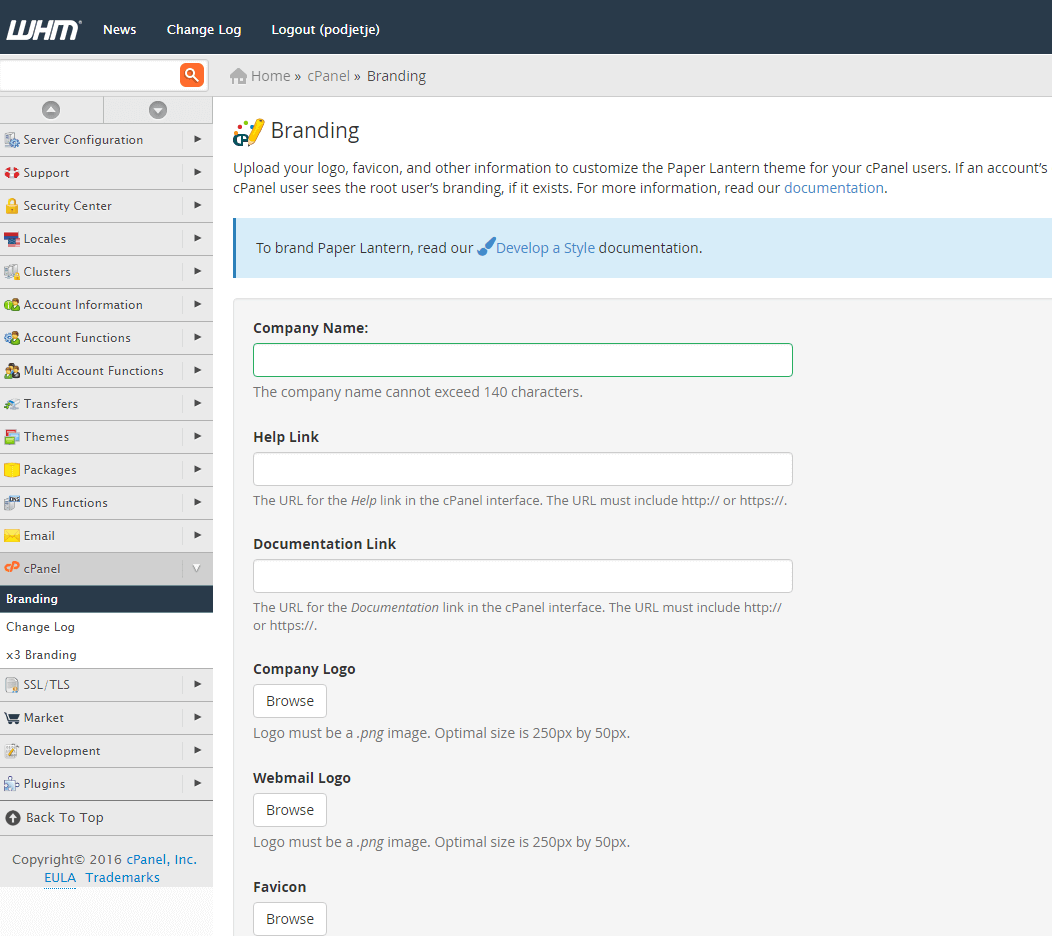
7. In the menu, look for cPanel and click on the Branding icon. Here you can upload your company logo and enter other information so that the cPanel dashboard will display your company information to your subscribers.
8. Create a new cPanel account for your subscribers to use. Under Account Functions, click on the Create a New Account icon. In the new window, enter your details and click Create to create a new cPanel account.
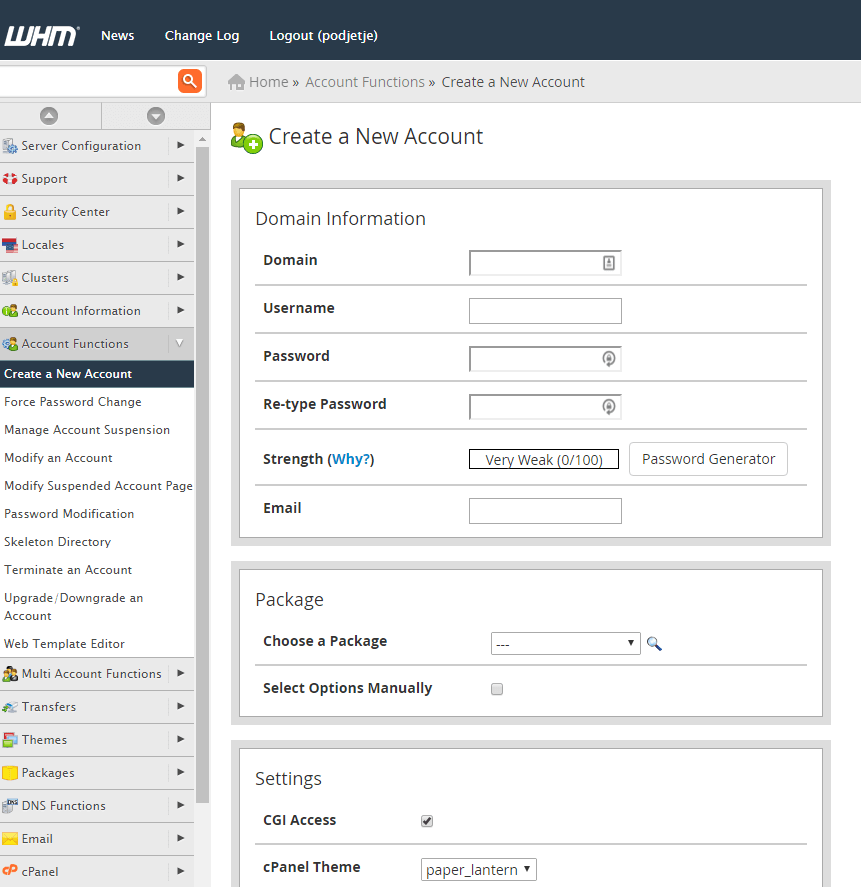
You can set up and edit other hosting details in the cPanel WHM control panel, but to get started, it’s enough to follow these few basic settings we’ve described above. However, if you need help setting up reseller hosting, you can always contact our support team.
COMMENT THE POST
Your comment has been successfully submitted
The comment will be visible on the page when our moderators approve it.