


- Your cart is currently empty.
Avoid Using Special Characters in File Names


People’s habits vary, and we can quickly see this when naming files. Some people use only lower case letters for file names, others use a capital letter, and sometimes there is someone who uses only upper case letters. In addition, some people use hyphens, underscores, spaces, periods, commas, em dashes or other special characters in their file names.
Because not all systems and devices are the same, this variety of file naming can sometimes cause problems. These occur most often when migrating a website from one server to another, as different servers may be configured to encode different special characters.
The standard character encoding type is ASCII ( American Standard Code for Information Interchange), which is used in computing to store and load characters as bit patterns. Developments in technology around the world have led to several encoding variants, the most commonly used on the web being UTF-8 ( Unicode Transformation Format – 8-bit).
Due to the different character encoding and decoding processes, problems arise especially with files that include special characters in their names. This includes symbols, alphabets and other letters that are not part of the English alphabet.
Problems with images after migration to another server
The most noticeable problem, which rarely occurs when migrating a site to another server, is related to images. Those images that contain special characters (e.g. alphabets) in their filenames may not be displayed due to improper (de)coding. Usually, only the icon of the non-functioning image and its Image Title will be displayed where the image should be inserted.
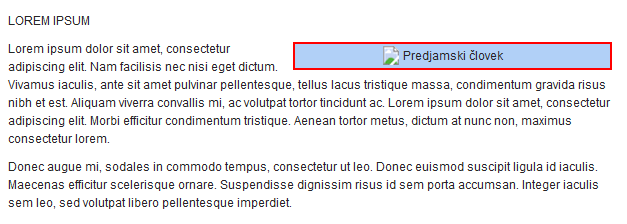
Avoid these problems by not including alphabets and other special characters in the file names. Also, avoid using spaces. For additional tips on naming files appropriately, see below.
Useful tips for naming files
The tips mentioned below should be followed when naming folders as well as all types of files (images, text, tables, PDF, etc.).
- Do not use the alphabets and special characters shown in the table.
| č | š | ž | # | % | & | { |
| } | \ | < | > | * | ? | / |
| $ | ! | ‘ | “ | : | ; | @ |
- Do not use letters other than those in the Latin alphabet (ü, ö, á, …).
- Do not begin or end a file name with a space, period, hyphen or underscore.
- Use a hyphen instead of a space or underscore.
- File names should not be too long. Use file names shorter than 31 characters.
- As most operating systems are case-sensitive, always use only lower case letters.
It is therefore best to use only letters and numbers of the classical Latin alphabet and a hyphen instead of a space.
Finally, here are some more examples of appropriate and inappropriate file naming.
- Appropriate: sola.jpg, rdeca-denarnica.jpeg, ziga-kavcic.jpg, background.png
- Inappropriate: School.JPG, red-wallet.jpeg, ziga_kavcicic.jpg, BACKGROUND.PNG
By following these tips and good practice examples, you will certainly avoid problems that might otherwise arise after transferring your website to another server.
COMMENT THE POST
Your comment has been successfully submitted
The comment will be visible on the page when our moderators approve it.