


- Your cart is currently empty.
AWStats vs Google Analytics

Regular monitoring of website analytics is crucial to achieving business results. In addition to website traffic data, analysing the data can help us understand which subpages are bringing the most visitors, which countries they are coming from, which days of the week the site is most visited, whether visitors are returning to the site, etc. Based on this data, we optimise the website, improve the user experience and ensure better results.
We can monitor website traffic using a variety of online tools. These include AWStats and Google Analytics, which are well known to webmasters. If you have experience of these applications yourself, you will have noticed that in most cases there are large discrepancies in the data collected. Usually AWStats shows much higher figures. Do you know why?
The reason for the disparity lies in the different methods of data collection. Below we have provided a brief introduction to the two tools and a more detailed explanation of why there are differences.
AWStats
AWStats is a program that is hosted on the same server as the website for which we want to check the traffic statistics. It extracts data from log files and converts them into graphical and easy to understand HTML reports.
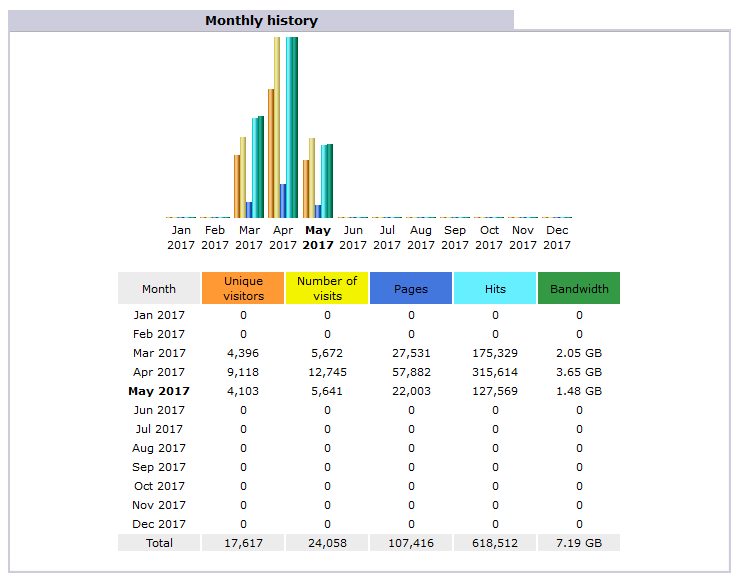
If you have a web hosting contract with us, you’ve probably already noticed the AWStats icon in your cPanel dashboard. Click on it, select a domain and you’ll be able to view statistics and graphs showing various data related to your website’s traffic.
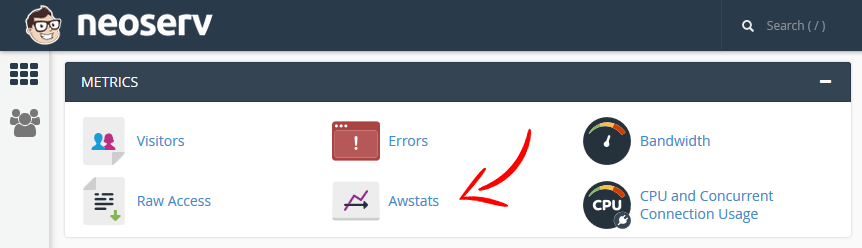
Using AWStats, we can view the following data:
- number of visitors and unique visitors,
- duration of visit,
- number of visitors by day and by hour,
- IP addresses and countries of visitors,
- most visited pages,
- entry pages and pages where visitors left the site,
- visitors’ operating systems and browsers,
- number of visits by search engine spiders and other bots,
- …
Google Analytics
Google Analytics is a large web platform for collecting, processing and displaying a wide range of statistics. It is well-known to online advertising agencies, but is also increasingly being used by individuals due to its outstanding capabilities and relative ease of use. Most use it to monitor the traffic to their websites, while more advanced users use the data to continuously improve their sites.
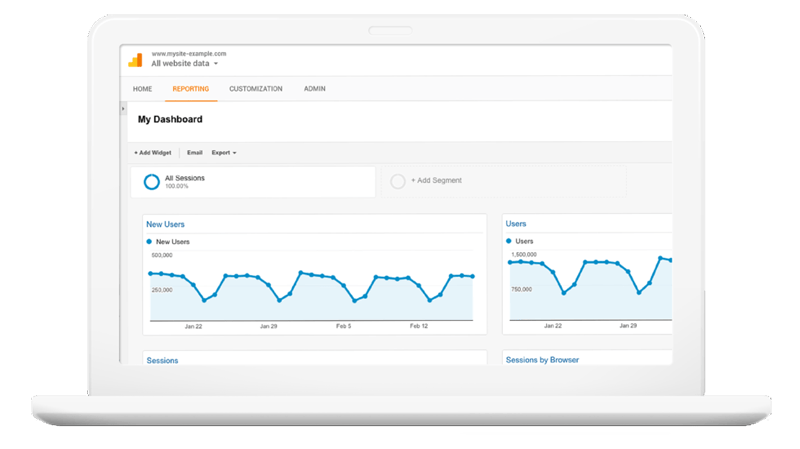
Google Analytics is free to use. All you have to do is create a Google account, sign in to the platform, create a new brand (or add a website) within the platform and enter the JavaScript code you get there into your website. You can find out more about using the platform on Google’s support page.
Google Analytics gives you an overview of almost all the data you can get from AWStats, and much more. As this article is not intended to be a detailed presentation of the features, let’s just list a few of the more important ones:
- Real-time monitoring of the number of visitors to your website,
- recording transactions in the online shop,
- setting and monitoring self-defined goals,
- visitor behaviour overview (e.g. how visitors navigate the website),
- the possibility to create different experiments,
- …
Another great advantage of using Google Analytics is that the platform can be easily integrated with other Google products, e.g. Google AdWords, Google AdSense and Google Search Console.
The reason for the differences between the collected statistics
The different methods of data extraction are mainly responsible for the disparity in statistics. AWStats is based on log files, whereas Google Analytics is based on a combination of JavaScript code and web cookies.
Whenever someone visits a website, the activity is recorded in a ‘log’ file on the server. And because websites are not only visited by humans, but also by web spiders, AWStats’ numbers tend to be much higher than those of Google Analytics.
AWStats identifies the most well-known web spiders and excludes them from general statistical reports. If you open the tool, you will find a link on the left-hand side called “Robots/Spiders visitors“, where you can see which web spiders have accessed your site. However, most of the lesser known web spiders are not recognised by AWStats, which is the main reason for the high numbers.
As most web spiders do not activate JavaScript code, their visits are not recorded in Google Analytics. In addition, some users may have JavaScript disabled in their web browsers, which again means that they are not detected by Google Analytics. However, there are very few of these users, as most websites nowadays also use JavaScript technology.
So which tool is showing the “right” data? Certainly both, but of course the choice of which one to use depends on our needs. It could be argued that AWStats data is more useful for network administrators, while most website owners will be better served by Google Analytics.
COMMENT THE POST
Your comment has been successfully submitted
The comment will be visible on the page when our moderators approve it.