


- Your cart is currently empty.
How to Run Claude Code on a VPS Server
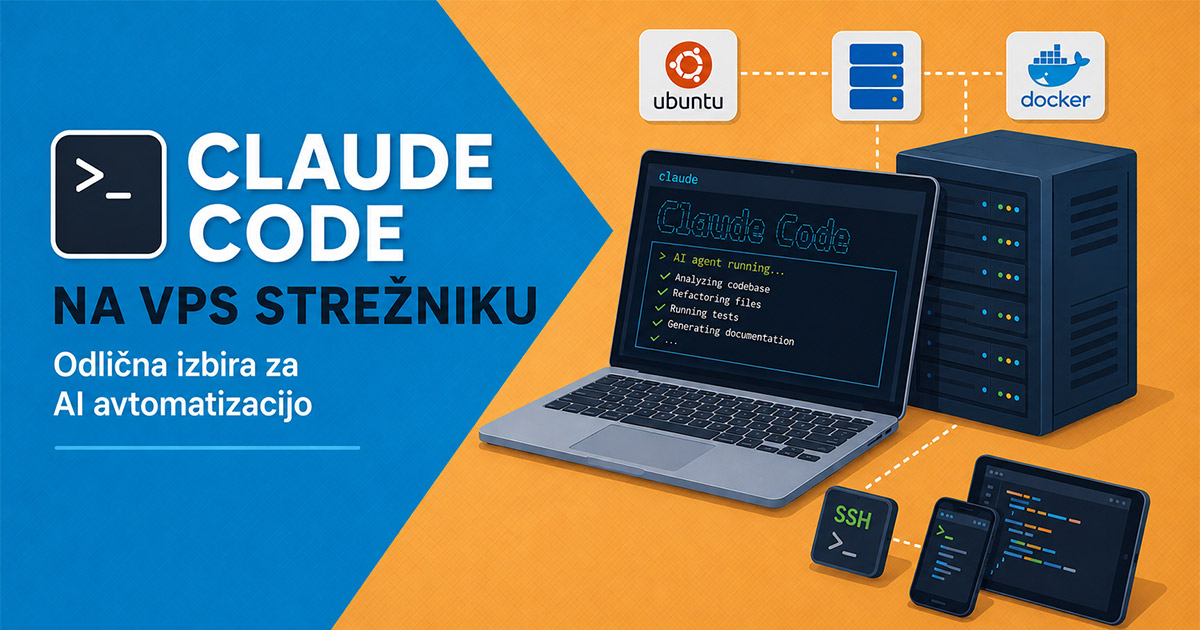

Claude Code is an increasingly popular tool for developers who want to use artificial intelligence to write code faster, manage projects, implement automation and build their own AI agents. If you use it more seriously, it quickly becomes apparent that a VPS server is a far more practical choice than a local computer.
Most Claude Code users initially run it locally on their computer. This is perfectly adequate for testing, but limitations quickly become apparent when working for longer periods:
- the computer must be switched on at all times,
- if the connection is lost, the session may be interrupted,
- AI tasks running for several hours are halted,
- working from mobile devices is not the most practical,
- the development environment is not accessible 24/7.
That is why a VPS server is an excellent solution. Claude Code can run in a constantly accessible server environment, and you can access it via an SSH connection, no matter where you are.
Why use a VPS for Claude Code
When using Claude Code on a VPS server, raw processing power isn’t the most important factor. AI processing is mostly carried out within Anthropic’s infrastructure, whilst the VPS serves as a permanent development environment where you store your projects, repositories, configurations and automations.
This means that:
- the AI agent continues to work even when you close your laptop,
- projects and Git repositories remain accessible at all times,
- access the environment from anywhere,
- separate your development environment from your personal computer,
- run long-running automations and background processes.
In practice, a VPS can become your central AI workspace, where Claude Code helps manage code, Docker environments, test applications, cron jobs, MCP servers, databases and other development tools.
What kind of VPS do you need
For basic use of Claude Code, you do not need a very powerful server. As the main AI processing takes place in the cloud, the load on the VPS server is usually relatively low.
| Usage | Recommended configuration |
|---|---|
| Testing and lighter projects | 1 vCPU / 2 GB RAM |
| Serious development environment | 2 vCPU / 4 GB RAM |
| Multiple agents, Docker, CI/CD | 4+ vCPU / 8+ GB RAM |
NEOSERV recommendation: for most users, an Ubuntu VPS with at least 4 GB of RAM is a good starting point. If you plan to use Docker, multiple projects or multiple AI agents simultaneously, we recommend at least 8 GB of RAM.
Why Ubuntu
Ubuntu is a very practical choice for Claude Code because it offers good support for development tools, Node.js, Docker and most of the libraries that developers use in AI automation.
We recommend one of the LTS versions:
- Ubuntu 24.04 LTS,
- Ubuntu 22.04 LTS.
Installing Claude Code on a VPS
Once the VPS server is ready, connect to it via SSH:
ssh root@IP_NASLOVFirst, update the system:
apt update && apt upgrade -yThen install the basic tools:
apt install -y curl git tmuxInstalling Node.js
Claude Code requires a Node.js environment. We recommend using Node.js 22:
curl -fsSL https://deb.nodesource.com/setup_22.x | bash -
apt install -y nodejs
Check the installed version:
node -v
npm -v
Installing Claude Code
Install Claude Code via npm:
npm install -g @anthropic-ai/claude-codeAfter installation, run it with the command:
claudeOn first launch, you will need to log in or authorise. The process will guide you to a link which you open in your browser.
Why use tmux
When working via an SSH connection, it is highly recommended to use tmux. This is a tool that allows the session on the server to remain active even when you disconnect.
Create a new tmux session:
tmux new -s claudeIn this session, launch Claude Code:
claudeYou can log out of the session using the following combination:
CTRL+B, nato DLater, return to the same session with the command:
tmux attach -t claudeThis way, Claude Code can continue working even if you close the terminal or lose your connection.
Access from a phone or tablet
One of the major advantages of a VPS environment is that you can access it from anywhere. On your phone or tablet, you can use SSH apps such as:
- Termius,
- Blink Shell,
- JuiceSSH.
This is particularly useful when you want to check the progress of an AI agent, confirm a change or quickly run an additional task.
Security recommendations
As this is a server environment, we recommend a few basic security measures.
Do not use the root user for day-to-day work
Create a separate user:
adduser claude
usermod -aG sudo claude
Use SSH keys
To access the server, we recommend using SSH keys and disabling password login wherever possible.
Limit open ports
In the basic configuration, you usually only need SSH access. You can configure the firewall using the following commands:
ufw allow OpenSSH
ufw enable
Update the system regularly
Perform updates regularly:
apt update && apt upgradeWhat else can you run alongside Claude Code
As you have complete control over the environment on your VPS server, you can also combine Claude Code with other tools and services:
- Docker environments,
- PostgreSQL or MySQL databases,
- Redis servers,
- Git repositories,
- CI/CD processes,
- MCP integrations,
- local API services,
- cron automations,
- RAG systems,
- AI memory storage solutions.
In this way, VPS becomes a stable and always-available environment for developing AI automation.
Claude Code as an always-available AI agent
Claude Code on a VPS server is particularly useful when you want an AI assistant that isn’t tied to your local computer.
Typical use cases:
- automatic code refactoring,
- background development tasks,
- application monitoring,
- automated testing,
- documentation generation,
- AI support for internal processes,
- AI agent development,
- centralised AI workspace for the team.
VPS as a central AI workspace
If you’re using Claude Code more seriously, a VPS is a natural upgrade from a local development environment. It provides stable access, uninterrupted operation, better project organisation, and the possibility of advanced AI automation.
- For basic use, we recommend an Ubuntu VPS with at least 4 GB of RAM.
- For more demanding projects, Docker environments and multiple AI agents, a VPS with 8 GB of RAM or more is a better choice.
Do you need a VPS for Claude Code or AI automation?
At NEOSERV, you can order a reliable VPS server running Ubuntu, with root access and the option to upgrade according to your project’s needs.
Note: Claude Code is a tool developed by Anthropic. To use it, you need appropriate access or a user account with the service provider.
COMMENT THE POST
Your comment has been successfully submitted
The comment will be visible on the page when our moderators approve it.