


- Your cart is currently empty.
Exploring the Drawbacks of Jetpack for WordPress


One of the most common questions asked by WordPress users is “Should I use the Jetpack plugin?“. It was developed by the same people as WordPress, and perhaps that’s why this plugin has similar features to the system it runs on: it’s free and offers a lot of functionality. It is the latter feature that raises most doubts about its use.
Before installing this plugin, please answer the following questions:
- Do I need the Jetpack plugin?
- Are there alternatives to the Jetpack plugin?
- What are the disadvantages of this plugin?
- Will it affect the speed of my site?
We will help you answer these questions in today’s post.
Do I need the Jetpack plugin?
Most plugins cover one feature of a WordPress site. But Jetpack covers more than 30 functions, and to highlight just a few of the most important ones:
- Image CDN – allows you to upload your site’s images to the plugin’s server, freeing up space on your hosting package.
- Statistics – Jetpack monitors traffic to your site and records statistics to help you find out which subpages are the most visited and which posts are the most read.
- Automatic publishing – Jetpack allows you to automatically publish new blog posts to your social networks (Facebook, LinkedIn and Twitter).
- XML sitemap – Jetpack generates a sitemap to get your website ranked earlier in Google search results.
- Custom CSS – Jetpack makes it easy to add CSS customisations to your WordPress graphic template.
- Contact forms – easily create contact forms on your site.
Are there any alternatives to Jetpack?
There are a number of plug-ins – free and paid – available for each of the features offered by Jetpack. There are few plug-ins that combine more features than Jetpack, but there is a good reason for this. It’s because those that target a specific function, rather than a whole range of them, are more effective.
If you want a separate plugin for the features Jetpack offers, there are a number of options, such as Ninja Forms for contact forms, WordFence for site protection, Google Analytics for traffic logging, Imagify for image optimisation, Yoast for SEO, etc.
What are the disadvantages of the Jetpack plugin?
If you are using the free version of this plugin, then many features are not even available and you need to upgrade to the paid version. Why, for example, would you pay for additional features that you can get using the dedicated, free plug-ins we mentioned in the previous section? Check out the other disadvantages of this plugin below.
1. Connectivity to wordpress.com is required
To use this plugin, you need to register with wordpress.com. Why register on a website that won’t make your site work any better? The argument of the Jetpack developers is that this will connect you to the wordpress.com servers, which will make your site run faster. This is not true in most cases. For example, if you have hosting for your WordPress site with NEOSERV, your site will run just as fast as if you had your site connected to wordpress.com.
2. Not enough in-depth features
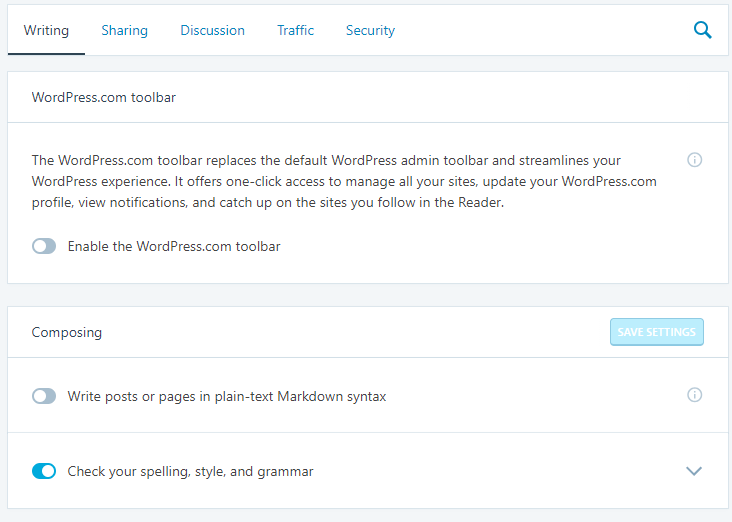
Most Jetpack features have only basic settings. For example, the content sharing feature has only a few customisation and formatting options. Similarly, the ‘Statements’ and ‘Portfolio’ features do not have any custom fields to get additional information from users.
3. Unfriendly admin interface
Although the administration is fast, the layout of some elements and settings is rather opaque. Especially if you use a large number of functions, the unfriendly interface will often require some extra energy to use them.
4. Forced plug-in installation
If you want to set up an online shop running on WordPress together with a WooCommerce plugin, then you may quickly find yourself unknowingly installing Jetpack as well. During the installation of the WooCommerce plugin itself, it recommends installing Jetpack. By default, it is selected that you want to install this plugin as well, which is of course controversial.
Will Jetpack slow down my site?
We’ve written many times before about how loading speed is one of the most important criteria affecting the performance of a website. Speed is also affected by how many and which plugins you have installed. Jetpack is actually a plugin that contains a number of features and extensions. Can these have a negative impact on the loading speed of your site?
According to our tests, the Jetpack plugin will not slow down your site once installed. However, the more features and extensions you turn on, the more likely it is that they will cause your site to run slower.
We hope that by answering the questions about using the Jetpack plugin, you have a clear picture of whether or not your site needs this plugin. If you do install it, be careful which features you activate so that you don’t do more harm than good to your website.
COMMENT THE POST
Your comment has been successfully submitted
The comment will be visible on the page when our moderators approve it.