


- Your cart is currently empty.
Let’s Encrypt SSL Certificate: Pros and Cons

Since the end of 2015, SSL certificates can be obtained free of charge. This is made possible by Let’s Encrypt ( LE for short), a certificate issuer that also prides itself on automation and open source. We’ll look at what exactly this means in today’s post, but we’ll focus mainly on the advantages and disadvantages for the website owner of opting for an LE SSL certificate that is available to everyone.
Using an LE certificate means that https:// appears in the web address of the website , which means that all data is transmitted between the website and its users via a secure protocol.
Let us note at this point that LE is not a substitute for a paid SSL certificate in any case. There are a number of situations where LE is simply not an option. So for whom is it suitable?
“It’s free, automated, and open.”
The statement that the certificate is free, automated and “open” appears on the landing page of the Let’s Encrypt certificate issuer. All three characteristics are interlinked.
Full automation means that no manual intervention by the SSL Certificate Provider is required when issuing, deleting or renewing a certificate. This is also the main reason why you do not have to pay for the certificate.
Let us also mention openness or open source. The complete software code with all the protocol specifications is available on GitHub (the Git repository service). For developers, this means that they can also contribute to the development of the project themselves, and for users, open source means free and transparent operation.
The benefits of Let’s Encrypt
1. As has been stated several times, the main advantage of LE is that it is free.
2. The certificate is available to everyone. No matter where you are from, whether you are a legal entity or a natural person, you can choose to install an LE SSL certificate.
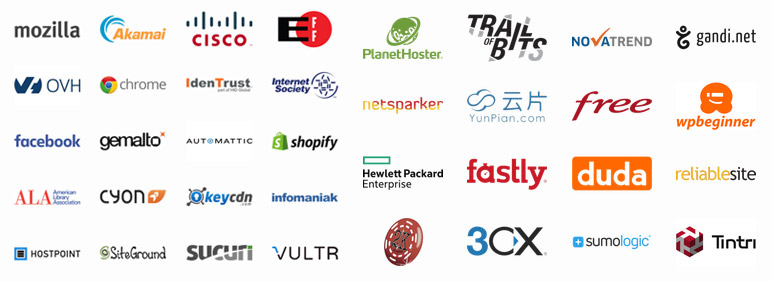
3. The project is supported by a number of global corporations and non-profit organisations.
The LE certificate provides the same level of data encryption as certificates from other recognised issuers.
Disadvantages of Let’s Encrypt
The main weakness of Let’s Encrypt is that it only offers domain certificates. Business and extended certificates, which verify not only the domain but also the organisation to which the certificate is issued, are more suitable for companies, non-profit organisations and other institutions. For this reason, the security and trust levels of LE certificates are much lower than those of Organization Validation(OV ) and Extended Validation(EV ) certificates.
2. LE is not suitable for website owners who do not want to deal with the installation of an SSL certificate and a properly executed transition of the website to the https:// protocol. If you do not have the time or the technical know-how to install and configure an SSL certificate, you are definitely better off with one of the paid-for certificates. In this case, we at NEOSERV will arrange the installation and configuration of the certificate for you free of charge.
If the transition of the website to https:// is not carried out correctly, an icon with the security warning Connection is Not Secure will appear next to the URL address in the web browser. This warning gives visitors the impression that the website is not secure and most of them leave the site.
3. LE certificates are valid for 90 days only, no exceptions. It can be renewed 60 days after expiry, and in most cases automatic renewal can be arranged. We should add at this point that the validity of most paid SSL certificates ranges from one to three years.
4. LE does not allow the issuance of a so-called “wildcard” certificate, which provides a secure https:// connection on all subdomains of the website. Only single and multi-domain (SAN) certificates can be issued. The latter are limited to 100 domains per certificate.
5. Let’s Encrypt certificates cannot be used in so-called offline environments – i.e. on systems without an internet connection. This is because LE uses an automated domain ownership verification system that requires the server to be accessible online during the issuance or renewal process.
6. Because LE is free and automated, it is often chosen by online fraudsters. This is also the main reason for the short validity of the certificate, as it is the provider’s way of preventing abuse. With paid certificates, abuse is very rare and therefore the validity is longer and the overall level of trust in the certificate itself is much higher.
A paid SSL certificate from Sectigo (Comodo CA) works in a similar way to a free Let’s Encrypt certificate, but has a major advantage over it. Sectigo revokes the certificate if it detects that any illegal activity is being carried out through the certificate. It is then no longer possible to reacquire a Sectigo SSL certificate for the domain in question.
7. The compatibility of the LE certificate with operating systems and web browsers is much lower than for paid certificates. For comparison, let’s take a look at LE and Sectigo Positive SSL, which is one of the most popular domain certificates.
| Let’s Encrypt | Sectigo Positive SSL | GeoTrust RapidSSL |
|---|---|---|
| Windows XP SP3 + | Microsoft Internet Explorer 6.0 + | Mozilla Firefox 1.0+ |
| macOS 10.12.1 Sierra + | Mozilla Firefox 1.0 + | Mozilla Suite 1.0+ |
| iOS 10+ | Mozilla 0.6 + | Microsoft IE 5.01+ |
| Android 7.1.1+ | Google Chrome | Opera 7+ |
| Firefox 50.0+ | Konqueror (KDE) | AOL 5+ |
| Ubuntu 12.04 Precise Pangolin + | Netscape 4.77 + | Netscape Communicator 4.51+ |
| Debian 8 / Jessie + | Opera 6.1 + | Apple Safari 1.0+ |
| RHEL 6.10, 7.4, 8+ | Apple Safari 1.2 + | Sony Playstation |
| Java 7u151, 8u141, 9+ | Camino 1.0 + | Microsoft WebTV |
| NSS 3.26 + | AOL 5 + | Red Hat Linux Konqueror |
| Chrome 105 + | Android 1.5 + | Microsoft Windows CE 2003 |
| PlayStation PS4 v8.0.0 + | iOS 1.0 + | Microsoft IE Pocket PC 2003 |
| Windows Phone 7 + | Microsoft IE Smartphone 2003 | |
| Microsoft Windows Mobile 5/6 | Blackberry 4.0+ | |
| Blackberry 4.3.0+ | Palm / Handspring Blazer 2.0+ | |
| Microsoft Windows CE 4.0 | Brew | |
| Microsoft IE Pocket PC 2003 | Openwave | |
| Microsoft IE Smartphone 2003 | NTT Do Co Mo | |
| Palm OS 5.0 + | AT&T | |
| Netfront Browser 3.0 + | Sony Playstation Portable | |
| KDDI Openwave 6.2.0.12 + | MSony Netjuke audio | |
| Brew | Netfront 3.0+ | |
| Opera Mini 3.0+ | Opera 7.0+ | |
| Opera Mobile 6.0+ | Vodaphone | |
| NTT / DoCoMo | Mozilla Thunderbird 1.0+ | |
| Sony Playstation Portable | Microsoft Outlook 99+ | |
| Sony Playstation 3 | Lotus Notes | |
| Nintendo Wii | Netscape Communicator 4.51+ | |
| Apache | Vodaphone | |
| BEA Weblogic | Qualcomm Eudora 6.2+ | |
| C2Net Stronghold | Mulberry Email 3.1.6+ | |
| cPanel / Web Host Manager | IBM WME | |
| Ensim Control Panel | IBM WCE | |
| Hsphere | Sun J2SE 1.4.2_02 | |
| IBM HTTP Server | Sun J2EE 1.4.2_02 | |
| iPlanet Server / Sun One | ||
| Java Web Server (Javasoft / Sun) | ||
| Lotus Domino | ||
| Microsoft IIS | ||
| Microsoft ISA | ||
| Microsoft Live Communication Server | ||
| Microsoft SQL Server 2005 | ||
| Netscape Enterprise Server | ||
| Novell ConsoleOne + Novel Webserver | ||
| OpenLDAP | ||
| Oracle HTTP Server | ||
| Plesk | ||
| Tomcat | ||
| Webmin | ||
| WebSTAR | ||
| Zeus Web Server | ||
| Microsoft Outlook 9.0 + | ||
| Microsoft Entourage (OS/X) | ||
| Mozilla Thunderbird 1.0 + | ||
| Microsoft Outlook Express 5 + | ||
| Qualcomm Eudora 6.2 + | ||
| Lotus Notes (6+) | ||
| Mail.app (Mac OS X) | ||
| Microsoft/Windows Mail 1.0+ (Vista) | ||
| The Bat 1 + | ||
| Microsoft Authenticode | ||
| Visual Basic for Applications (VBA) | ||
| Adobe AIR | ||
| Sun Java SE 1.4.2 + | ||
| Mozilla Suite 1.0 + | ||
| Sea Monkey | ||
| Microsoft Office |
For the latest information on Let’s Encrypt certificate compatibility, please visit their official website.
8. Let’s Encrypt does not provide technical support. As it is a free and fully automated service, no personal assistance, telephone line or email support is available to users. In case of problems, solutions should be found in the online documentation or in the forums.
9. Free services may also become chargeable at any time, at which point users are forced to pay such charges as the provider may determine or to purchase the service elsewhere.
So is installing a Let’s Encrypt certificate a good decision?
There is no universal answer to the question whether it is better to opt for a free LE certificate or one of the paid ones. But it could be written as follows:
You should choose LE if you want to secure a simple content website, such as a blog or a personal presentation page. At the same time, keep in mind that with a free certificate you need time and technical expertise to install the certificate.
Proper transition to the https:// protocol is extremely important, as if all elements of the website are not properly transitioned, a security notice icon will appear next to the web address – Connection is Not Secure. In most cases the problems are related to images and JavaScript/CSS files.
Do not opt for LE if you want to secure an online shop or a website related to a business or company. This is the purpose of business and extended certificates, which include not only domain verification but also business verification. The additional verification of these types of SSL certificates results in a higher level of security, which is reflected in increased visitor confidence in the website.
LE certificates are also not the right choice for individuals without the appropriate technical knowledge or the desire to research how to install the certificate correctly on a website. In this case, it is better to opt for a paid certificate, where the installation and correct configuration is taken care of by the hosting provider. In this case, the investment is usually even less than if you paid an IT company for the man-hours to install a free certificate.
Finally, here’s what happens if you forget to renew your SSL certificate. The website is still accessible via the https:// link, but visitors are first presented with a security warning about an invalid certificate when they arrive. You can imagine that in this scenario most visitors would rather leave the site quickly.

So if you choose a LE certificate with a limited validity, make sure you have the correct automatic renewal set up for every 90 days.
COMMENT THE POST
Your comment has been successfully submitted
The comment will be visible on the page when our moderators approve it.