


- Your cart is currently empty.
Node.js Application and MySQL (MariaDB): mysql2, ORM and Remote Access
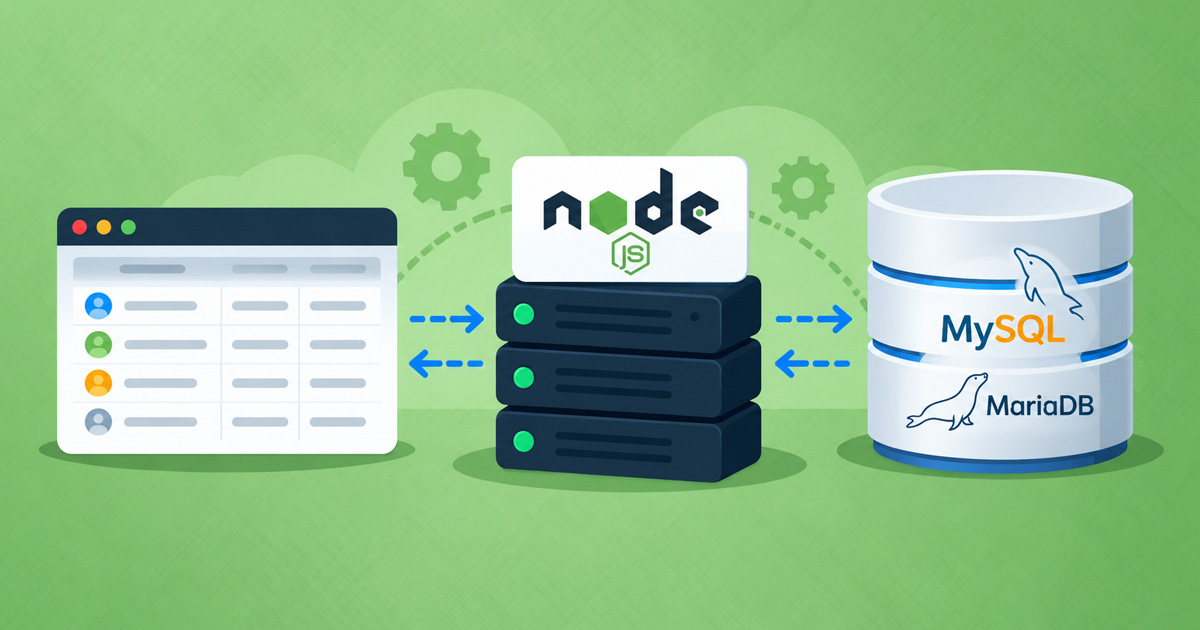

Almost every web application stores data in a database. Applications created with an AI assistant often use SQLite or expect a database on localhost. In this article, you’ll learn how to connect a Node.js application on our hosting to a MySQL (MariaDB) database and what to watch out for. We tested the procedure on our Green and Turbo plans.
Table of Contents
- Connecting a Node.js Application to a MySQL Database
- Accented Characters and Emoji: Create Tables with utf8mb4
- ORM: Sequelize, Knex, Drizzle
- Prisma
- SQLite or MySQL
- Hosting Limits
- Remote Database Access
- External Databases
Connecting a Node.js Application to a MySQL Database
Let’s look at how to create a MySQL database in cPanel, configure the connection details and connect it to a Node.js application.
Step 1: Create a Database and User
- In cPanel, open MySQL Databases (or Database Wizard).
- Create a database, for example
myapi. Your account username is automatically added as a prefix:username_myapi. - Create a user with a strong password and add the user to the database with all privileges (ALL PRIVILEGES).
Our servers run MariaDB 11.4, which is compatible with MySQL.
Step 2: Store Connection Details in Environment Variables
In Setup Node.js App → Environment variables, add:
| Name | Value |
|---|---|
DB_HOST |
localhost |
DB_USER |
username_myapi |
DB_PASS |
user password |
DB_NAME |
username_myapi |
Then restart the application. Do not put the password in your code.
Step 3: Connect Using mysql2
Install the package in your application’s virtual environment:
npm install mysql2const mysql = require('mysql2/promise');
const pool = mysql.createPool({
host: process.env.DB_HOST,
user: process.env.DB_USER,
password: process.env.DB_PASS,
database: process.env.DB_NAME,
charset: 'utf8mb4',
connectionLimit: 5,
enableKeepAlive: true,
idleTimeout: 60000,
});
app.get('/api/players', async (req, res) => {
const [rows] = await pool.query('SELECT id, name FROM players');
res.json(rows);
});Why these settings:
connectionLimit: 5: the number of simultaneous database connections is limited (for example, 50 on the Green plan and 200 on Turbo plans), and all applications on the hosting plan share these connections.idleTimeout: the database server closes a connection that has been idle for 3 minutes. With a shorter timeout, the connection pool closes idle connections itself and avoids the “Connection lost” error.charset: 'utf8mb4': ensures accented characters and emoji display correctly.
Accented Characters and Emoji: Create Tables with utf8mb4
A new database on the server may have latin1 as its default character set. Tables created without specifying a character set cannot store emoji (resulting in the “Incorrect string value” error), and accented characters may display incorrectly. Always create tables using utf8mb4:
CREATE TABLE players (
  id INT AUTO_INCREMENT PRIMARY KEY,
  name VARCHAR(100) NOT NULL
) CHARACTER SET utf8mb4 COLLATE utf8mb4_unicode_ci;
Alternatively, you can change the default character set for the entire database immediately after creating it (in phpMyAdmin → SQL tab):
ALTER DATABASE username_myapi CHARACTER SET utf8mb4 COLLATE utf8mb4_unicode_ci;This change applies to tables created after the command. Convert existing tables using ALTER TABLE table_name CONVERT TO CHARACTER SET utf8mb4 COLLATE utf8mb4_unicode_ci;.
ORM: Sequelize, Knex, Drizzle
ORM libraries that use mysql2 work in the same way. Configure them with the same connection details, a small connection pool (for example, pool: { max: 5 }) and the utf8mb4 character set. Run migrations in the application’s virtual environment, for example with npx sequelize-cli db:migrate or npx knex migrate:latest.
Prisma
Prisma uses a Rust-based engine by default. It detects all the server’s CPUs and creates more than 50 threads. On the Green, Blue and Red plans, this exhausts the plan’s process and thread limit (100 on the Green plan): queries return the “timer has gone away” error, and other websites on the same plan also stop working. The default configuration works on Turbo plans.
On the Green, Blue and Red plans, use Prisma without the Rust engine, with the MariaDB driver (tested with Prisma 6):
npm install prisma@6 @prisma/client@6 @prisma/adapter-mariadb@6In schema.prisma:
generator client {
  provider   = "prisma-client-js"
  engineType = "client"
}
In your application:
const { PrismaClient } = require('@prisma/client');
const { PrismaMariaDb } = require('@prisma/adapter-mariadb');

const prisma = new PrismaClient({
  adapter: new PrismaMariaDb({
    host: process.env.DB_HOST,
    user: process.env.DB_USER,
    password: process.env.DB_PASS,
    database: process.env.DB_NAME,
    connectionLimit: 5,
  }),
});
With this configuration, the application uses approximately 11 threads and 95 MB of memory.
Run Prisma CLI commands (prisma generate, prisma db push, prisma migrate deploy) on the server with execution restricted to one CPU. Otherwise, they may fail with the misleading “P1001: Can’t reach database server” error:
taskset -c 0 npx prisma db pushYou can also run migrations from your own computer through remote database access (see below).
Warning: Running npm install prisma without specifying a version currently installs a Prisma 8 prerelease. Always specify the version.
SQLite or MySQL
SQLite (the better-sqlite3 package, which installs in seconds without compilation) works well for smaller applications with a single user or few write operations. Store the database file in the application directory (not in public_html), use an absolute path and enable WAL mode:
const Database = require('better-sqlite3');
const db = new Database(require('path').join(__dirname, 'data.db'));
db.pragma('journal_mode = WAL');
For applications with multiple users, we recommend MySQL.
Hosting Limits
When using MySQL/MariaDB databases, keep the limits of each hosting plan in mind:
- Each database has a size limit (for example, 2 GB on the Green, Blue and Red plans and 10 GB on Turbo plans). Details are available in the Terms of Use.
- The number of simultaneous database connections is limited (for example, 50 on the Green plan).
Remote Database Access
You can also access the database from another server or your own computer, for example when your application’s backend runs elsewhere or when you want to manage the database with a tool such as DBeaver or MySQL Workbench.
- In cPanel, open Remote MySQL.
- Add the public IP address of the server or computer you will connect from.
- Use the hostname of your hosting server (available in cPanel) as the database host, with port
3306.
The connection can be encrypted (TLS 1.3). The database server uses a self-signed certificate, so the client must be configured not to verify the certificate.
If you use mysql2 to connect to the database, configure the encrypted connection as follows:
const pool = mysql.createPool({
  host: 'server-name.neoserv.si',
  // ... user, password, database
  ssl: { rejectUnauthorized: false },
});
Tips
- Add only the IP addresses you actually need and remove them when they are no longer required.
- For an application running on another server, every database request is slower because of the network distance. Whenever possible, run the application on the same hosting plan as the database.
- If you need a verified certificate or custom database settings, we recommend a VPS server.
External Databases
The application can also connect to an external MongoDB database (for example, MongoDB Atlas, port 27017).
External PostgreSQL and Redis databases on ports 5432 and 6379 are not accessible.
If you need help connecting your application to a database, we’re here to help.
COMMENT THE POST
Your comment has been successfully submitted
The comment will be visible on the page when our moderators approve it.