


- Your cart is currently empty.
Node.js Application with WebSocket, Socket.io and SSE
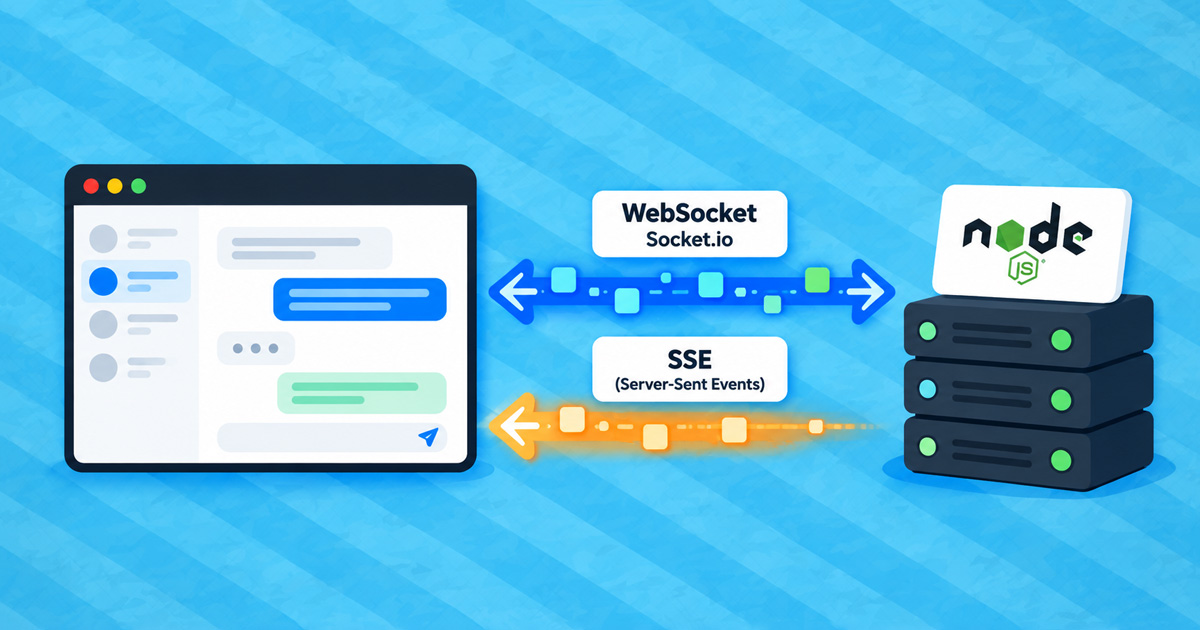

Live notifications, progress indicators, streaming responses from AI models, dashboards that update automatically: all of these require a connection that stays open. The most commonly used technologies are:
- WebSocket (and the Socket.io library, which is based on it): a two-way connection between the browser and the server,
- SSE (Server-Sent Events): a one-way connection through which the server sends events to the browser.
Both work in Node.js applications on our hosting, directly within an application created in Setup Node.js App, without any additional tools. We tested them on the Green and Turbo plans.
Table of Contents
- WebSocket
- Socket.io
- SSE (Server-Sent Events)
- Reconnection Is Essential
- What Is Suitable for Web Hosting?
WebSocket
WebSocket enables two-way communication between the browser and the server and works without any special configuration.
Example using the ws package and Express:
const express = require('express');
const http = require('http');
const { WebSocketServer } = require('ws');

const app = express();
const server = http.createServer(app);
const wss = new WebSocketServer({ server, path: '/api/ws' });

wss.on('connection', (ws) => {
  ws.send('hello');
  ws.on('message', (msg) => ws.send(`received: ${msg}`));
});

server.listen(process.env.PORT || 3000);
In the browser:
const ws = new WebSocket(`wss://${location.host}/api/ws`);The path (/api/ws) must include the path specified in the Application URL field because the application receives the full request path.
WebSocket connections remain open even when no data is transmitted for an extended period and do not occupy slots for regular requests. In our test, a single application maintained 300 open connections simultaneously.
Socket.io
Socket.io enables real-time communication and automatically reconnects when a connection is interrupted.
Example using Express:
const { Server } = require('socket.io');
const io = new Server(server, { path: '/api/socket.io' });

io.on('connection', (socket) => {
  socket.emit('greeting', 'hello');
});
// in the browser
const socket = io({ path: '/api/socket.io' });If the application is not at the root of the domain or subdomain, you must configure path on both the server and in the browser. The default path /socket.io/ points outside the application and returns a 404 error.
Socket.io initially connects using regular requests and then immediately upgrades to WebSocket. If the connection is interrupted, it reconnects automatically (within 2 seconds in our test).
SSE (Server-Sent Events)
SSE works without delays: an event reaches the browser as soon as you send it. However, you must follow two rules or the server will close the connection:
- Send the first data immediately after opening the connection. The server closes a connection if it does not receive even the first byte within 20 minutes. Calling
res.flushHeaders()alone is not enough. - Send a heartbeat at least once every minute. A connection is terminated if no data is transmitted for 2 minutes. We recommend sending the comment
: pingevery 15–30 seconds.
app.get('/api/events', (req, res) => {
  res.set({
    'Content-Type': 'text/event-stream',
    'Cache-Control': 'no-cache',
  });

  // 1. send the first data immediately
  res.write(': connected\n\n');

  // 2. heartbeat
  const ping = setInterval(() => res.write(': ping\n\n'), 25000);

  let id = 0;
  const timer = setInterval(() => {
    res.write(`id: ${++id}\ndata: ${JSON.stringify({ time: Date.now() })}\n\n`);
  }, 5000);

  req.on('close', () => { clearInterval(ping); clearInterval(timer); });
});
// in the browser
const es = new EventSource('/api/events');
es.onmessage = (e) => console.log(JSON.parse(e.data));EventSource automatically reconnects after an interruption and sends the ID of the last received event to the server in the Last-Event-ID header.
The SetEnv noabort 1 directive in the .htaccess file has no effect on SSE and is not needed.
How Many Concurrent SSE Clients?
Each open SSE connection occupies one of the 12 slots available to the application for concurrent requests. With 12 open SSE connections, new visitors have to wait in a queue. SSE is therefore suitable for a smaller number of concurrent users (e.g. administration or progress indicators). For more users, use WebSocket or Socket.io, which do not have this limitation.
Reconnection Is Essential
Open connections are interrupted when:
- you restart the application (RESTART, changes to settings or environment variables in Setup Node.js App, a new version of the code),
- the web server undergoes maintenance.
Socket.io and EventSource reconnect automatically. With plain WebSocket, your code must handle reconnection, for example:
function connect() {
  const ws = new WebSocket(`wss://${location.host}/api/ws`);
  ws.onclose = () => setTimeout(connect, 2000);
}
connect();
What Is Suitable for Web Hosting?
Real-time connections technically work on all hosting plans that support Node.js. Because open connections continuously consume hosting resources, we recommend Turbo Hosting for applications that rely on them as a core feature. Turbo hosting provides more memory, CPU cores and concurrent processes.
Suitable:
- live notifications and updates for a smaller number of users,
- processing progress indicators and streaming responses from AI models,
- dashboards and administration interfaces.
Not suitable:
- public chat rooms (chat servers) and online games,
- applications with continuous CPU usage,
- large numbers of concurrent persistent connections.
For such projects, we recommend a VPS Server, which gives you access to an entire server and full control over its configuration.
COMMENT THE POST
Your comment has been successfully submitted
The comment will be visible on the page when our moderators approve it.