


- Your cart is currently empty.
Opening Winmail.dat File: How to View and Open Attachments


When you receive an email from a sender using Microsoft Outlook 2007, 2010, 2013, Exchange, Office 365 or Windows Mail, you may receive a file called winmail.dat alongside the message and the usual attachment. This is a file that contains formatting information for email messages in addition to the attached content. Because the file uses Microsoft’s proprietary TNEF standard, it is not recognised by other mail clients, so you will not be able to open the attachment you receive. In this post, we’ll give you a solution on how to open such an attachment and how to prevent it from being sent again.
How to open winmail.dat?
If you do not have Microsoft Office / Exchange installed on your computer, you do not need to open such a file. The solution depends on the mail client you are using.
Mozilla Thunderbird
If you use Mozilla Thunderbird to receive your emails, you may find the Thunderbird LookOut add-on helpful. It decrypts the winmail.dat attachment and displays the original attachments you received from the sender.
Other email clients
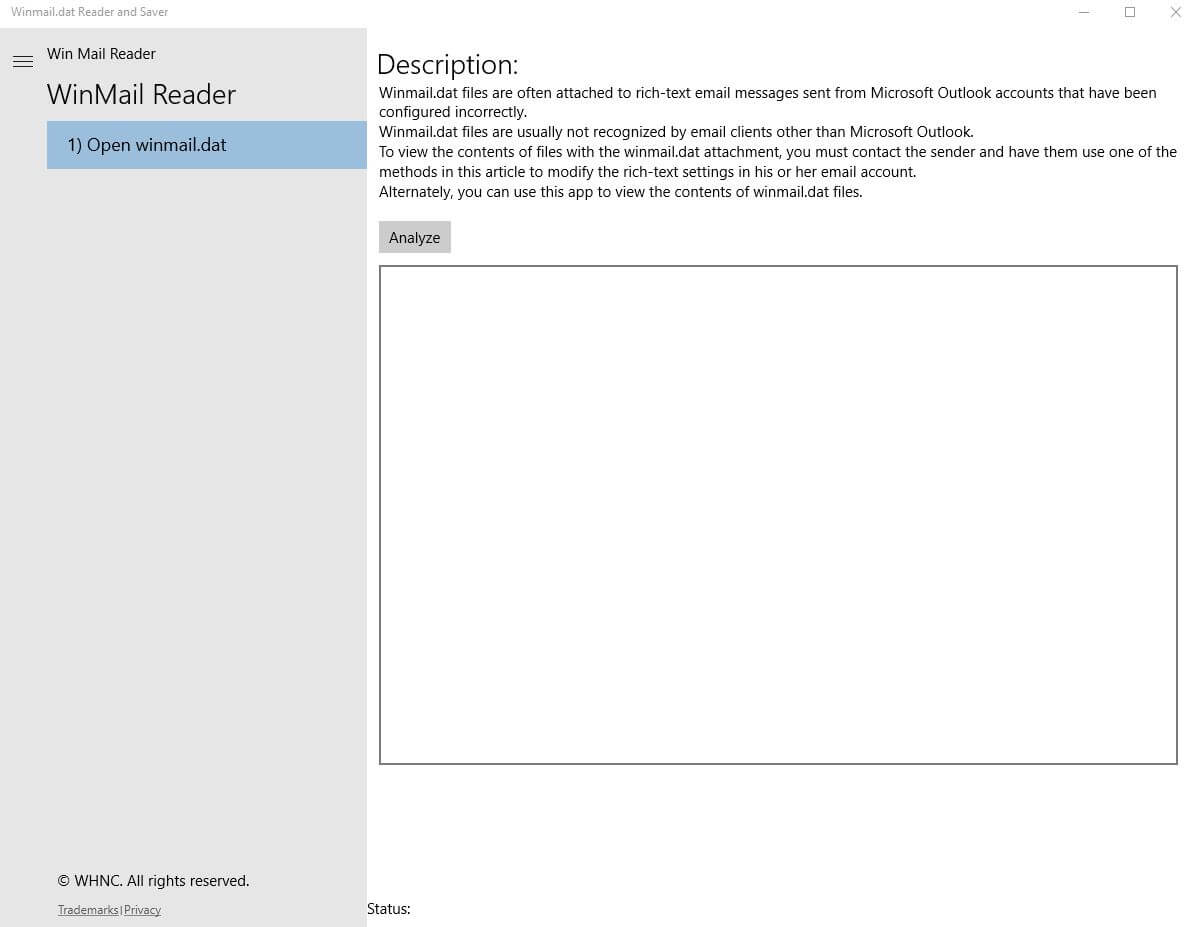
If you don’t use Mozilla Thunderbird to receive emails, you can install the Winmail.dat Reader and Saver on your Windows operating system. Once the installation is complete, the program will start, all you need to do is click on the Analyze button and select the winmail.dat file you want.
How do I stop winmail.dat from being sent?
If you are the sender of emails where the attachment turns into a winmail.dat file, you can fix the problem in your operating system. The procedure depends on the mail client you are using. It is important that you follow the steps below carefully, otherwise you may experience problems with your operating system.
Office 365
Sending a winmail.dat attachment in Office 365 is done in three steps:
1. Connect to Exchange Online via Powershell. Detailed instructions on how to do this can be found at gcits.com.au.
2. Enter the following code:
Set-RemoteDomain Default -TNEFEnabled $false
3. That’s all. You have successfully disabled the sending of the winmail.dat attachment.
Microsoft Outlook 2010
To prevent Microsoft Outlook 2010 from sending winmail.dat files, follow these steps:
1. Close Microsoft Outlook 2010.
2. Start the Registry Editor, press the Windows key and type regedit in the Search programs and files section.
In the Registry Editor, open the following folder: HKEY_CURRENT_USER\Software\Microsoft\Office\14.0\Outlook\Preferences.
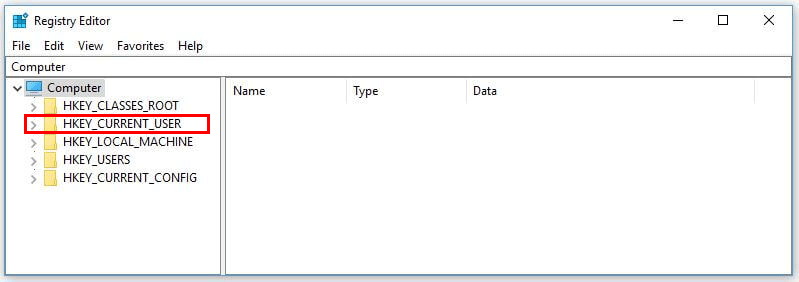
4. From the Edit menu, select New and click DWORD Value.
5. Type Disable TNEF and press Enter on the keyboard.
6. Right-click on DisableTNEF and select Modify.
7. In the Value data window, enter the number 1 and press OK.
8. Close the Registry Editor and restart the computer.
Microsoft Outlook 2007
To prevent Microsoft Outlook 2007 from sending the winmail.dat file, follow these steps:
1. Install patch 957692.
2. Close Microsoft Outlook 2007.
3. Start the Registry Editor, press the Windows key and type regedit in the Search programs and files section.
4. In the Registry Editor, open the following folder: HKEY_CURRENT_USER\Software\Microsoft\Office\12.0\Outlook\Preferences.
5. From the Edit menu, select New and click DWORD Value.
6. Type Disable TNEF and press Enter on the keyboard.
7. Right-click on DisableTNEF and select Modify.
8. In the Value data window, enter the number 1 and press OK.
9. Close the Registry Editor and restart the computer.
When you disable the sending of winmail.dat, recipients of your emails will receive attachments that they can open regardless of which email client they are using. This process also improves the user experience, as recipients will not need additional tools to open the received attachments.
COMMENT THE POST
Your comment has been successfully submitted
The comment will be visible on the page when our moderators approve it.