


- Your cart is currently empty.
How to Prevent Contact Form Spam

Online attackers are lurking on every website. Even if you just have a basic web presence with a contact form, you can quickly fall victim to web viruses or SPAM. We’ve looked at how web attackers abuse contact formSPAM in WordPress and Joomla, and how to resolve the situation.
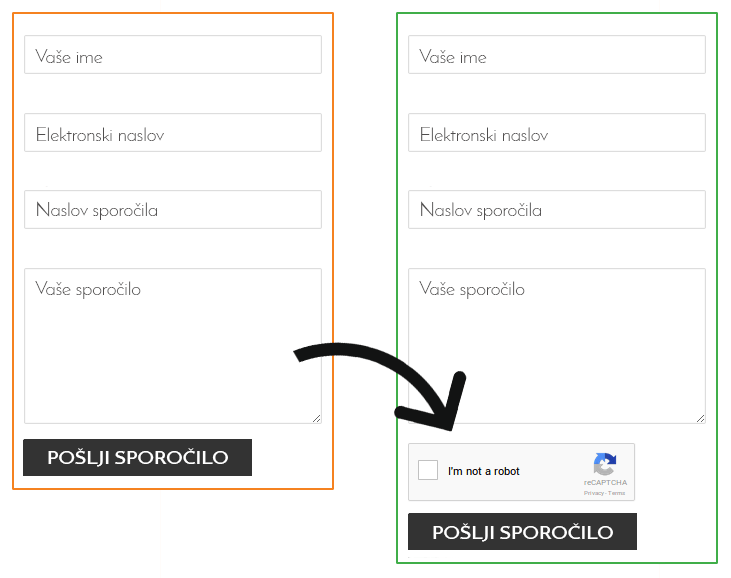
To help you understand, here is an example of what a contact form looks like with and without the reCAPTCHA test.
Why is the contact form misused and why is it harmful?
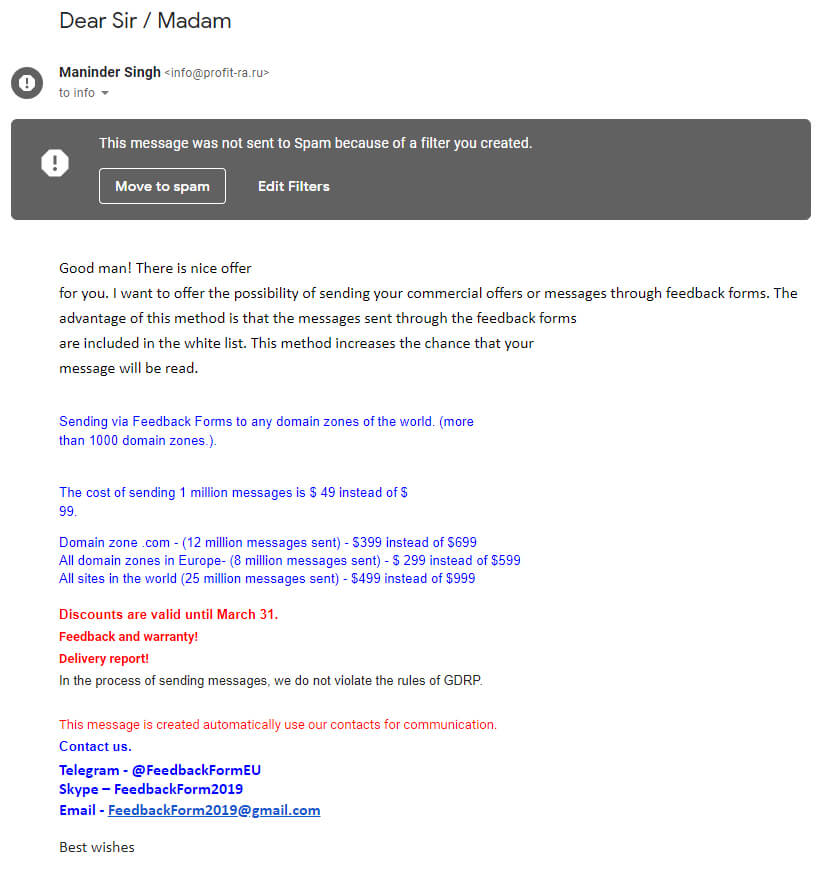
If an online attacker manages to abuse your contact form, they can effectively spread their SPAM content for free. The first and most obvious inconvenience that this type of problem presents is that you will start receiving SPAM mail in your email inbox. An example of such a message can be seen in the picture below.
However, online attackers often use malicious scripts to fill in contact forms for two other reasons:
- To check the vulnerability of a website. Web attackers also want to gain access to your email address database through the contact form. If they succeed, everyone on your mailing list will start receiving SPAM mail.
- SPAM advertisements from malicious sites. Some web viruses work in a more sophisticated way and do not send SPAM mail directly. They add a link to their own site in the messages that are sent to your recipients. This is to convince the recipients that they will come to a trustworthy website.
As you can see, this is a serious problem and you probably don’t want your business partners, customers and other recipients of your messages to receive unsolicited content or links to malicious sites.
An additional problem arises if you use any of the following email sending services: Yahoo, Outlook, Hotmail, Live, OneDrive, Zoho, Yandex, ProtonMail, Mail.com, Tutanota, Elude, Exchange mail, MailChimp, EmailDirect or MailGun. Microsoft immediately blocks all users who send SPAM emails through these services.
How do I protect myself?
As mentioned at the beginning of this article, we’ll look at how to prevent contact form abuse in WordPress and Joomla.
WordPress
WordPress is the most popular system for creating websites. This is also known by online attackers who are looking for different ways to abuse every page that is available on the web. If you want to prevent abuse via the contact form, then read on.
The first condition for proper contact form protection is that you use a tested, dedicated plugin. The most popular include WPForms, Pirate Forms and Ninja Forms.
However, using the right plugin is only the first step, so we advise you to also use the reCAPTCHA test.
ReCAPTCHA
ReCAPTCHA is the successor to the CAPTCHA test, where the user had to perform a letter and number recognition task on an image to be recognised by the system as a legitimate user. The characters were sometimes difficult to read and the task was time-consuming, so an upgrade – reCAPTCHA – followed. This test offers tasks that are easier and faster for humans to solve, but still identify web viruses extremely efficiently.
To use the reCAPTCHA test effectively, you need to generate two reCAPTCHA keys and add them to your page and contact form.
A. Generate the reCAPTCHA keys
1. Log in to the reCAPTCHA administration using your Gmail account. We advise you to use the email address associated with your domain if possible.
2. Under Register a new site, add a description in the Label field, for example the title of your website.
3. Select reCAPTCHA V2.
4. Under Domains, add the domain of your website.
5. Accept the terms and conditions and click on the Register button.

B. Adding reCAPTCHA to the website
1. Once you have generated the reCAPTCHA Site Key and Secret Key, copy them.
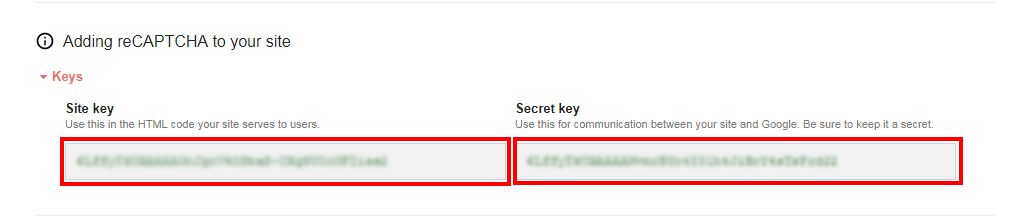
2. In the admin area of your WordPress site, under the contact form plugin, open the settings and search for reCAPTCHA Settings.
3. In the Site Key field, copy the reCAPTCHA Site Key.
4. In the reCAPTCHA field, copy the Secret Key.
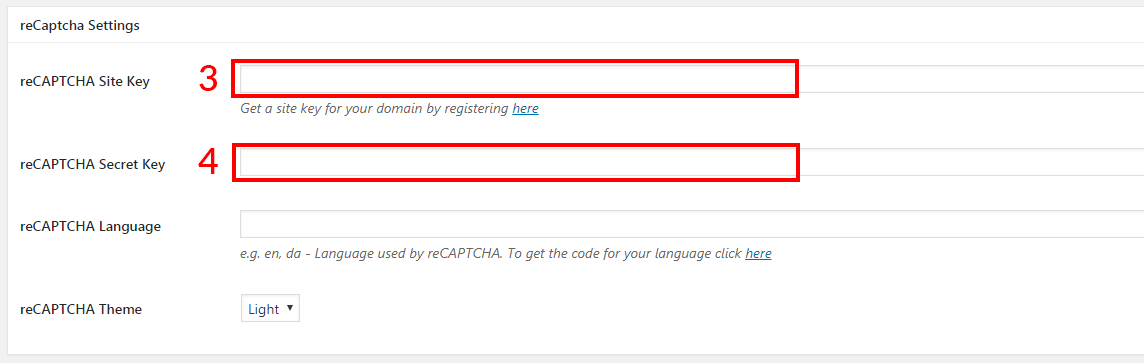
5. Click on the Save Settings button.
C. Adding reCAPTCHA to the contact form
Finally, for the contact form you use on the website, you need to set the reCAPTCHA test to be displayed to the user. Where you edit the setting depends on the plugin you are using.
In case the unsolicited completion via the contact form continues despite the use of reCAPTCHA, use other applications. Install a hidden field on the contact form using the Anti-spam Honeypot, or the Akismet plugin, which effectively filters SPAM content.
If you use a CAPTCHA maths test on your website, you are not adequately protected against abuse of the contact form. Malicious scripts have become so sophisticated that they can successfully solve mathematical CAPTCHA tasks. To ensure successful protection, install the reCAPTCHA test. 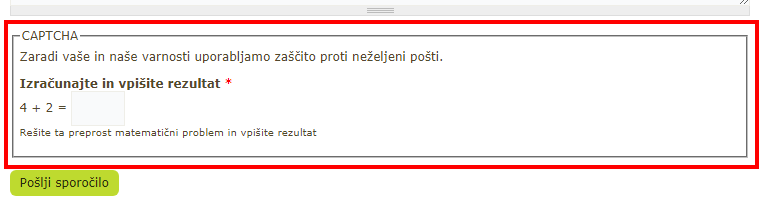
Joomla!
In Joomla, the contact form has a preconfigured option to send a copy of the message to yourself. This allows online attackers to send spam to any email address they wish via this form.
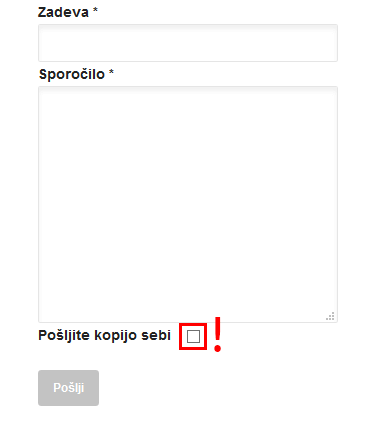
Below, we’ll look at how to prevent the abuse of the contact form via the cPanel control panel in two steps.
1. Log in to the control panel and click on the phpMyAdmin icon.
2. Select the database where the contact form is located and search for the string %email_copy%.
3. This attribute is usually set to ”1”. To disable sending a copy of the email to your email address, set the value to ”0”.
This disables the ”Send copy to self” option and prevents possible abuse of the contact form in Joomla.
End
In addition to the negative consequences mentioned in the first part of this article, it is important to point out additional disadvantages. Contact form SPAM also causes direct damage to your website, as Google will consider it as a page that spreads unwanted content. As a result, it will be ranked lower in search results and, if you also use AdWords ads, Google will quickly exclude them. This makes it all the more important to prevent the misuse of the contact form on your website.
COMMENT THE POST
Your comment has been successfully submitted
The comment will be visible on the page when our moderators approve it.