


- Your cart is currently empty.
How to Prevent Newsletter Abuse and SPAM
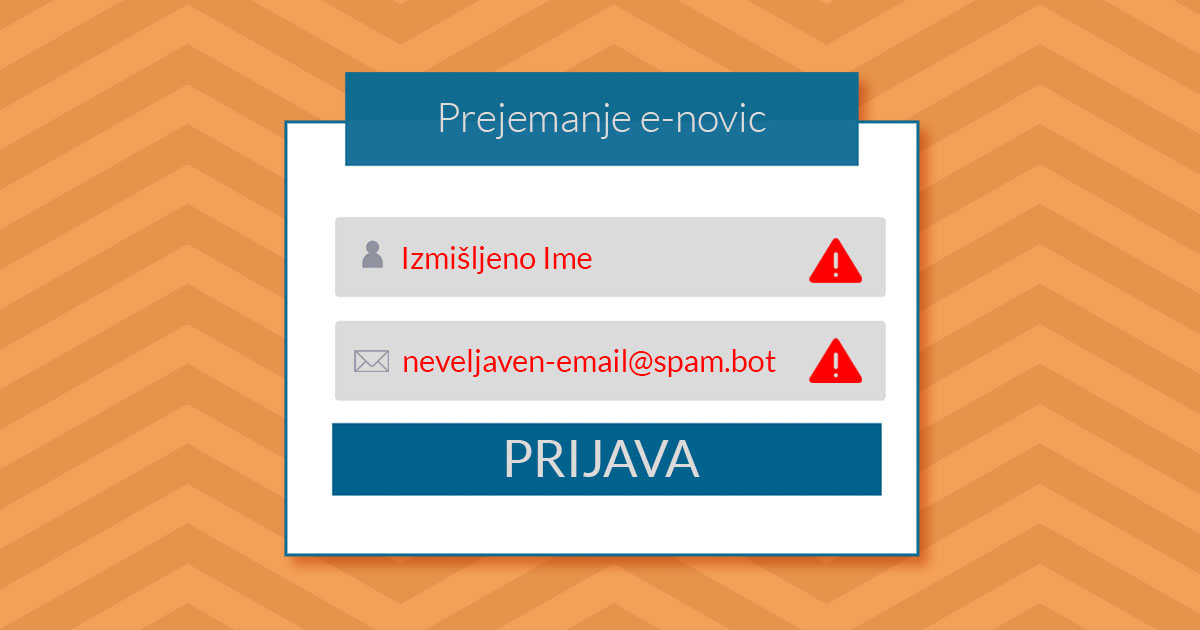

Online attackers use automated scripts ( SPAM bots) to sign up for newsletters using SPAM e-mail addresses, which can damage the reputation of the domain, which also becomes marked as a SPAM domain by sending messages to SPAM e-mail addresses.
The additional SPAM e-mailing has a negative impact on the bounce rate. A constant increase in the bounce rate will lead to a decline in the sender’s reputation and also in the percentage of successfully delivered e-mails.
Although such bounces are not detrimental to the website and its content, they still have a negative impact on the subscriber base. Fake newsletter SPAM, which contains untrue information, greatly distorts the picture of who the average subscriber is. This can lead to the sender producing inappropriate content and materials for them.
UPDATED 08.11.2017
Microsoft has tightened the conditions and is immediately blocking senders of unsolicited newsletters or websites/IP addresses that fall victim to so-called“newsletter spam“. The new, stricter rules apply to anyone using any of the following services to send emails: Yahoo, Outlook, Hotmail, Live, Microsoft, OneDrive, Zoho, Yandex, ProtonMail, Mail.com, Tutanota, Elude. Additionally, it blocks all business users with an Exchange mail server and users of services such as MailChimp, EmailDirect and MailGun.
How does this harm your email database?
Sending emails to SPAM or invalid (non-existent) email addresses means that your domain has a high e-mail bounce rate. If this rate is too high, you may experience problems with the delivery of perfectly legitimate messages. A high bounce rate is one of the indicators that a domain is sending unsolicited e-mail messages, and as a result, many e-mail servers block or delay the delivery of messages from that domain.
If your e-mail database contains a large number of invalid e-mail addresses to which messages are being sent, your domain will be blacklisted and the normal functioning of e-mail will be disrupted.
How do we prevent fake registrations?
The first step to prevent fake sign-ups is to make sure that every new subscriber confirms that they are signed up to the newsletter. When you sign up, you will receive an email with a confirmation link in your email address. By clicking on it, the user confirms that he/she has subscribed to the newsletter on his/her own accord. This option is available in most email sending tools (e.g. MailChimp and SqualoMail). The problem arises because malicious auto-subscription scripts are already sophisticated enough to recognise the link in the message and successfully click on it. In this way, they bypass the verification of the user or new subscriber.
To successfully prevent invalid logins, use the reCAPTCHA test. By using this test, you will be able to filter out malicious scripts that are not able to pass this type of test at the time of login.
What is reCAPTCHA?
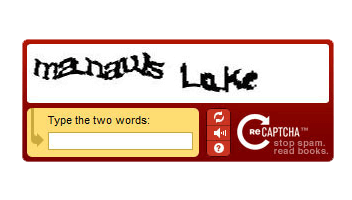
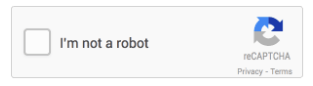
ReCAPTCHA is a test that determines whether a particular user is a human or a program. As mentioned earlier, malicious scripts can recognise links and other textual content, but are not able to solve mathematical and logical problems or recognise images. There are several types of reCAPTCHA tests that successfully distinguish between real and fake users:
- Entering the characters you see in the image:
- confirm the statement – I am not a robot:
- identify the elements in the image (e.g. label pictures with cats):
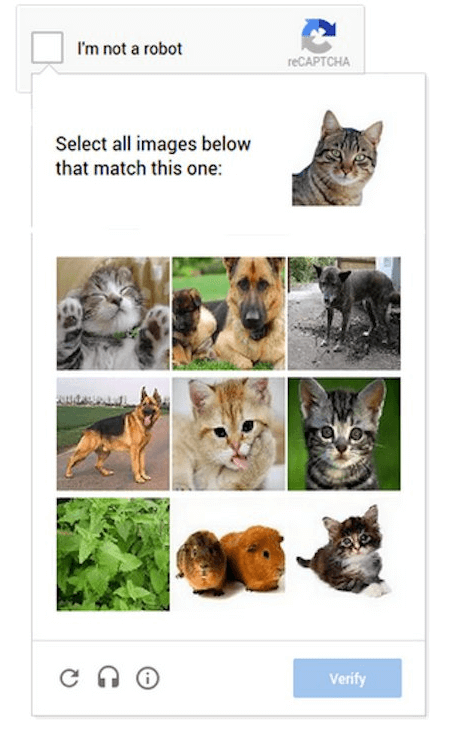
Based on the success of the test, reCAPTCHA evaluates what kind of user it is. If the test result is unsuccessful, the user cannot continue with the newsletter sign-up process.
Invisible reCAPTCHA
The invisible reCAPTCHA works in a different way to the above mentioned ones. It is a blank field that must remain unfilled. It is invisible to web users, but visible to web viruses, which automatically fill it in. This is how the invisible reCAPTCHA distinguishes genuine newsletter subscribers from malicious ones. An additional advantage of this test is that web users do not have to fill it in, compared to other reCAPTCHA tests. This improves the user experience, but still protects your site from fraudulent sign-ups.
How can I tell which submissions are fake?
If you already have a list of subscribers, then it can sometimes be difficult to tell which are real and which are fake. Check the following four characteristics that are found in most fake sign-ups.
1. Suspicious email address of the subscriber
First check the first part, which consists of the name. If it is a name made up of random characters, there is a good chance that it is a fake email address. Also check the domain name, which should be linked to a well-known organisation or company. If you look at some examples of email addresses, you will be able to spot the fake ones very quickly:
stefan.novak@gmail.com
lyzoddihys-0091@yopmail.com
gordana99@siol.net
patrik-grah@hotmail.com
mariopage@fastemails.us
durepechif@ibsats.com
2. User’s name and e-mail address
A further indication that this is an automated, false login is that the first and last name of the new user is completely different from their e-mail address. You may take such a user under scrutiny.
If your subscription is only for Slovenian users, foreign names are also a good sign of fake subscriptions. If we take the email address from the example above mariopage@fastemails.us, we can see that it is a user from the USA, who is not a relevant user for your newsletter.
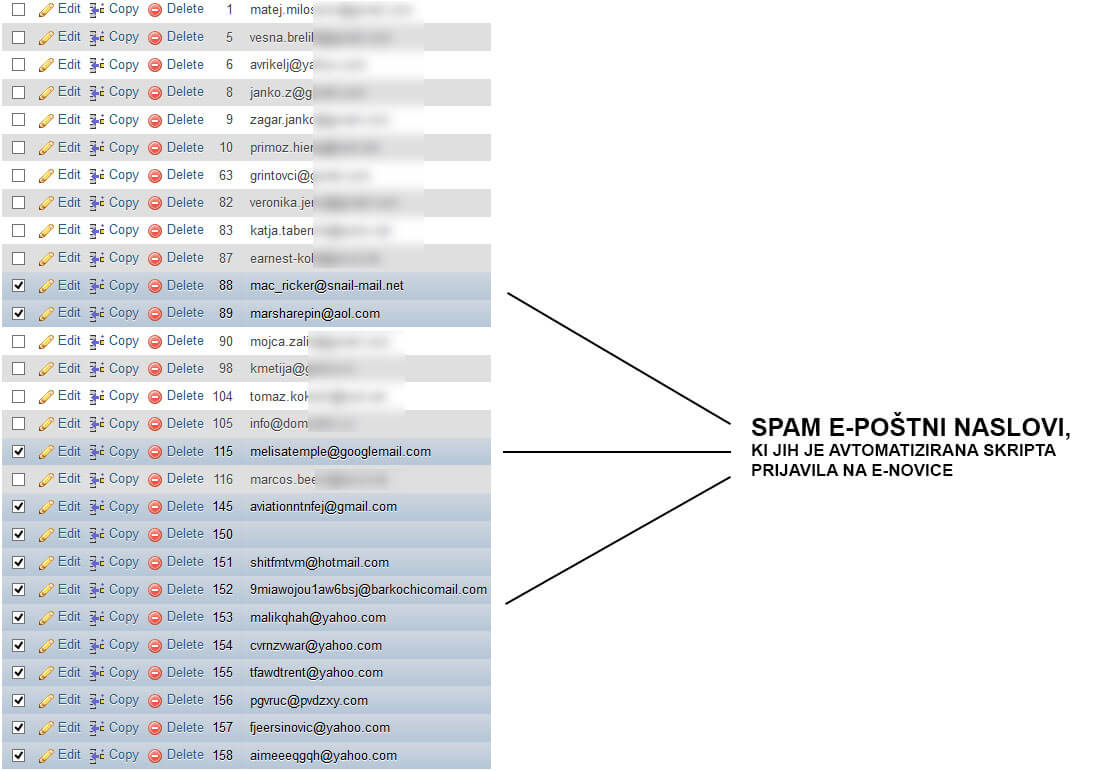
To help you get an idea, here is an example of a fake SPAM newsletter subscription:
3. Unknown source of subscription
If you use embedded forms or APIs to sign up subscribers, then signing up via other sources may be a sign that the sign-up is a fake. In this case, please check the first two points to make sure the email address is authentic.
4. The IP address used to log in and to confirm the log-in are different
When someone signs up to your list, in most cases they enter their details and confirm their subscription from the same computer, which has its own IP address. When a malicious script signs up, in most cases the sign-up is done from one IP address and the subscription confirmation is done from a different IP address. If the login and subscription confirmation IP addresses are different, this may indicate a fake login. Most email sending tools allow you to export a list of subscribers and compare the IP addresses of each individual subscriber.
How do I remove fake subscriptions with MailChimp?
If the unwanted sign-ups started around a certain date, set a time frame within which you check all sign-ups. This makes it easier to identify and remove the signups that have been executed with a malicious script.
We’ll show you how to remove fake logins in the most popular email tool MailChimp in six steps:
1. Create a new field (segment).
2. Select all subscribers from the drop-down menu.
3. In the first condition of the drop-down menu, set Date Added after a specific date and select the desired date.
4. For the second condition in the drop-down menu, set the Signup Source was to Hosted Signup Form.
5. Click on Preview Segment.
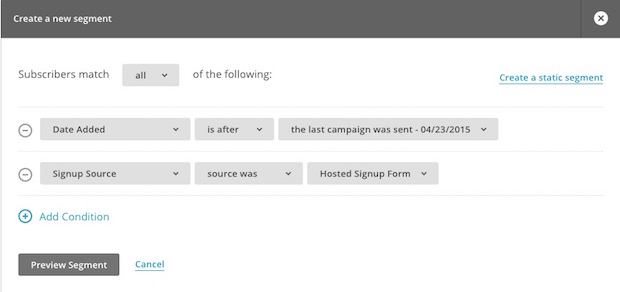
6. Select the false registrations and delete them.
The four criteria we described in the previous section should help you to identify malicious logins.
If you are using another email tool, please contact the provider of that tool for specific instructions on how to remove fake newsletter sign-ups.
We advise you to check your existing newsletter list or user base and remove any bogus subscriptions. Otherwise you will continue to send your newsletter to these addresses.
Why do cyber attackers sign up for newsletters?
There are several possible reasons for this, the most common of which are:
1. Fighting against materialism
Not everyone supports materialism, including online attackers who express their disagreement with this thinking by trying to prevent or at least make it difficult to send effective promotional content.
2. Indirect marketing
Online attackers who sign up for email newsletters often reply to the emails. In their replies, they mention their product and add a SPAM link where they want to redirect the reader.
3. For no good reason / To cause harm
Sometimes online attackers have no particular reason to harm you. They just want to show how powerful they are and that they can do what they want. The aim of these types of attackers is personal gratification and entertainment.
Conclusion
In addition to the negative consequences of phishing, which we mentioned at the beginning of this article, the volume of emails sent and the number of subscribers is also a major disadvantage. For example, if you are using a MailChimp package that allows 2,000 subscribers and 12,000 messages per month, you will quickly exceed the limits of your package if the number of fake sign-ups increases, so it is important to check and remove fake newsletter sign-ups as soon as possible.
COMMENT THE POST
Your comment has been successfully submitted
The comment will be visible on the page when our moderators approve it.