


- Your cart is currently empty.
When to Choose a Professional Email Hosting Provider

Despite the ever new technologies in electronic communication, email remains an extremely important part of business. Any entrepreneur who has ever experienced the inability to receive or send emails knows exactly how much damage and trouble this can cause to a company. Just losing an important message can cause a lot of inconvenience.
As you probably know, we are a web hosting provider specialising in website hosting, but we also provide email hosting. With us, you create and access your email inboxes via the cPanel control panel, which you get access to when you purchase a hosting package.
Most customers are perfectly happy hosting their email on our servers. However, for the most demanding users who have email inboxes filled with several GB of data, we recommend choosing a specialised external email service. Not only will it be cheaper for you, but you will also benefit from additional functionalities, which you will learn more about below.
Before that, let’s say a few words about free email solutions.
Disadvantages of free email boxes
There are many free email applications available online. Some of the most well-known are Gmail, Yahoo, Hotmail and some others. Although opting for a free solution may seem more than great at first glance, there are a few drawbacks:
- Unprofessional appearance of the email address. Can you imagine if we sent you emails from info.neoserv@yahoo.com instead of info@neoserv.si? That certainly wouldn’t look professional, and it would be hard to be sure for yourself if the free email address really belongs to us. In the business world, anything other than an email address linked to your domain is simply not an option.
- Difficulties in switching to another email address. If you want to change your @hotmail.com email address to @gmail.com after a few years of use, you should inform all your contacts about the change. You can be sure that your new email address is far from being saved by everyone.
- Displaying unwanted ads. Ever wonder why there are so many free email hosting providers? One of the main reasons for this is the ads that appear everywhere inside your email inbox. Each click on them earns the provider a few cents, and if there are a lot of users, the cents quickly escalate to higher amounts.
- The possibility of suspending an email account. Violating the terms of use can lead to the unpleasant situation of being left without access to your email. Why would this happen? You could be the victim of a “phishing” scam in which your password is stolen. The attacker then starts sending mass amounts of unsolicited or “spam” messages through your email inbox, which causes your email provider to suspend your account.
We therefore strongly advise against using a free email address for business purposes. If you can’t avoid it, at the very least, make sure you regularly back up your contacts and important emails.
Benefits of hosting your email with a specialist provider
We recommend that all web hosting customers who have email messages taking up most of the space on their server use an external email service. The main reasons for choosing to host your email with a specialist provider are:
- Lower price. The price of email hosting is lower than the price of website hosting. The Zoho email hosting provider offers a package with 30 GB of space at a price of €2 per month, while the monthly price of a shared hosting package of the same size is much higher.
- More space. Email hosting packages provide subscribers with a large amount of server space. At Zoho, the Standard package includes 30 GB, the Pro package 100 GB and the Enterprise package 1 TB.
- Additional functionality. Specialised email hosting services offer various useful extras in addition to the email space itself. If you opt for G Suite (sometimes known as Google Apps for Work), you’ll also get shared calendars, video and voice conferencing, documents, spreadsheets and presentations, the ability to chat, and a few other utilities.
- The ability to send large files. Have you ever wanted to send a large attachment (e.g. a high-resolution image) via email, but soon saw a warning that the attachment was too large? With paid email hosting providers, attachment size limits are usually much higher. Microsoft Exchange already allows you to send messages up to 150 MB in its basic package.
- Advanced spam filtering. External email services such as G Suite, Zoho, FastMail and the like have extremely sophisticated spam protection built in. In addition to making your inbox more transparent, this is important because it makes it much harder for an email address to end up on a so-called “blacklist” list.
Wondering if you can use an email address linked to your registered domain (example: info@vasepodjetje.si) with specialised email providers? Of course, the vast majority of paid packages certainly allow this.
Popular email hosting services
Have you decided to use a specialised solution to host your emails? Find out about some of the most popular providers in this area. Here’s a look at the G Suite, Microsoft Office 365, Zoho Workplace and FastMail outsourced email services.
G Suite
Google’s G Suite offers much more than just email hosting. It’s a whole suite of cloud-based applications that you’re probably already familiar with – Gmail, Google Docs, Sheets, Slides, etc. While these apps are free to use, paid versions offer additional functionality.

The main difference between a free and a paid Gmail account is that the latter allows you to use your domain email address. You also get a lot more space and 24-hour support.
With G Suite, you can create video or voice conferences, use shared calendars, create documents, spreadsheets, presentations and forms, save documents to Google Drive… in short, you have a complete online office at your disposal.
Choose from three packages:
- Basic: €4 per user per month, 30 GB of web space.
- Business: €8 per user per month, unlimited web space.
- Enterprise: €23 per user per month, unlimited web space, extra capacity.
Details of packages: https://gsuite.google.com/pricing.html
2. Microsoft Office 365
Similar to G Suite, Microsoft Office 365 is a web-based office that includes all the applications a business needs to work efficiently with email and various document formats.
Microsoft Office 365 includes Outlook, Word, Excel, PowerPoint, OneNote, Access and Publisher. Most packages also include Exchange, OneDrive, SharePoint, Skype for Business, Microsoft Teams and Yammer.
There’s a choice of packages for home and business use, as well as more powerful packages for larger businesses. We’d like to highlight three:
- Business Essentials: €4.20 per user per month, 50 GB of email space, online versions of applications.
- Business Premium: €10.50 per user per month, 50 GB of email space, web and desktop versions of applications, 24/7 support.
- Office 365 Enterprise E1: €6.70 per user per month, 50 GB of email space, web versions of apps, StaffHub app, 24/7 support.
All of these packages include 1 TB of cloud storage. Another difference between the Business and Enterprise packages is that Enterprise does not limit the number of users, while Business packages can be used by up to 300 users.
Package details:
- https://products.office.com/sl-SI/compare-all-microsoft-office-products?tab=2
- https://products.office.com/sl-si/business/compare-more-office-365-for-business-plans
3. Zoho
Zoho is more than just an email hosting provider, it also offers a complete suite of office applications. Writer, Sheet, Show, Docs, Showtime, Sites, Mail, Cliq and Connect are all bundled under the Zoho Workplace name.

Since business can no longer be done from the office, Zoho has developed mobile apps for all of the above tools. So you can edit documents and emails on your smartphone, no matter where you are.
Zoho Workplace, which integrates with G Suite and Microsoft Office 365, is available in three packages:
- Standard: €2 per user per month, 30 GB of web space.
- Pro: €5 per user per month, 100 GB of web space.
- Enterprise: €8 per user per month, 1 TB of web space per month.
Package details: https://www.zoho.eu/workplace/pricing.html
4. FastMail
Unlike the products presented earlier, which include a complete web office, FastMail specialises in email hosting only. Solutions are available for both individuals and companies who wish to use their own domain in their email address.
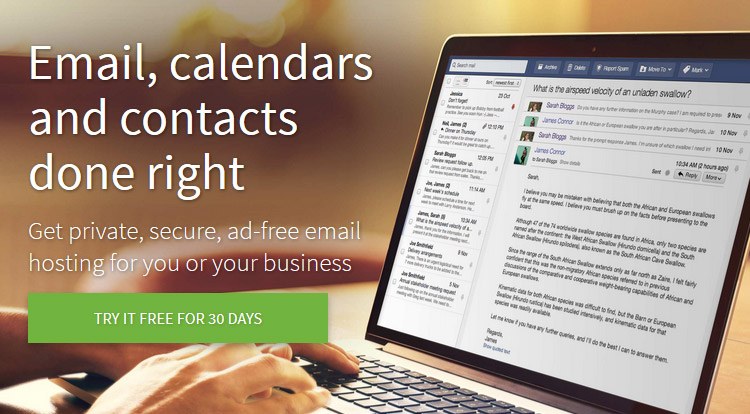
With FastMail, you’ll have full control over your email inboxes. You’ll be able to access your emails via a web browser or the mobile app (Android and iOS). In addition to working with your emails, you’ll also be able to edit your contacts and calendars.
With more than 15 years of experience in email hosting, the provider provides 24/7 support, advanced spam filtering and a great user experience without distracting ads.
You can try FastMail for free for 30 days, otherwise the provider has three packages:
- Basic: $3 per user per month, 2 GB of space, no option to own your own domain.
- Standard: $5 per user per month, 25 GB of space, own domain option.
- Professional: $9 per user per month, 100 GB of space, own domain option.
Package details: https://www.fastmail.com/pricing/
Compare email hosting packages
You can see the specifications of the packages of the providers presented in the table below, which brings the information together in one place.
| Providers and packages | Amount of space | Web office | Own domain option | Package price * |
|---|---|---|---|---|
| G Suite | ||||
| Basic | 30 GB | Yes | Yes | 4 € |
| Business | ∞ | yes | yes | 8 € |
| Enterprise | ∞ | yes | yes | 23 € |
| Microsoft Office 365 | ||||
| Business Essentials | 50 GB | yes ** | yes | 4,20 € |
| Business Premium | 50 GB | yes *** | yes | 10,50 € |
| Office 365 Enterprise E1 | 50 GB | yes ** | yes | 6,70 € |
| Zoho Workplace | ||||
| Standard | 30 GB | yes | yes | 2 € |
| Pro | 100 GB | yes | yes | 5 € |
| Enterprise | 1 TB | yes | yes | 8 € |
| FastMail | ||||
| Basic | 2 GB | No | no | 3 $ |
| Standard | 25 GB | no | Yes | 5 $ |
| Professional | 100 GB | No | Yes | 9 $ |
* Package prices are per user per month.
** Online office includes online versions of the applications.
*** Web Office includes both web and desktop versions of the applications.
COMMENT THE POST
Your comment has been successfully submitted
The comment will be visible on the page when our moderators approve it.