


- Your cart is currently empty.
WordPress.com vs WordPress.org: What’s the Difference

If you want to build a WordPress website, you may be confused by the choice between WordPress.com and WordPress.org. We’ll look at the key differences between the two, comparing costs, freedom and restrictions on management, working environment and development, to help you make your choice.
Table of contents
- What is WordPress.com?
- What is WordPress.org?
- Comparing WordPress.com and WordPress.org
- What to choose: WordPress.com or WordPress.org?
What is WordPress.com?
WordPress.com is a commercial website that allows you to build and set up a website for free. It runs on the open source WordPress platform, created by Matt Mullenweg together with his company Automattic.
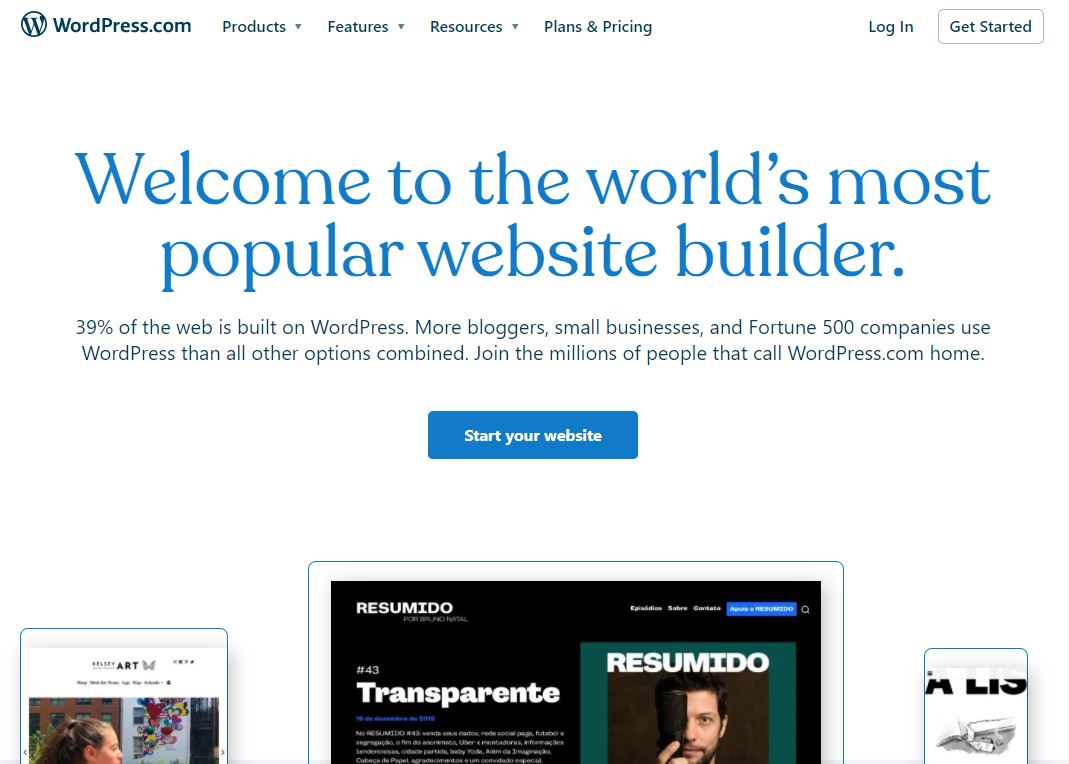
Hosting and basic website management on WordPress.com is free. Your site will also be properly protected and supported with automatic updates. For a fee, you’ll be able to upgrade your site for more management and editing freedom.
All you need to do is register, choose a name for your site and you’re ready to start creating content. You won’t even have to worry about installing the software, as everything will be pre-configured.
What is WordPress.org?
WordPress.org is the web platform on which more than 40% of all websites are based. It allows you to download your own copy of the software (CMS system) for free and the possibility to fully manage your website.
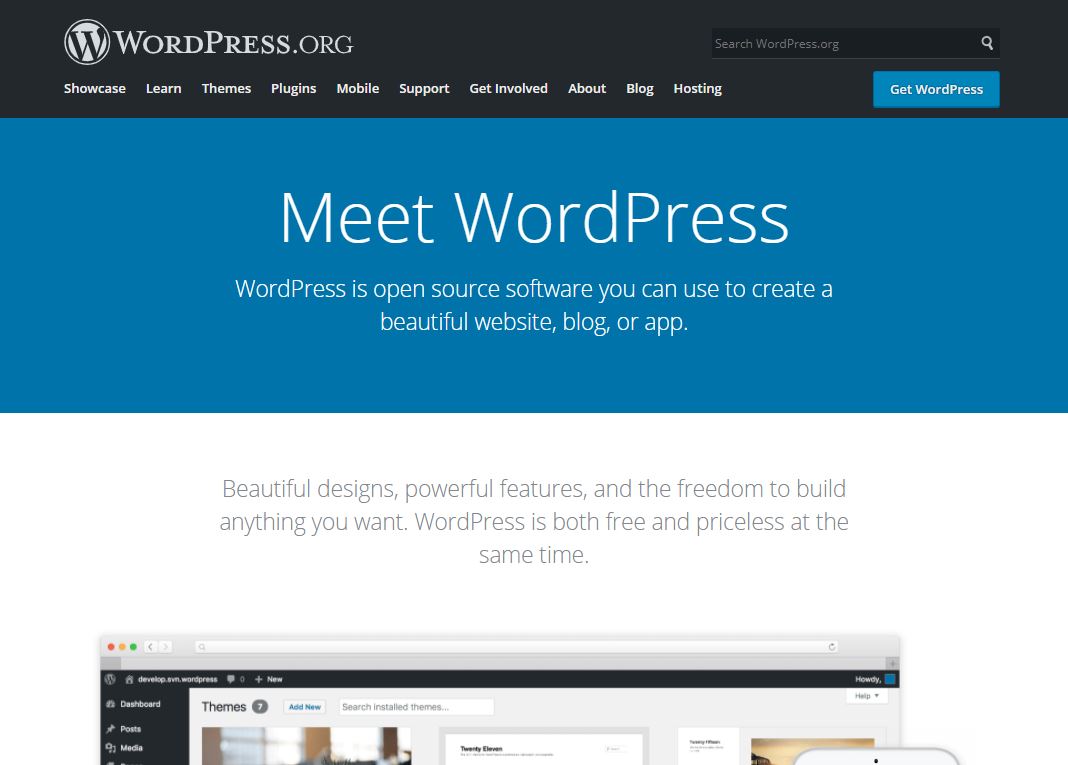
With the software comes the responsibility to find a hosting provider to host your site and to lease a domain.
WordPress.org also includes support and a forum community where you can ask anything about the platform. You can even participate in the forum to become part of the volunteers who develop WordPress code, mobile apps, translations and more.
Comparing WordPress.com and WordPress.org
Sometimes it’s hard to choose the right option, given that each has its pros and cons. To help you choose, we’ll look at the three most important differences between the two. We’ll focus on price, freedom and the limitations of managing and maintaining a website.
1. Cost
When it comes to costs, there are four areas to consider that are important for your site: domain, hosting, server space and display ads.
WordPress.com
If the initial cost is the most important factor, then WordPress.com will definitely be a better choice. If you don’t mind using a WordPress domain (vasastran.wordpress.com) and having ads displayed on your site, then you can set up and use a WordPress site completely free of charge. The biggest limitation is the upgrades and various packages offered by WordPress.com.
Let’s take a look at the costs you will face if you want to upgrade your WordPress.com site.
Annual costs (options):
- Upgrade package: from €48 to €540
- Domain registration: €15
- joining your domain: 13 €
- WHOIS protection: 7 €
- VideoPress: 52 €
- Space upgrade: 17 € – 250 €
- no display ads on the page: 25 €
- Page redirection: 11 €
One-off costs (options):
- premium graphic template: from 17 €
- guided download of your site: 113 €
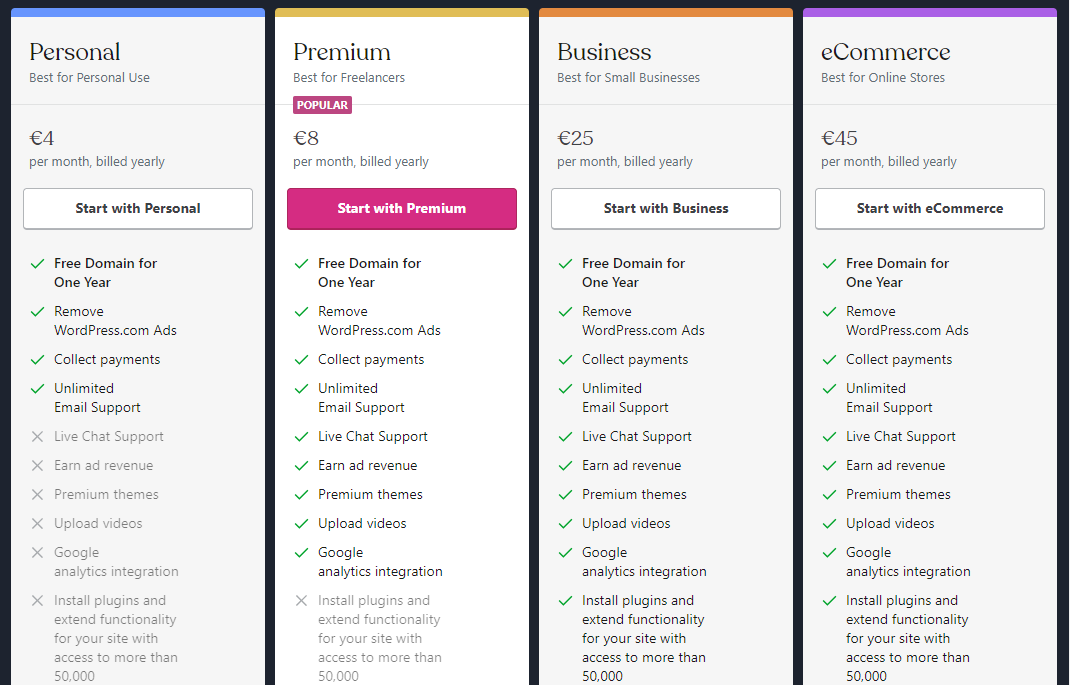
Let’s take a look at what the individual packages on WordPress.com have to offer:
WordPress.org
The software is free to use, but web hosting and domain registration are the only costs.
The recommended hosting for a WordPress site with NEOSERV costs just €17.86 for the first year.
You can register a generic .COM or .NET domain for €11.99, we also recommend a national .SI or .EU domain. Or you can opt for one of the themed domains, the cheapest are available for just a few euros per year. We offer over 1,000 domain extensions at the lowest prices in Slovenia, so you’re sure to find the right one for you.

Whichever hosting package and domain you choose, WordPress.org gives you full control over your site, files, database and domain.
Once you have your site ready, you’ll need to think about the graphic template and plugins. There are lots of free solutions available on WordPress.org. But there are also extremely sophisticated paid graphic templates and plugins that allow you to optimise your site and significantly improve the user experience. You can also find quality and useful solutions at Elegant Themes, WooThemes, ThemeForest, Codecanyon, etc.
2. Freedom and limits
WordPress.com has certain limitations with the free basic package. WordPress.org, on the other hand, offers complete freedom and control in the management of your website.
WordPress.com
It provides you with an efficient and stable working environment, the right software, and makes sure that you don’t have to deal with code or worry about the security of your website. In return, you have to pay for every upgrade, even if you just want to remove ads from your site or use your own graphic template.
Restrictions include:
- Adding plugins,
- storage space,
- you can only use WordPress.com graphic templates,
- content management (you have to pay to remove ads),
- no possibility to access FTP files.
Another very important fact is that you cannot use third-party advertising solutions such as Google AdSense. You also cannot track your statistics via Google Analytics.
WordPress.org
Once you have uploaded your WordPress site to a hosting package, you have all the freedom you need to manage your site.
You can use any graphic template or plugin you like. Your site won’t even display ads if you don’t want them to. You can include your own ads, e.g. via Google AdSense. You can also manage all your files via FTP, cPanel or the user interface provided by your hosting provider.
3. Maintenance
WordPress.com
You won’t have to worry about maintenance, because WordPress will take care of everything. You won’t have to worry about template and plugin compatibility in case of updates and upgrades. The security of your website will also be taken care of.
WordPress.org
Having full control over your website means you’ll also have to take care of:
- installing and setting up your WordPress site on a hosting package,
- regular updates, graphical templates and plugins,
- updating the WordPress system when a new version is released,
- protecting your website against hacking and infection,
- the security of your visitors’ data,
- resolving problems with the site if they arise.
If you want to have full control over your website, WordPress.org is definitely the best choice.
What to choose: WordPress.com or WordPress.org?
If we focus on cost, freedom, limitations and maintenance, then WordPress.org is the better choice. It’s true that you will need more time and energy to set up your WordPress site, but you will have full control and a huge amount of freedom to manage and maintain your site. You’ll be able to customise the graphic template and plugins, and add more functionality to your site.
If you just want a basic web presentation, without any financial investment, and you have only basic knowledge of web development, then WordPress.com is the right choice for you.
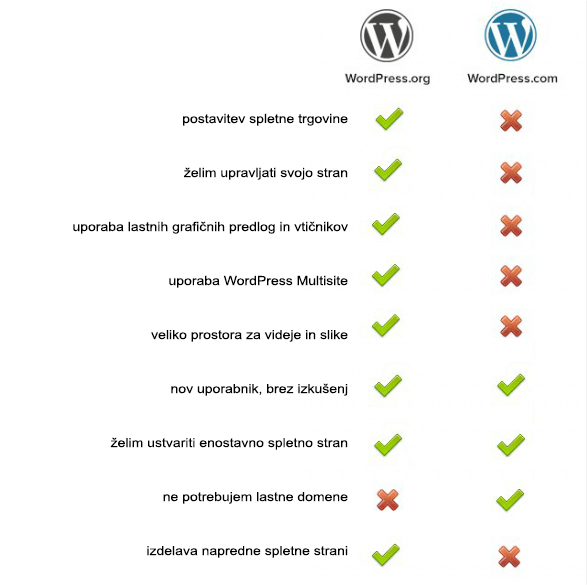
Both are good options, but the choice depends on what you need. Consider what your plans are for your website, what skills you have and how much time you can devote to creating and maintaining your site.
COMMENT THE POST
Your comment has been successfully submitted
The comment will be visible on the page when our moderators approve it.