- Your cart is currently empty.
Case Study: Pawtlet.com
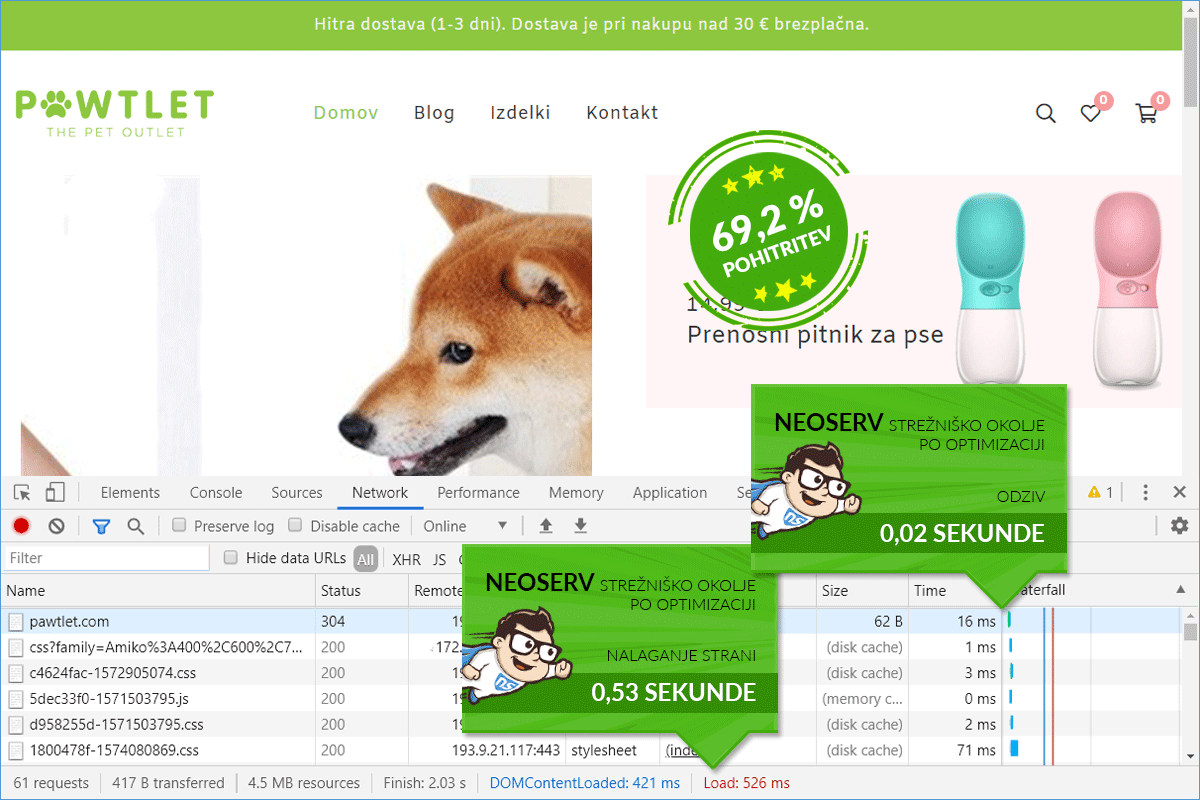
The loading speed of the online store Pawtlet.com improved by 69.24%.

The online store Pawtlet.com has been hosted with us for over a year. Since it is a smaller store, shared hosting on SSD-accelerated servers is more than sufficient. Therefore, today's case study is not about a transfer from another provider to us, but the owners of the online store decided only for speed optimization. We were happy to get to work and achieved significant improvement.
Although the online store was already loading relatively quickly for visitors before the speed optimization (in about 1.7 seconds), after reviewing the WordPress site, we quickly realized that we could further accelerate Pawtlet.com. If you are interested in more details, see below which measures we took to make the online store now open in just half a second.
ONLINE STORE SPEED OPTIMIZATION PROCESS
ABOUT THE ONLINE STORE
In the online store Pawtlet, managed by the company Fizato d.o.o. from Izola, there are extremely imaginative products for pets: dogs and cats.
Let us list just a few of the interesting accessories. For furry dogs, there are: an interactive ball with hidden treats; a portable water bottle with a drinking bowl; a practical set for cleaning paws; a mat for slower feeding of the dog; a toothbrush and chewing toy in one.
The online store Pawtlet.com also has an offer for cats. Currently, there is a hanging cat bed available, which can be easily installed on a smooth surface (e.g., a window) using suction cups.
If you have a four-legged furry friend at home and want to spice up their day with interesting products, we definitely recommend checking out the online store Pawtlet.com.
PAWTLET.COM
Visit the online store by clicking on the link below.
1. SPEED BEFORE OPTIMIZATION
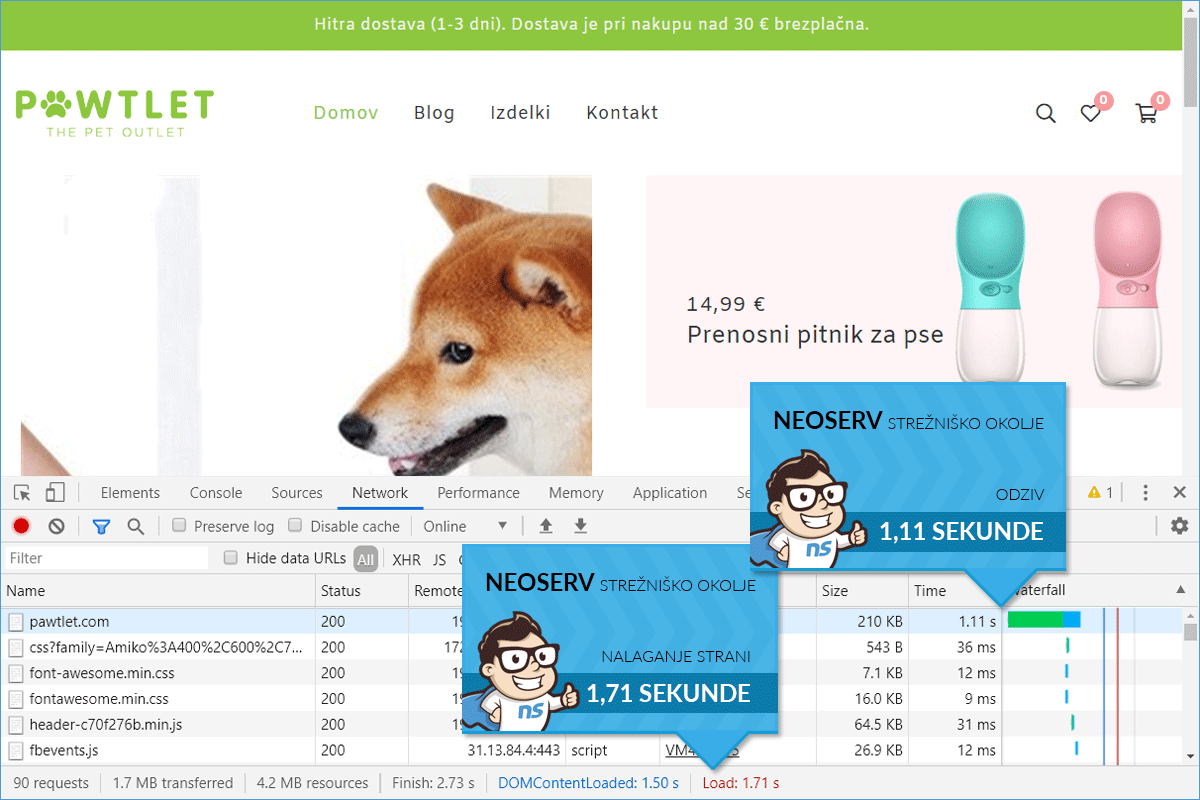
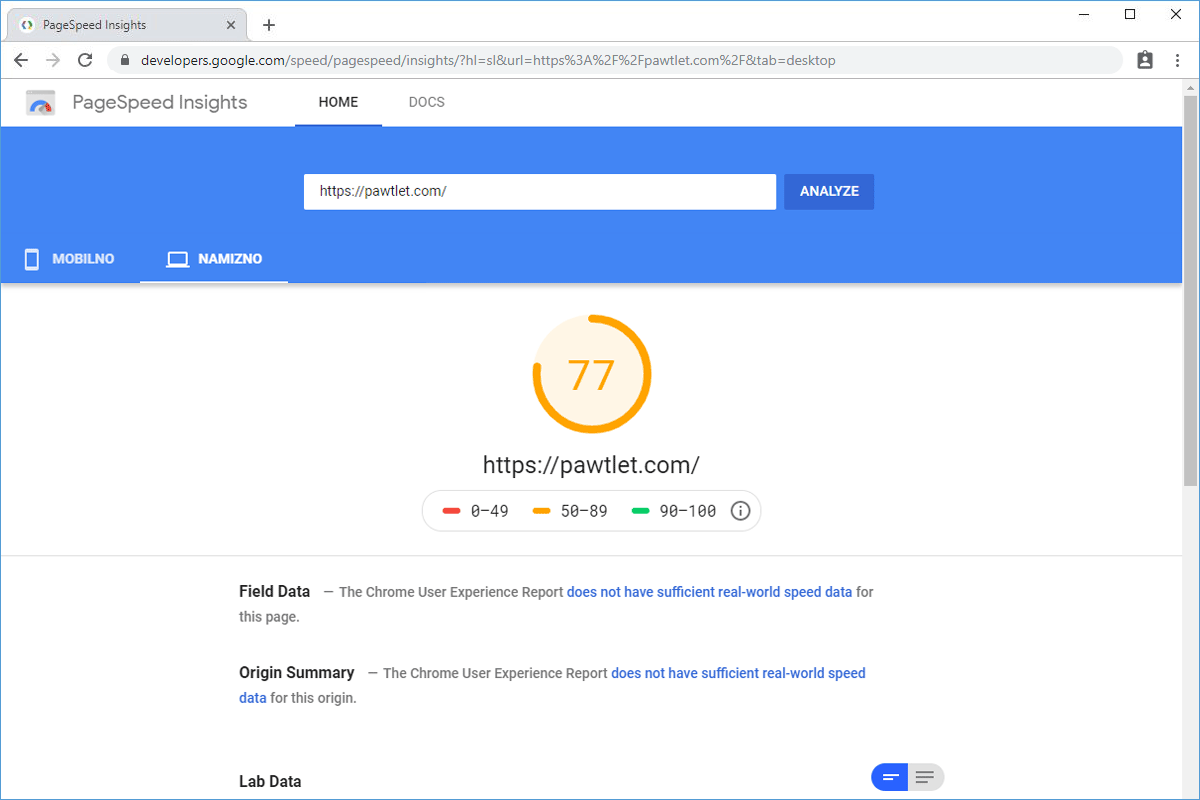
The online store Pawtlet.com has been hosted on one of our servers for shared hosting since the end of 2018. Before the speed optimization, which the owners decided on in November 2019, the homepage of the online store loaded for visitors in 1.71 seconds. The largest share of the total loading time was the time to the first byte (TTFB), which was more than a second. The fact that the online store was not slow before the speed optimization was also confirmed by a fairly high PageSpeed Insights score (77).
- Time of the first request: 1.11 s
- Web page loading time: 1.71 s
2. SPEED AFTER OPTIMIZATION
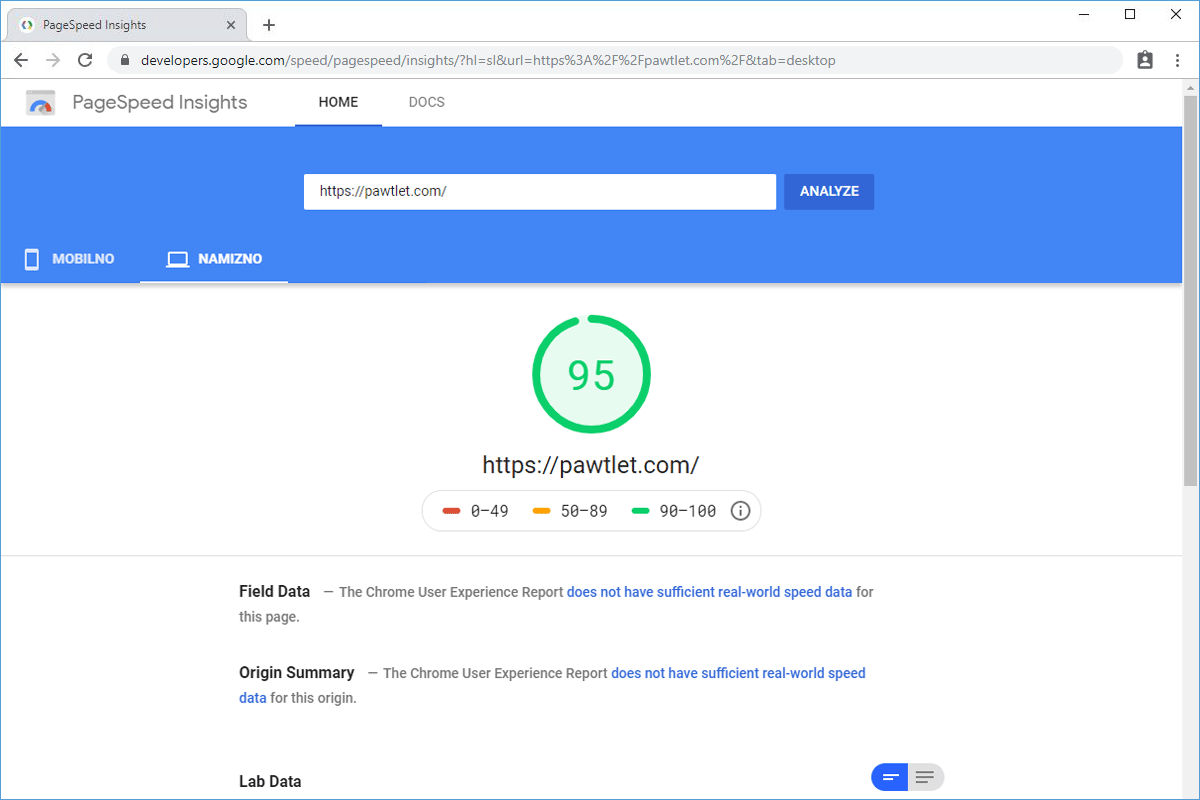
With the speed optimization of the online store Pawtlet.com, we improved the total loading time by 69.24%, which means that the store now loads in just over half a second. The PageSpeed Insights score also increased, now amounting to 95 for desktop computers. The speed optimization included: activation of the PHP extension OPcache in the cPanel control panel, installation and configuration of the caching plugin, installation and configuration of the plugin for merging and minifying CSS/JS files, as well as optimization of all images and setting up gzip compression.
- Time of the first request: 16 ms
- Web page loading time: 526 ms