- Your cart is currently empty.
Case Study: Villaprivlaka.com
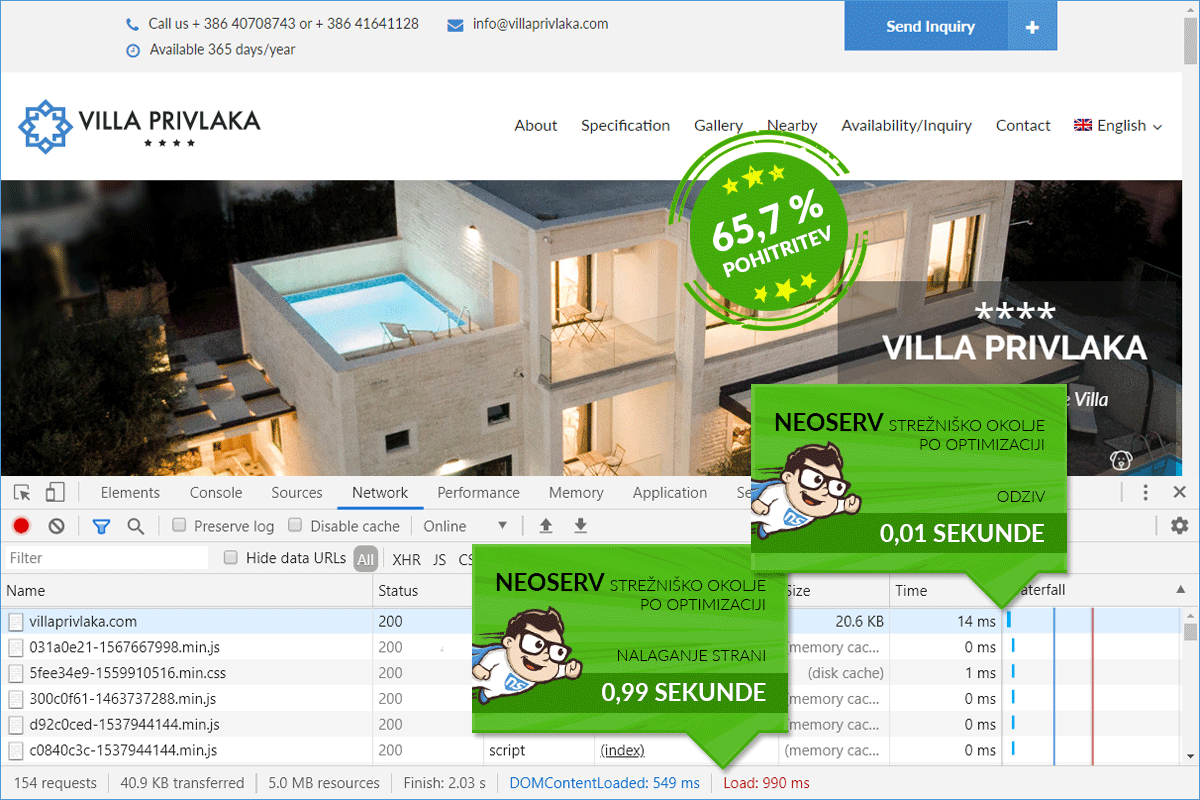
We improved the loading speed of the Villaprivlaka.com website by 65.74%.

Before transferring to us, the Villaprivlaka.com website was hosted on a server in the USA, with one of the larger global hosting providers. Speed tests using Chrome DevTools showed that the homepage was opening in just under 3 seconds for visitors from Slovenia. Although we often encounter much slower websites on the internet, the owners decided to try hosting with us and see if their site would perform faster.
Since they transferred not only the Villaprivlaka.com website but also a more extensive online store, they opted for the TURBO package, which boasts exceptionally powerful server resources. The improvement in loading speed was visible immediately after the transfer, and with a few adjustments and basic speed optimization, we further accelerated the website. Now it opens in about 1 second, which compared to the initial state means a 65.74% speed increase.
WEBSITE SPEED OPTIMIZATION PROCESS
ABOUT THE WEBSITE
The website presents the holiday home Villa Privlaka, located about 20 km from Zadar.
More precisely, the luxury villa is situated in the Dalmatian town of Privlaka, just a few steps from the sea, where there is also an arranged beach. The nearest is a sandy beach, but concrete and pebble beaches are also available not far away.
Villa Privlaka is perfect for unforgettable family vacations, as it combines a pleasant and peaceful environment, high living comfort, beautiful beaches, and easy accessibility to cities (Nin, Zadar) and national parks.
In the luxury holiday home, there are four bedrooms, four bathrooms (one includes a sauna), two living rooms, and a modernly equipped kitchen with a dining area. The accommodation also offers a covered terrace with comfortable garden furniture and two swimming pools.
The Villaprivlaka.com website is available in four language versions: Slovenian, Croatian, German, and English. If you are interested in more, visit the site and check additional details, and of course, you can also submit an inquiry or book accommodation.
VILLAPRIVLAKA.COM
Visit the website by clicking the link below.
1. SPEED WITH THE OLD PROVIDER
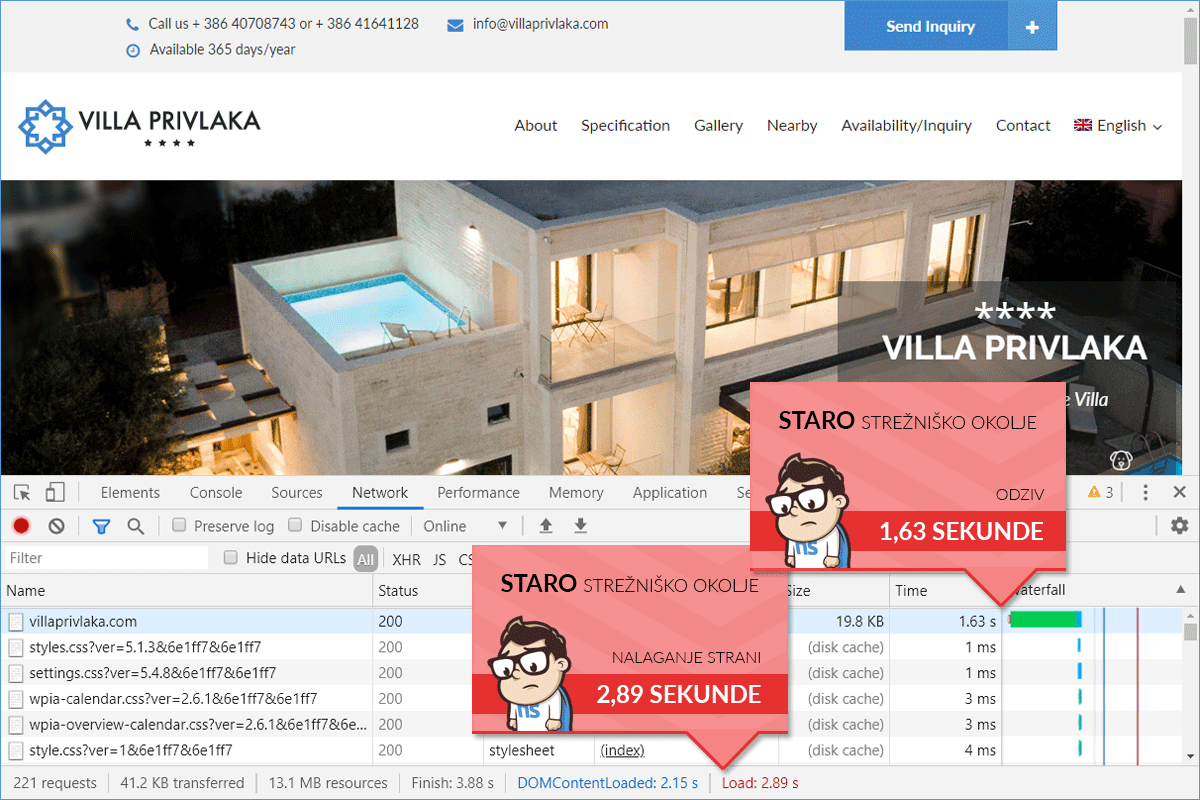
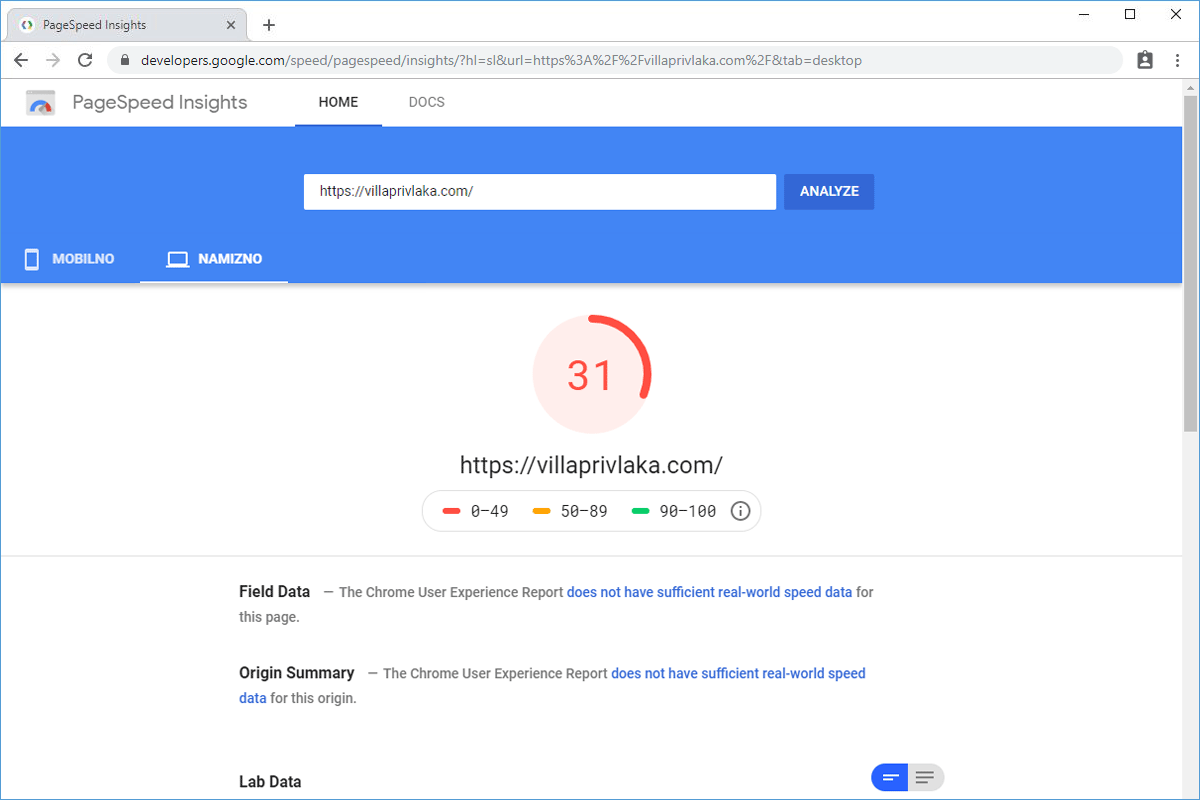
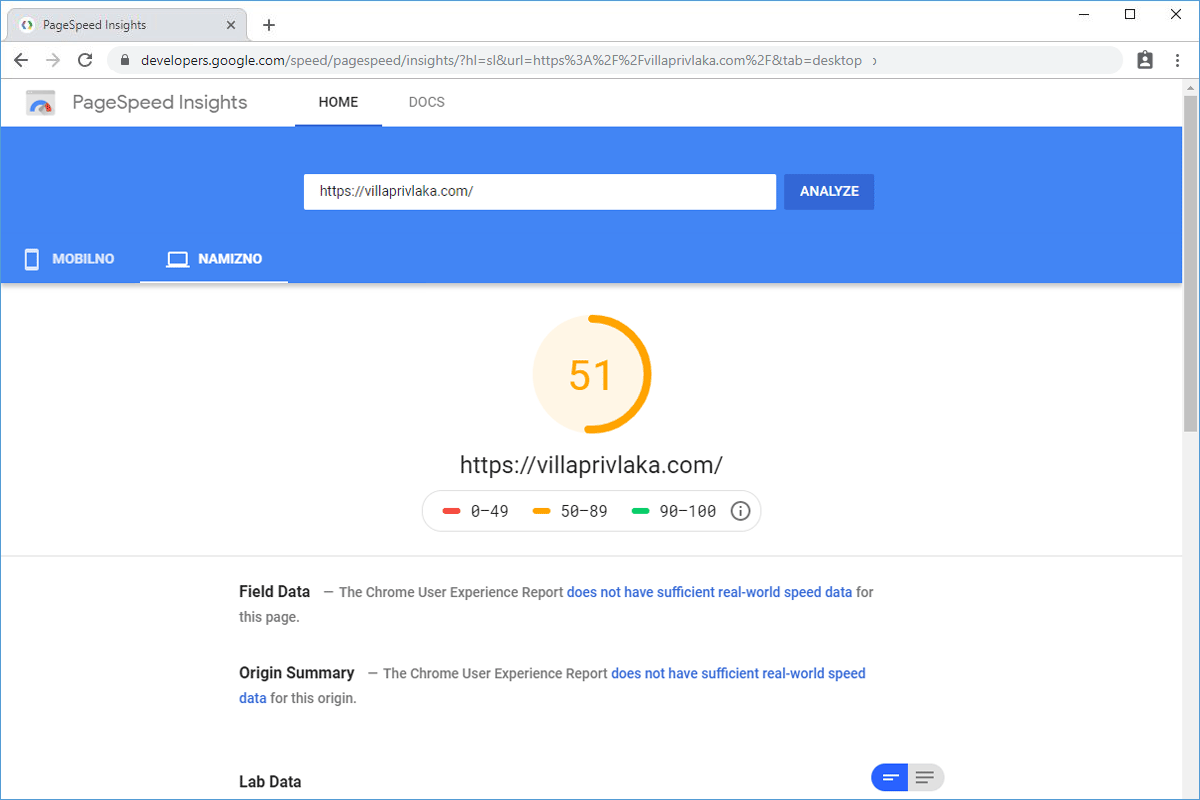
The Villaprivlaka.com website was originally hosted on a server in the USA. Tests we conducted with Chrome DevTools showed that the homepage was loading in about 3 seconds. Although a caching plugin (W3 Total Cache) was already installed, the total loading time was relatively high, as also indicated by the PageSpeed Insights score (31). On the server with one of the larger American hosting providers, the now somewhat outdated PHP version 5.6 was set up.
- Time of the first request: 1.63 s
- Loading time of the website: 2.89 s
2. SPEED IMMEDIATELY AFTER TRANSFER
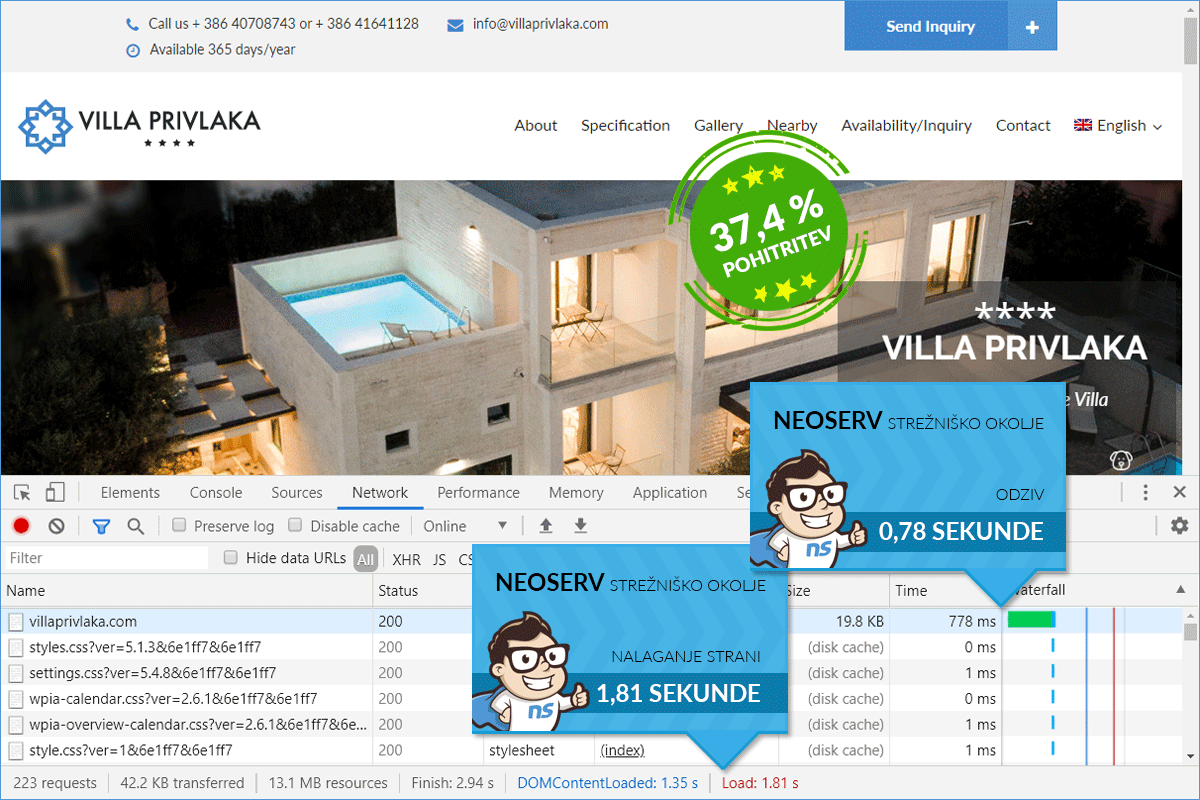
We advised the owners of the Villa Privlaka website to choose the TURBO package, especially because of the more extensive online store they also transferred to our server. The difference in loading speed was quickly noticeable, as the homepage loaded in less than 2 seconds after the transfer. This already achieved a 37.37% speed increase, but we knew that we could further improve the loading time with basic speed optimization.
- Time of the first request: 778 ms
- Loading time of the website: 1.81 s
3. SPEED AFTER NEOSERV OPTIMIZATION
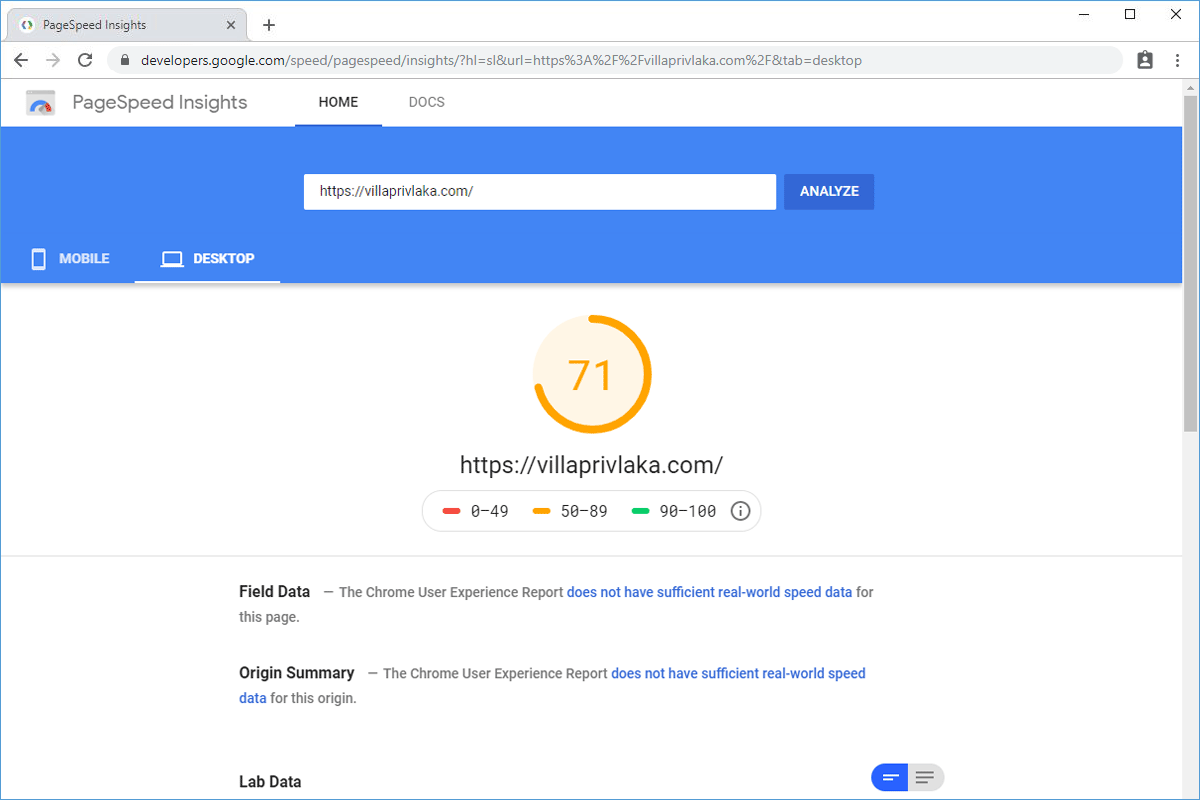
The total loading time of the website is significantly lower after the speed optimization was performed. Compared to the original state when the site was hosted on a server in the USA, the homepage now appears 65.74% faster to visitors from Slovenia. The speed optimization included six steps: activation of the newer PHP version 7.3, installation and configuration of a caching plugin, installation and configuration of a plugin for merging and minifying CSS/JS files, activation of gzip compression, optimization of all images (with lossless compression without visible loss of quality), activation of a plugin for progressive image loading.
- Time of the first request: 14 ms
- Loading time of the website: 990 ms