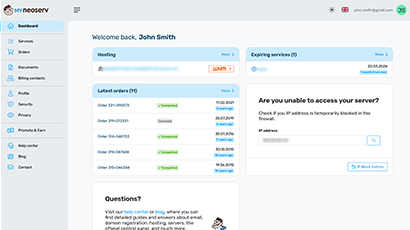
Upon logging into the system, the most important information about the services you have subscribed to with us is displayed on the homepage. You can see the status of your hosting and domains, open invoices, services nearing expiration, and recent events.
If you do not yet have hosting for your domain, you can order it through the homepage in a few steps.
You can also immediately see whether all your obligations have been met and if any of your services are about to expire. You can also see a brief summary of the latest events related to the services you have subscribed to with us.
Editing and Managing Content
In the Your Domains / Hosting tab, you can check the current status of your domains and hosting.
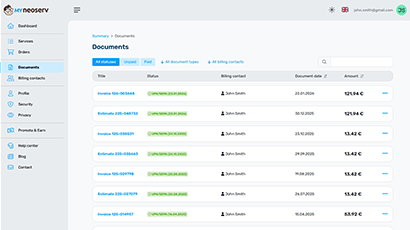
The Invoices tab provides an overview of your invoices, proforma invoices, open and paid items. You can also view or download an individual invoice in PDF format.
The Messages tab allows you to review all messages, events, and emails we have sent you.
In the My Data tab, you can edit and change your contact details as well as account information and password for accessing the My NEOSERV control panel.
Additional Services in My NEOSERV
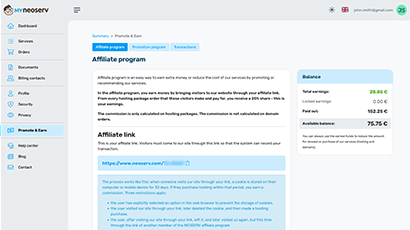
In the Partner Program tab, you can read about what the partner program is. There you will also find all the instructions on how to join, as well as all the necessary materials to get started. You can also monitor your earnings statistics and request a payout. The Support tab offers a link to the NEOSERV blog, a link to frequently asked questions related to our services, a link to order services, and a contact form. Through the form, you can contact us anytime you have additional questions, need help, have comments, or suggestions.
The My NEOSERV Client Portal is a user interface that gives you an excellent overview of the services you have ordered. In it, you can manage subscriber data, manage your active services, and review transaction history. You can also join the partner program using the NEOSERV interface, which allows for additional earnings.
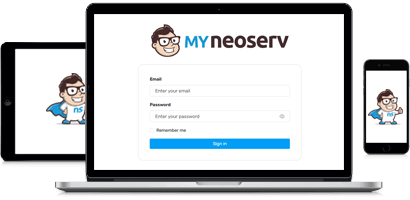
The My NEOSERV Client Portal is adapted for use on all devices, including tablets and mobile phones.
The extension depends on whether it is a domain extension or hosting. For domains, it depends on which domain you want to extend. The top .SI domain can be extended or purchased for a maximum of 5 years, other popular domains for 10 years. Hosting can be purchased for a period of up to 5 years.
The My NEOSERV Client Portal allows you to extend the desired services, and of course, you can also order new ones. All popular payment methods are available to you.