


- Your cart is currently empty.
How to Run Effective and Secure Email Marketing Campaigns


On shared hosting, email is primarily for basic communication with subscribers, not for sending mass emails. When sending in this way, mail servers quickly end up on blacklists, making it difficult for all users to get their emails to work. For sending mass messages, Mailchimp, Amazon SES, Squalomail, Mailgun and other services are better suited.
The big disadvantage of sending via shared hosting is that the whole server can end up on the spam list. If just a few recipients of your emails complain against you for sending them spam, the IP address of the server will be blocked in a very short time by the anti-spam group – Spamhaus and the ISPs. This action will cause e-mails from other customers hosted on this server to be spammed as well.
How do I send a large number of messages?
Sometimes it happens that you want to send a larger number of messages (e.g. to inform your customers about new products, etc.) than your package allows. You can still send a larger number of messages from shared hosting when:
- There is a naturally built-up database of recipients who have actually subscribed to the notification. It only applies to legitimate recipients.
- It is a database that is regularly updated (the administrator removes non-working email addresses). If there are email addresses in your database that are no longer valid, you may find yourself among the spammers. Mailgun can help you check your database.
- Messages contain an unsubscribe option. All messages sent must contain an unsubscribe option, otherwise they are considered as spam.
As an example, let’s say you are using the Green Pack, which allows you to send up to 300 emails per hour, and you would like to send 350 messages.
WordPress
If you have built your website in WordPress, then we advise you to use the MailPoet plugin. It allows you to split the sending of a large number of emails into several parts. In our case 170 + 180 emails.

Joomla!
Is your website based on Joomla? One of the most popular plugins for sending emails is AcyMailing. It allows you to set how many emails you want to send per day in a few steps. This way you avoid sending restrictions that are tied to your hosting package.

phpList
No matter which tool you use to build your website, phpList is an extremely popular app for sending emails. When you install it on your hosting package, set the following parameters in the config.php file:
| MAILQUEUE_BATCH_SIZE: | number of messages sent |
| MAILQUEUE_BATCH_PERIOD: | for how long the above limit applies |
| MAILQUEUE_THROTTLE: | the time interval between two consecutive messages being sent |
If you are going to send more messages than your hosting package allows, we recommend that you use one of the mass emailing tools.
Spam
Even if you do not exceed the amount of emails that can be sent per hour, it is important that all email addresses are obtained in a legal way. If you send promotional e-mails to users’ e-mail addresses without their prior consent, you are breaking the law. For this reason, most hosting providers strictly prohibit the sending of such e-mails, which is known as SPAM.
The use of hosting packages is not intended to send emails to random email addresses. Such activity is considered to be SPAM, or spam, which is a growing problem on the Internet. Failure to comply with this policy will also constitute a violation of our Terms of Service, which may be sanctioned by restriction of email use and/or immediate termination of services and cancellation of use of our services.
Use of mass emailing tools
Sending via shared hosting is not optimised for creating e-mail campaigns. There are a number of tools available to help you create and send them. Additionally, you can monitor statistics and analyse individual campaigns. Most importantly, however, there is less chance that messages sent via one of these tools will end up on a spam list, which can happen quite quickly if you send via shared hosting.
To avoid the inconveniences associated with sending mass emails via a shared server, we recommend that you use one of the tools described below.
Mailchimp
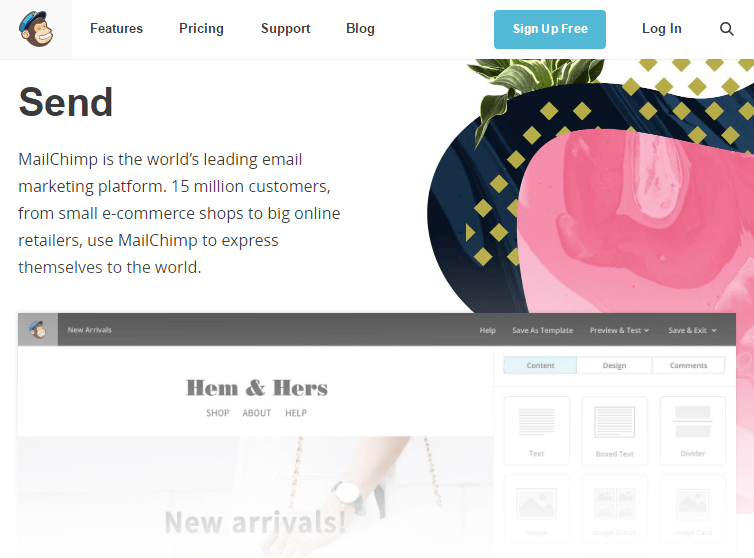
MailChimp is the leading tool for sending emails. With over 15 million users, it’s a good indicator that it’s an effective and simple tool. It also has the added benefit of:
- create mailing lists,
- create any graphic template for emails,
- setting up marketing campaigns,
- setting up autoresponders,
- review and analyse mass mailings.
MailChimp offers three packages, the basic one, which is free, allows you to have a database of up to 2,000 contacts and send up to 12,000 emails per month.
Amazon SES
Amazon SES is alsovery popular. SES stands for Simple Email Service, which means Simple Email Service. Like Mailchimp, Amazon SES offers you a lot:
- A high email success rate, which means that sent messages rarely end up in spam.
- The simulator allows you to test different campaigns and compare the results of mass mailings.
- Fully customisable user interface for easy working.
- Integrates with all other Amazon services.
If you use Amazon SES with Amazon EC2, you can send up to 62,000 emails per month.
Squalo
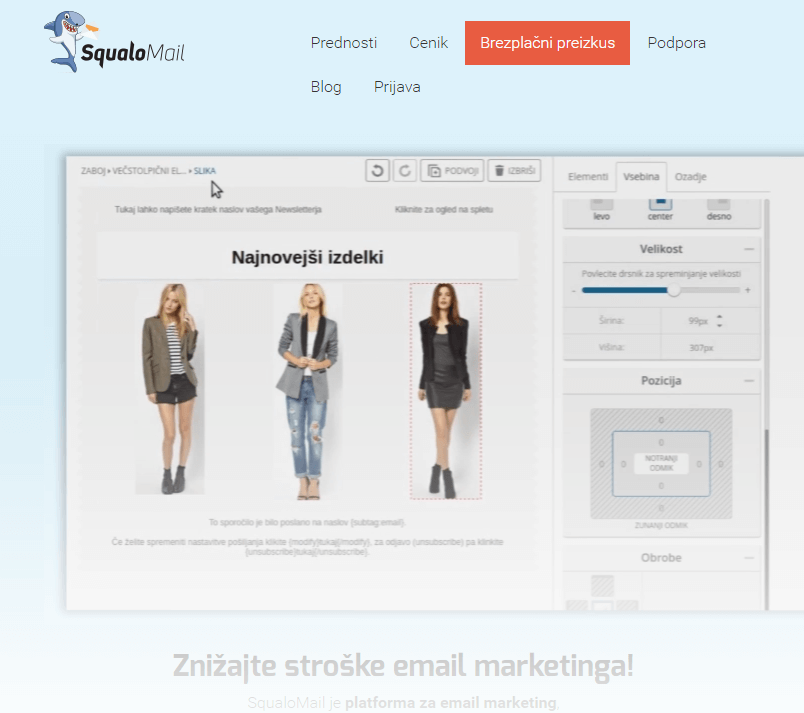
One of the most effective Slovenian tools for sending mass emails is Squalo. Its greatest strengths are:
- Optimising the cost of e-mail marketing.
- Easy to use editor to quickly build graphical campaign templates.
- High message deliverability between desired mailings.
- It is available in Slovene language.
Choose from four packages that allow you to use a database of 50,000 to 1,000,000 recipients and send 125,000 to 2.2 million messages per month.
Mailgun
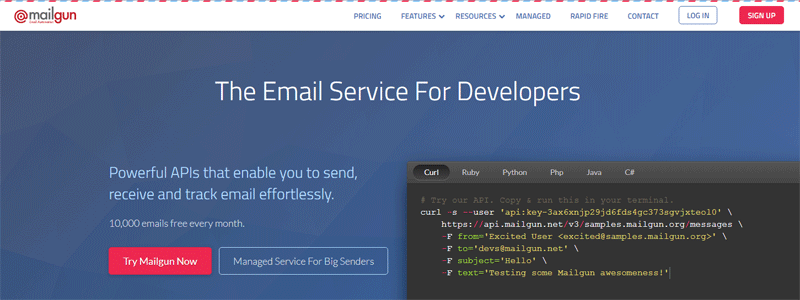
Mailgun is one of the most effective tools for sending emails. Its greatest strengths are:
- Track the status of every email you send via a dashboard or API.
- Automatic removal of illegitimate recipients (e.g. non-working emails).
- Mailgun software ensures that in most cases your mail will arrive among the desired mail.
- If SPAM addresses are among your email recipients, simply remove them from the database.
- For WordPress site owners, the Mailgun for WordPress plugin is available.
You can send up to 10,000 emails per month for free. In the case of a non-profit organization, up to 10,000 emails per day.
An overview of the pros and cons of sending mass mailings via different systems
Finally, let’s take another look at the advantages and disadvantages of sending emails via shared hosting or dedicated tools.
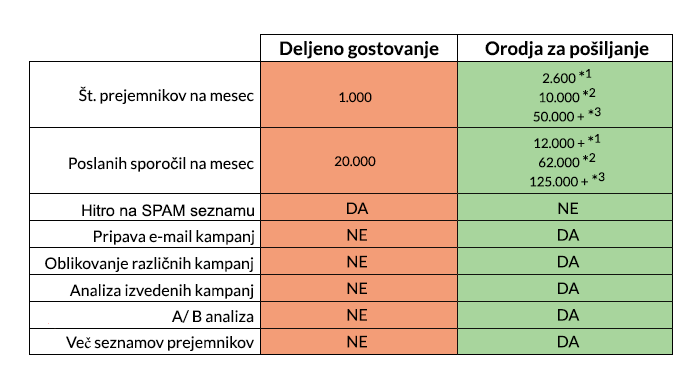
The difference between sending mass emails via shared hosting and sending tools is therefore more than obvious. Not only does using a tool bring you many benefits and make your work easier, but it also avoids many inconveniences.
*1 – MailChimp
*2 – Amazon SES
*3 – Squalo
COMMENT THE POST
Your comment has been successfully submitted
The comment will be visible on the page when our moderators approve it.