


- Your cart is currently empty.
Email Spoofing: Forging the Email Sender Address
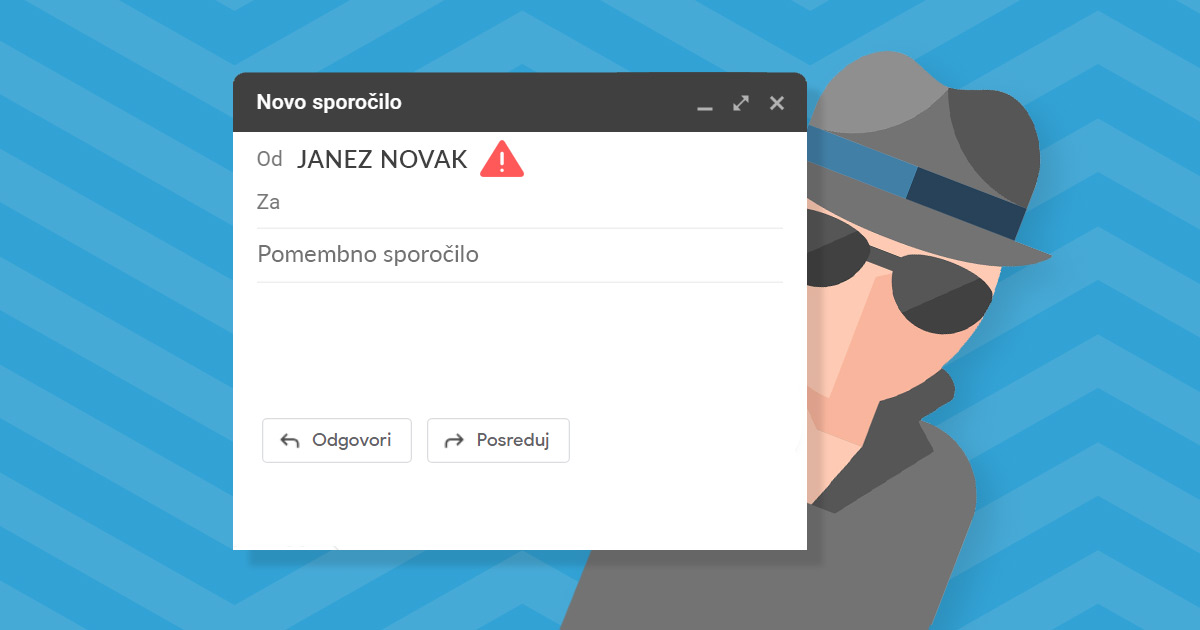

Email Spoofing is a form of cyber attack in which an attacker sends an email with forged sender information. This makes it look at first glance as if the message has been sent from a trusted source. This is a popular tactic used by hackers to send so-called phishing and spam emails. This is because recipients may believe that the message has been sent by a known sender and are therefore more likely to interact with the message.
A malicious sender, which is actually a system consisting of several pre-programmed procedures designed to extort, can also spoof an email address to make it look like it was sent from the recipient’s email inbox. The “From” in the so-called header of the message is therefore in this case given as your email address, but only on the outside. Inspection of the source code of the message reveals that it is in fact a different email address, which has no connection to your address.
Table of contents
- Examples of fake email scams
- Reasons for Email Spoofing
- How do hackers spoof an email address?
- How to prevent Email Spoofing?
Examples of fake email scams
Although most spoofed emails are relatively easy to detect and can be eliminated by simply deleting the message, some types of spoofing attack can pose a high security risk. For example, a fake sender’s email address may indicate that the message is from a well-known online shop or bank, and ask the recipient to provide sensitive information such as a password or credit card number.
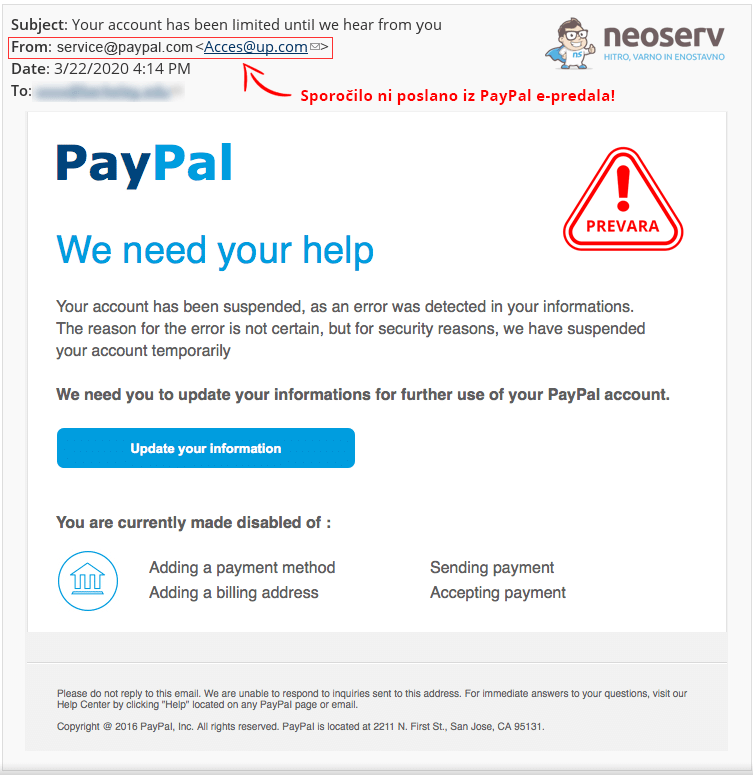
It is also common for a fake email to contain a link that installs malware on the recipient’s device. Just clicking on the link can pose a security threat.
Other cases include messages that contain certain untruths (e.g. that the attacker has obtained sensitive images or videos of the recipient), followed by a request for funds to be transferred – usually in the form of cryptocurrencies.
Reasons for Email Spoofing
Attackers spoof email addresses for a variety of reasons. Some of these are:
- To pretend to be a trusted person – e.g. a colleague or a friend – in an attempt to obtain confidential information. This online abuse tactic is called phishing.
- Pretending to be a trusted institution – e.g. a bank – and trying to obtain credit card details or other sensitive information.
- To hide their real identity or assume the identity of their target in order to obtain sensitive personal data from third parties.
- To damage the reputation of the sender impersonating the sender.
- To spread malware hidden in the attachment of an e-mail message.
- To circumvent spam filters and block lists by frequently changing e-mail addresses.
How do hackers spoof an email address?
Email spoofing can be done by spoofing the sender’s email address in a number of ways. Here are three of the most common ones that you should pay particular attention to.
1. Forging the display name of the sender
In this case, only the display name of the sender of the email is forged. For example, someone may create a new Gmail account using the details of the person they want to impersonate as the mailbox name. If the recipient does not also check the sender’s email address, he or she faces a security threat.
Example: Janez Novak <trust924inc@gmail.com>
This type of attack is particularly successful when the recipient uses a smartphone app to view the message, as often only the recipient’s name is displayed. It is also worth noting that in this case the email is unlikely to be marked as spam, as it is a legitimate email address.
2. Forging the domain of the email address
While in the case of spoofing of the sender’s display name, it is relatively easy for the recipient to identify that the message is coming from an unknown email inbox, in the case of spoofing of the domain of the email address, it is much more difficult to do so. In this case, the sender forges both the display name and the email address itself.
Example: Janez Novak <janez.novak@vasadomena.si>
In this case, the attacker does not need to hack into the individual’s e-account, the company’s internal network or anything similar. It only uses vulnerable Simple Mail Transfer Protocol ( SMTP ) servers, which allow connections without authentication and manual specification of“To” and“From” addresses. Alternatively, an attacker can set up his own malicious SMTP server.
3. Sending via a very similar domain
Forging the domain of an e-mail address can be disabled, as there are certain security mechanisms in place for this purpose (more on this later). In this case, the attacker is left with the option of sending a malicious message via an e-mail address that includes a very similar domain to the one he wants to impersonate.
Example: Janez Novak <janez.novak@vasdomena.si>
By using a similar domain, the attacker bypasses spam checking systems, as it is a perfectly legitimate email account. Therefore, you should always be vigilant before opening messages, especially if they contain suspicious content, suspicious links, etc.
How to prevent Email Spoofing?
It is not possible to completely prevent the receipt of messages with a spoofed sender’s email address, as SMTP, the underlying technology for sending emails, does not require authentication. However, there are some measures developed for this very purpose, i.e. to prevent email spoofing. The degree of success depends on the email service provider, which has or has not introduced each measure.
Most trusted email providers use additional security protocols to authenticate emails:
- SPF (Sender Policy Framework)
- DKIM (Domain Keys Identified Mail)
- DMARC (Domain-based Message Authentication, Reporting & Conformance)
These security protocols ensure that malicious messages do not end up in your email inbox or are delivered to the spam folder where unwanted messages are stored. You can read more about SPF, DKIM and DMARC security protocols and why and how to set them up in this article.
Even if all the security protocols are set up properly, it is still possible that a malicious email may end up in the inbox. It is therefore very important to take precautions to minimise the possibility of abuse and thus avoid online scams.
- Never click on a link to access a website that requires you to enter confidential information. Always enter the domain name in your browser and authenticate directly on the website.
- How you can check the header of an email message depends on the programme you use to check your emails. So, first, research exactly where you are accessing this information so that if you receive a suspicious message, you can verify its authenticity by looking at the header data or the source code of the message.
- If you find an email suspicious, copy the content of the email into Google search. It is likely that the text used in the email spoofing attack has already been reported and published on the Internet.
- Be wary of messages that appear to be from a trusted sender but are full of grammatical errors, nonsensical sentence structures, etc.
- Avoid opening attachments from suspicious or unknown senders.
- Emails that promise a reward, riches or something else that is too good to be true are probably an online scam, so ignore them or, better still, delete them.
- Beware of emails that create a sense of urgency or danger. Attacks with fake email addresses often imply that something bad will happen if you don’t act quickly. Be especially cautious of messages that are related to financial institutions, for example that your account is about to be closed, a payment has not been successfully made, there has been suspicious activity on your account, or something similar.
- Never send your usernames, passwords or other sensitive information in emails. You can be sure that banking institutions and other companies where you are a registered user will never ask you to provide them with any sensitive information via email.
Have you received a suspicious email but are not sure whether it is a scam or a legitimate message? If you have a web hosting subscription with us and the email inbox is created on a NEOSERV server, you can always contact our support. At your request, we will verify the legitimacy of the sender and help you with the settings of your email inbox to ensure that you receive as few malicious messages as possible.
COMMENT THE POST
Your comment has been successfully submitted
The comment will be visible on the page when our moderators approve it.