


- Your cart is currently empty.
Laravel Installation Guide for cPanel

Want to install Laravel on your hosting package and don’t know where to start? It’s very easy to set it up via the SSH command line(SSH connection instructions) using the Composer tool.
Instructions for installing the Laravel framework
When you successfully connect to a hosting package via SSH command line, you will be automatically moved to the “root” directory of your package.
You have two options for using the Laravel framework in the cPanel control panel:
- install in any directory,
- install in the “root” directory.

1. Install Laravel in the directory of your choice
You can edit a new Laravel installation using the command below, which will install the latest recommended version:
composer create-project --prefer-dist laravel/laravel cplaravelThis command will install Laravel in the “cplaravel” directory in the “root” folder of your hosting package.
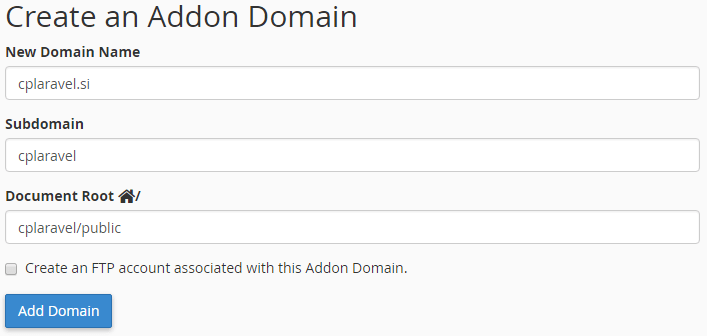
Once Laravel has been successfully installed, you can add your domain to the hosting package as an Addon domain. When adding an Addon domain, you need to point the “Document Root” of the domain to the “cplaravel/public” directory. The “public” directory within Laravel serves as the main directory for serving your website.
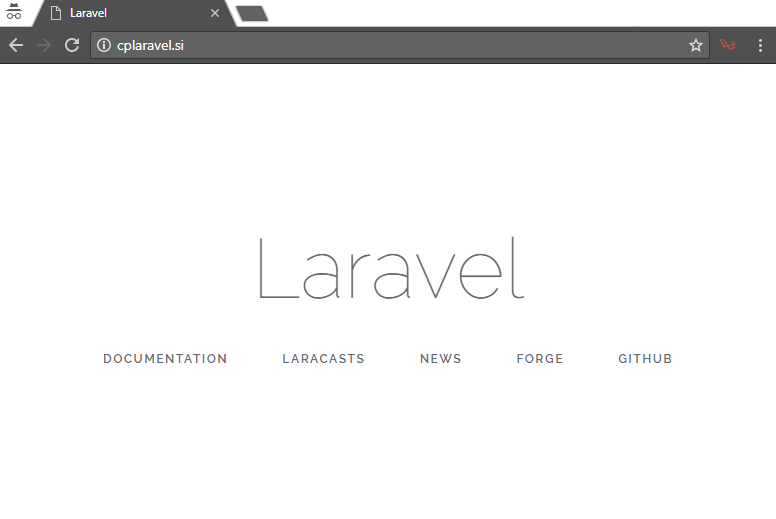
This completes the installation process, and Laravel should be running smoothly at the address you entered.
2. INSTALL Laravel INTO the “ROOT” directory
As in the first step, you can install Laravel in the “root” directory of the hosting package using the command:
composer create-project --prefer-dist laravel/laravel cplaravelSince the “root” directory is not empty, Composer will not allow us to install the framework directly into the current directory using a dot (.) instead of “cplaravel”. In this case, the entire contents of the “cplaravel” directory can simply be moved using the command below, and we need to be in the “root” directory.
mv cplaravel/{.[[!..],}* .This command will copy all files (including hidden “.dot” files) to the “root” directory. Once the files have been copied, you can use the command …
rm -rf public_html… remove the “public_html” directory, as you will no longer need it. Be careful when doing this, as you will remove the entire contents of the “public_html” directory.
All that is needed for the website to work is to edit the“symbolic link” between the “public” and “public_html” directories. This can be done with the following command:
ln -s public/ public_htmlThis completes the installation process in the “root” directory. Laravel should now be running smoothly.
Using the existing laravel framework
If you are already using Laravel and would like to migrate it to the cPanel control panel, you can manually transfer the files to the “root” directory or to any folder in your hosting package.
When doing so, you should follow the instructions above and point the domain to the appropriate directory.
At NEOSERV we provide you with everything you need to comfortably develop applications in the Laravel framework: SSH access, Composer and SVN/GIT tools. You can also choose between PHP versions 4.x to 7.x!
COMMENT THE POST
Your comment has been successfully submitted
The comment will be visible on the page when our moderators approve it.