


- Your cart is currently empty.
Clarifying Terms: Subdomain, Addon Domain, Parked Domain
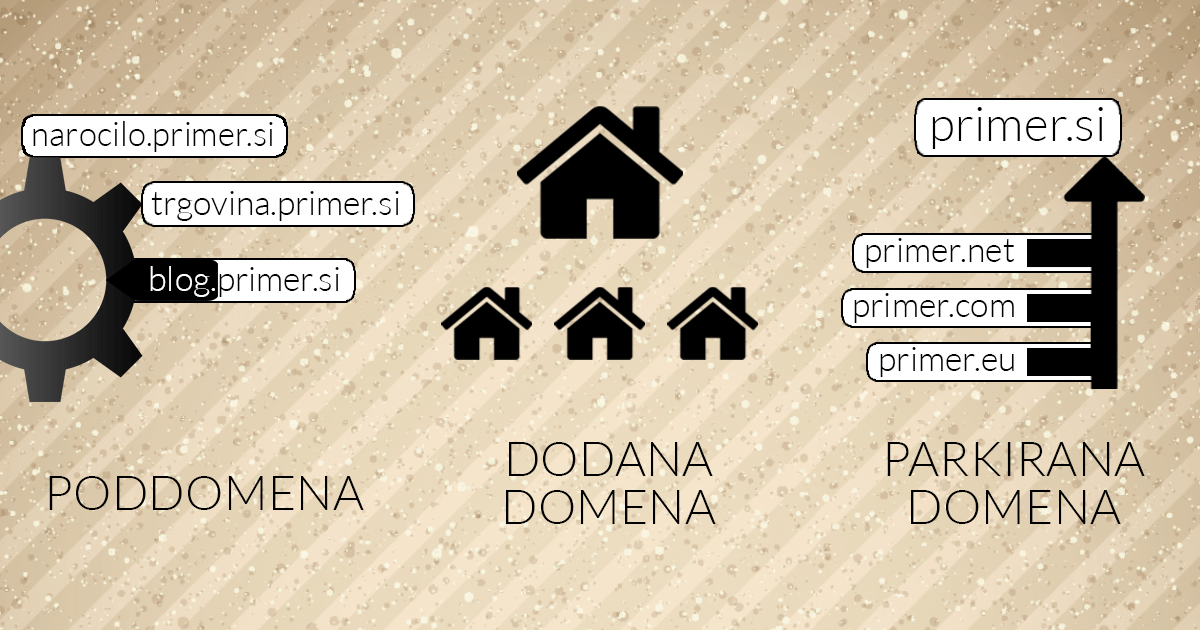

At NEOSERV, we offer a variety of web hosting packages. If you take a closer look, you will see that some of them allow you to host a limited number of hosted domains, parked domains and subdomains, while others do not.
Do you know what a subdomain is? Have you heard of a parked domain? What exactly is an added domain supposed to be? We’ll answer all these questions in today’s post.
Sitemap
Subdomain
A subdomain is part of the base domain and is separated from it by a dot. Let’s look at some examples:
- subdomain.podjetje.si
- blog.podjetje.si
- shop.podjetje.si
- www.podjetje.si
Subdomains are used to publish content that is separate from the content of the main domain, but still linked to it.
The best example is the blog.business.com subdomain. On such a subdomain, a company can publish articles related to its business, while on the main domain it focuses on the products it markets.
Another good example is the mail.business.com subdomain, which is used to send company e-mails.
Added domain
An added domain is a completely separate domain. Examples of added domains are:
- domain1.si
- company.com
- web-site.org
Added domains are most commonly used when you have several unrelated websites on a single hosting package. They can also be used to present different products or services (e.g. service1.com, service2.com, product1.si, product2.si, etc.).
A special one is the so-called carrier domain. Each hosting package has one carrier or master domain, which is the basis for the cPanel control panel. Otherwise, there are no significant differences between the carrier domain and the added domains.
Parked domain (Alias)
A parked domain or Alias is a domain that has no content of its own, but the domain points to the content of a carrier domain. In terms of promoting a company, brand or product, it is sometimes better to have several domains for a product, all pointing to the same main domain with one content.
Our main domain could be product.com, but in addition we could register several other domains, e.g. top-product.si, my-product.net and super-product.com, and park or redirect them to product.com. In this way, the other three domains would not take up unnecessary space on the server, and anyone who types top-izdelek.si, moj-izdelek.net or super-izdelek.com into a browser would see content that is otherwise part of the product.com website.
Editing domains in the cPanel control panel
At NEOSERV we have made sure that managing subdomains, added domains and parked domains is not complicated in the slightest. You can easily manage all of these options in the cPanel control panel, which we offer free of charge when you purchase any of our packages.
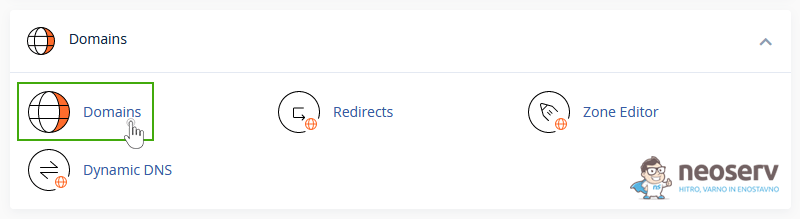
You can edit all types of domains in the cPanel by first searching for the Domains section and then clicking on the Domains icon. A new window will open for adding and editing subdomains, added domains and parked domains.
Subdomains in cPanel
First, click on the Create A New Domain button, then enter the subdomain name of your choice in the input box that opens, untick the Share document root setting and click on the Submit button.
We have written more about adding a subdomain in the cPanel control panel in these instructions.
Domains added in cPanel
Again, first click on the Create A New Domain button. Then enter the name of the domain you have previously registered, untick the Share document root setting and click Submit.
Read more about adding a new domain in cPanel in these instructions.
Parked domains in cPanel
Even if you want to add a parked domain to your hosting package, first click on the Create A New Domain button. Enter your domain in the box, leave the check mark next to the Share document root setting and click Submit.
For further details on how to add a parked domain in the cPanel dashboard, please check these instructions.
COMMENT THE POST
Your comment has been successfully submitted
The comment will be visible on the page when our moderators approve it.