


- Your cart is currently empty.
How to Protect Your Website from Brute Force Attacks
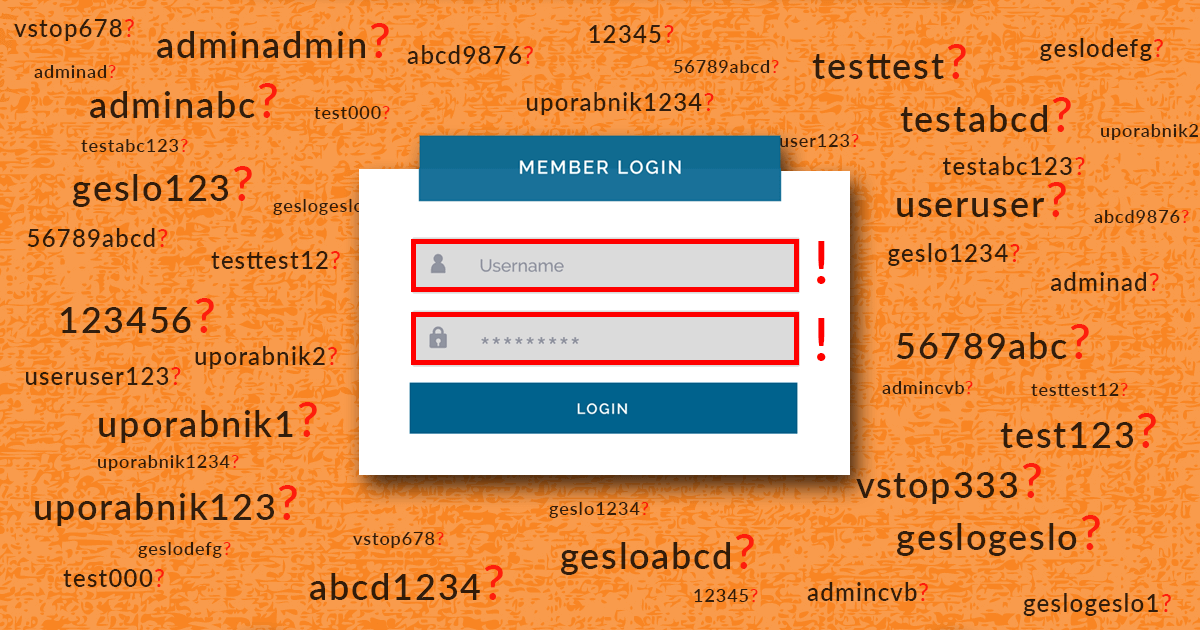

In January this year, we wrote about whether your WordPress website had fallen victim to online attackers. We explained that 99.99% of the time, these are automated hacking attempts, also known as “Brute Force” attacks. In this post, we’ll take a closer look at them and explain why they happen and how dangerous they are for your website.
What are “Brute Force” attacks?
In the case of “Brute Force” attacks, we are talking about attempts to hack into a website user account. These attacks are used by web attackers to systematically test different combinations of letters, numbers and symbols in order to determine the username and password to access your website. If successful, the web attackers gain full control of your site, its content and, in the case of a database hack, the database itself.
“Brute force attacks first check the most common usernames (e.g. admin, administrator, user, etc.) and passwords. In the next step, they check all the words in the dictionaries (the so-called Dictionary Attack), as many website owners still use a password that represents a word that can also be found in a dictionary.
The combination of a simple username and a weak password can be detected very quickly by web attackers using a “Brute Force” attack. However, if you use a secure, complex password, you make it much harder for them to gain access. Long passwords can be made up of trillions of combinations and can take tens of years or much longer to verify.
The facts about “Brute Force” attacks
We have collected some interesting facts related to “Brute Force” attacks:
- Less than 3% of all “Brute Force” attacks are carried out manually by cyber attackers, the rest are fully automated. This means that they are carried out automatically by websites or personal computers infected with viruses.
- The 10 most common passwords discovered by attackers in Brute Force attacks are: admin, 123456, 123123, 12345, pass, 123456789, domain name, abc123 and 123321.
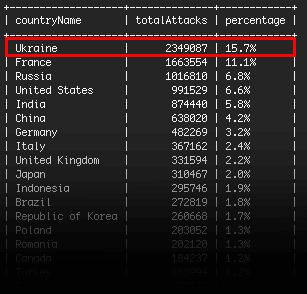
- According to a report by the security plugin Wordfence, in December 2016, 2,349,087 “Brute Force” attacks were carried out on WordPress websites from Ukraine alone.
- The most popular tool for conducting Brute Force attacks is Aircrack-ng, which is available for free.
- Most active websites experience more than 10 “Brute Force” attacks per day.
Consequences of a successful “Brute Force” attack
If web attackers use a Brute Force attack to gain access to a user’s account, they gain full rights and the ability to manipulate the website. In this case, you are at the mercy of the attackers, who can:
- change the content in order to provide false information,
- misuse the list of email addresses,
- add links to illegal websites,
- misuse personal and bank details in the case of online commerce,
- delete an entire website.
How do we recognise a “Brute Force” attack?
Each unsuccessful login attempt is logged in the web server log. This can be accessed by clicking on the Errors button in the Metrics section of the cPanel dashboard . It is important to keep an eye on this log and the signs that indicate a “Brute Force” attack:
- Many failed login attempts from the same IP address.
- Multiple logins with different usernames from the same IP address.
- Attempts to log in to a user account from a large number of different IP addresses.
- Logging in with suspicious passwords that are used quite frequently by cyber attackers: hacksyou, zealots, ownsyou, washere, etc.
- Unsuccessful login attempts with usernames that follow each other in a detailed alphabetical order, e.g. admin, adminn, adminnn, admin1, admin2, admin3, …
How to protect against “Brute Force” attacks?
A “Brute Force” attack is one of the easiest types of attack, as it primarily targets the inattention or laziness of users who use passwords such as password123. The following simple measures can be taken to protect against such attacks very effectively.
1. Use a secure password
A typical, automated “Brute Force” attack checks around 50 passwords per second. The longer the password, the more possible combinations there are, which in turn means longer verification times. Let’s see how long it takes an automated “Brute Force” attack to check all possible letter combinations for a given password length.
| Password length in characters | Time required to check all combinations |
| 1 | 0.5 seconds |
| 2 | 27 seconds |
| 3 | 17.6 minutes |
| 4 | 10,2 hours |
| 5 | 13.7 days |
| 6 | 1,2 years |
| 7 | 35,6 years |
For the example, we have used only combinations with lower case letters. If we had used capital letters, numbers and special characters, the time needed to check all combinations would have increased significantly.
Avoid using shorter passwords, dictionary words and repetitive passwords that you use to access different websites. You can read more about How to use a secure username and password in WordPress in the post Secure username and password in WordPress.
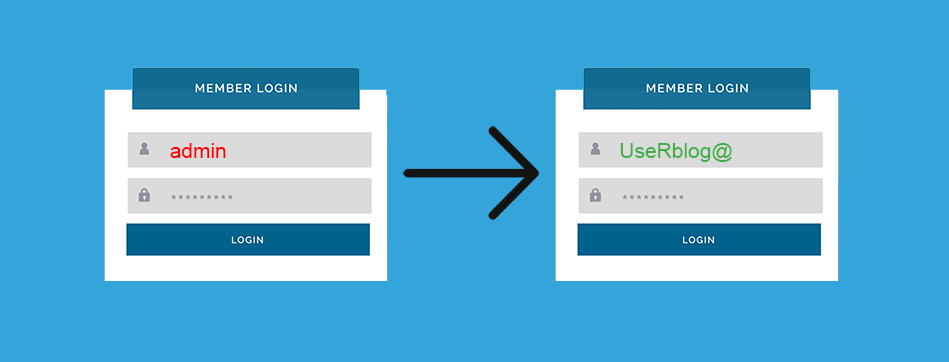
2. Change your username
Online attackers first check the pre-configured and most commonly used usernames, such as administrator and admin. Brute force attacks first try to figure out the username before proceeding to the password.
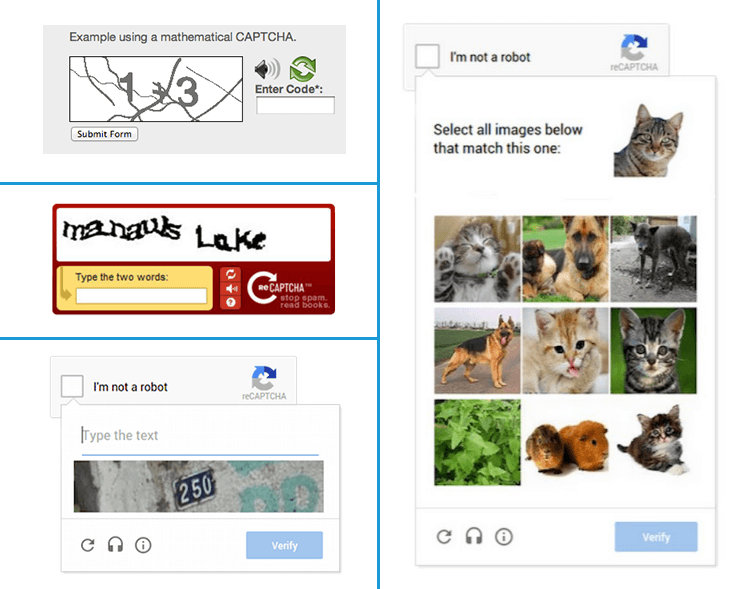
3. Use CAPTCHA
CAPTCHA is a program that allows you to separate people from computers. It mostly takes the form of a test that is easy for humans to solve but difficult for computers. The test may be a mathematical problem or it may ask you to copy characters from a picture or to identify certain elements in a photograph. By passing the test, you confirm that you are a person and not a computer or a computer program, in our case an automated “Brute Force” attack.
4. Use the Wordfence Security plugin
All WordPress website owners are advised to install the Wordfence Security plugin, which offers effective protection against “Brute Force” attacks. You can read more about how to set up the plugin in this article.
Lumension, a globally renowned web security company, advises: ”To successfully protect against Brute Force attacks, use a password of at least 12 characters, including upper and lower case letters, numbers and special characters. Change your password once a month. Limit the number of incorrect password attempts to 4, and allow at least a 10-minute delay between each password retry.”
We at NEOSERV can help you with the latter rule. For all websites hosted on our servers, we have set a limit of incorrect login attempts on all services on the server. Once we have recorded a certain number of attempts from a particular IP address, we block it for a certain period of time. If login attempts continue, the IP address is permanently blocked.
Finally, let us reiterate that all websites are subject to “Brute Force” attacks, several times a day. By following these security tips, you can very successfully protect your website against such intrusions.
COMMENT THE POST
Your comment has been successfully submitted
The comment will be visible on the page when our moderators approve it.