


- Your cart is currently empty.
Bayesian Spam Filter: Understanding Its Mechanism
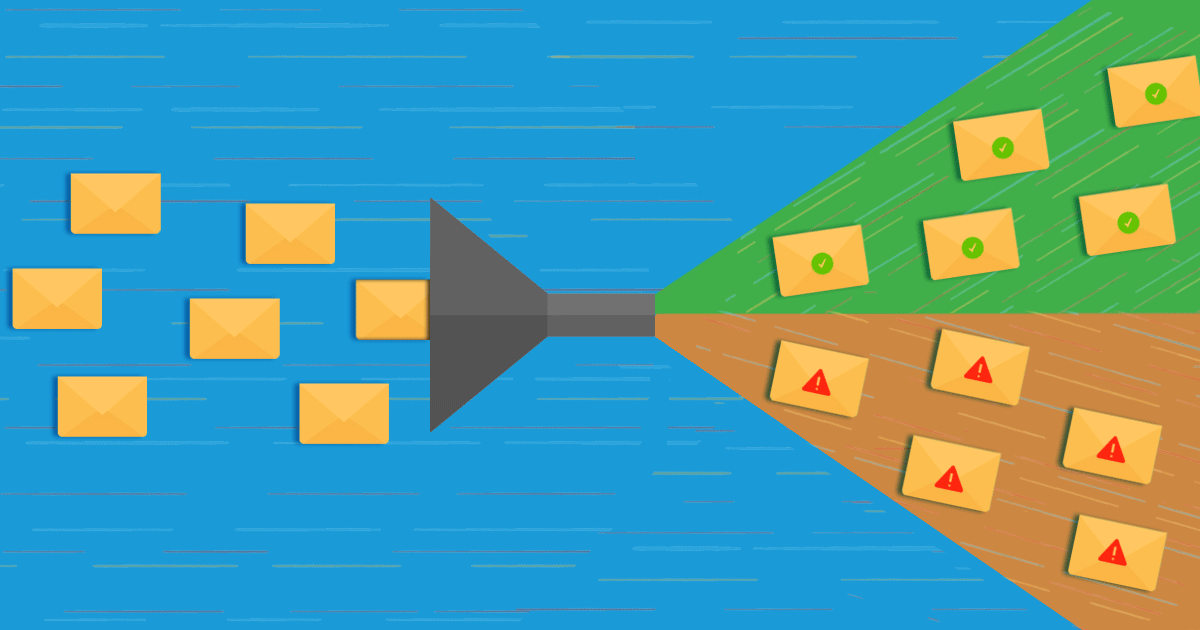

There are many reasons why some e-mails end up as spam or are not successfully delivered at all. In a previous blog post, we explained why it’s so important to use SMTP to send emails. If you want to improve the deliverability of your emails and you haven’t read that article yet, we encourage you to do so as soon as possible.
However, email deliverability performance does not only depend on server and web protocol related factors. Most email services (e.g. Gmail) also use what is known as Bayesian scoring to judge whether a particular email should end up in the Spam folder or not. It is named after Thomas Bayes, an English mathematician, theologian and philosopher.

Bayesian scoring is based on Bayes’ algorithm, or a statistical theorem that predicts the probability of an event. The algorithm is often used in determining the probability of an email being spam or legitimate. The following parts of the email are taken into account:
- the words and phrases in the body of the message,
- the HTML/CSS code (the formatting of the e-mail message),
- the message header (From/For/Subject),
- links to web pages,
- Other (e.g. where in the message a particular phrase appears).
How does Bayes’ theorem work in relation to spam?
When we talk about Bayes’ theorem and spam, we need to know that the principle of determining the probability of spam is based on automatic learning. Thus, email service providers judge whether to put a new message in the Inbox or the Spam folder based on past emails.
Let us assume that an email service provider wants to judge where to classify a message containing the word “fake”. Using logical reasoning, we would probably say that it is an unsolicited email. But this is not necessarily the case, as it could be a perfectly authentic message.
Let’s go one step further. A message with the word “fake” in it might be spam to one person, but not to another. Email service providers tailor a spam filter for each email inbox, based on what they have learned in the past. They use the following formula (Bayes theorem).

Pr(S|W) – the probability that an email is spam if it contains the word “fake”;
Pr(S) – the probability that any message is spam;
Pr(W|S) – the probability that the word “fake” appears in a spam message;
Pr(H) – probability that any message is not spam;
Pr(W|H) – the probability that the word “fake” appears in a message that is not spam.
The main advantage of filtering emails using Bayesian scoring is that the algorithm takes into account new data. This allows email systems to continuously improve based on the activity of users who may move a particular message from the Spam folder to the Inbox (and vice versa). Therefore, it is increasingly likely that each user will receive a message in the folder in which they would have placed it – an unsolicited message in Spam, an advertising message in Promotions and a legitimate message in the Inbox.
How to improve the deliverability of emails?
The primary goal of using Bayes’ algorithm is to reduce false positives. If it is already frustrating to receive spam mail, it is much worse if an email is overlooked just because a certain word triggered a filter. Imagine you run an online shop offering weight loss products and your customers receive most of their emails in Spam. Very frustrating, don’t you think?
So how do you make sure your emails end up in the Inbox? Follow these recommendations:
1. Always send emails via SMTP, if possible in combination with SSL/TLS. This way, outgoing mail will be encrypted and authenticated. Read more about this in the article Sending email: PHPMailer or SMTP?
2. Include a DMARC record in outgoing emails. This document sets out the rules for how the recipients’ email servers should handle messages that fail SPF and DKIM checks. For full details and instructions on how to set up a DMARC record, see Why and how to set up SPF, DKIM and DMARC?
3. Design every email, and especially newsletters, with the Bayesian anti-spam filter in mind:
- Avoid words that you often see in spam emails.
- Do not use capital letters, especially in the subject line.
- Do not use non-standard fonts or oversized fonts.
- Do not include a lot of web links in your emails.
- Links in messages should only lead to trusted websites.
- Keep the HTML/CSS code of your messages as simple as possible.
- Avoid the use of email forwarders unless they are essential.
4. Send emails gradually. When sending messages to your newsletter subscribers, set a limit of 30 messages per hour. Mass emails sent too quickly can quickly end up in the Spam folder. Shared hosting is for basic communication with subscribers, while specialised services are better suited for sending mass emails. We’ve written about this before on our blog, Effective and secure email marketing campaigns.
5. Don’t send newsletters to low reputation email inboxes. If your newsletter subscriber list is full of fake or non-existent email addresses, all the messages you send will end up in spam much faster. Read more about this problem and possible solutions in the article: Prevent newsletter abuse.
Follow as many of the tips we’ve given you in today’s blog post as possible and you can be sure that your emails will end up in your inbox. The more legitimate messages you send, the better Bayes score you will receive. This will give your emails a higher reputation with email service providers, and therefore a much lower chance of being delivered as spam.
COMMENT THE POST
Your comment has been successfully submitted
The comment will be visible on the page when our moderators approve it.