


- Your cart is currently empty.
LiteSpeed Web Server Now on All Our Hosting Plans


This time we have great news for all NEOSERV hosting subscribers! All our packages are now based on LiteSpeed web server, known for its lightning speed, security and scalability. As an alternative to Apache server, LiteSpeed can process thousands of concurrent requests while consuming minimal memory and processing power.
A major advantage of the LiteSpeed server is the possibility to use a technology to speed up the performance of websites: LiteSpeed Cache. This is compatible with all the most popular web content management systems (CMS) such as WordPress, Magento, Joomla, PrestaShop, OpenCart, Drupal, etc.
The difference in the loading speed of websites using LiteSpeed Cache is remarkable. The change is particularly noticeable for more complex websites, such as large online stores and highly trafficked portals.
Table of contents
- LiteSpeed web server and PHP LSAPI
- LiteSpeed Web Cache Manager (cPanel)
- LiteSpeed Cache and Web Platforms
1. LiteSpeed Web Server and PHP LSAPI
LiteSpeed Web Server (LSWS) is compatible with most Apache server features including mod_rewrite, .htaccess and mod_security. It can be fully integrated with popular control panels such as cPanel, Plesk, DirectAdmin and some others. With its “event-driven” architecture and optimised programming code , it effectively reduces high loads on servers, allowing them to be more stable and much more responsive.
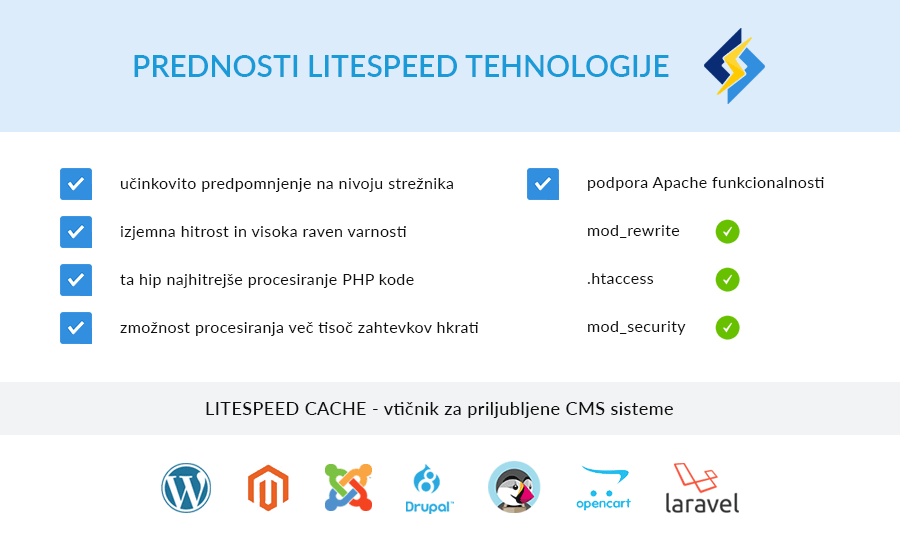
At this point, it is worth mentioning the PHP LSAPI (LiteSpeed Server Application Programming Interface), a server-side application programming interface designed for seamless, optimised communication between the LiteSpeed web server and the PHP programming language.
At the moment, the combination of LiteSpeed server and LSAPI represents the solution for the fastest processing of PHP programming code.
2. LiteSpeed Web Cache Manager (cPanel)
You have probably already noticed a new icon in the cPanel control panel – LiteSpeed Web Cache Manager, located in the ADVANCED section. It is a cPanel plugin that allows you to easily install the LiteSpeed Cache module/plugin for server-level caching on various web platforms.

If you click on the icon highlighted in the image above, you will land on the main page of the cPanel plugin. This is divided into three sections:
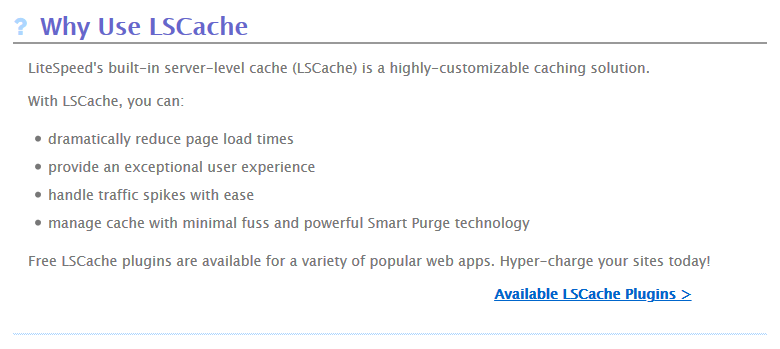
- Why Use LSCache: This highlights the main reasons for using the LSCache plugin, and the Available LSCache Plugins link also provides a list of which platforms the plugin has been developed for.
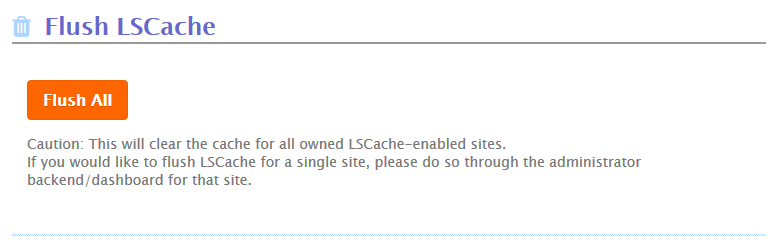
- Flush LSCache: Click the Flush All button to flush the cache of all web pages on which you have the LSCache plugin enabled. If you only want to flush the cache of a specific website, you can do so via the website’s administration.
- LiteSpeed Cache Management: here you will find a link to LiteSpeed cache management for WordPress websites. Here you can install (or uninstall) the LiteSpeed Cache plugin for WordPress on each page. You can also do this directly in the WordPress administration.

Under the sections described above, there is also a Settings link where you can edit the basic settings of the LiteSpeed Web Cache Manager cPanel plugin.
LiteSpeed Cache and Web Platforms
LiteSpeed Cache is currently developed for 10 popular web platforms: WordPress, Magento (1.X and 2.X), Joomla, PrestaShop, OpenCart, Drupal 8, XenForo (1.X and 2.X), MediaWiki, Laravel and Shopware.
The basic functionality of the LiteSpeed Cache plugin is the same for all platforms – efficient caching at the server level. To make sense of the above, you first need to understand what caching is. It is also important to understand why server-level caching is much faster than application-level caching.
Read more in Why is server-level caching faster?
Now you are probably interested in how to use the LiteSpeed Cache plugin in different CMS systems. We’ve prepared guides for three of the most popular ones: WordPress, Joomla, PrestaShop and OpenCart.
- LiteSpeed Cache for WordPress
- LiteSpeed Cache for Joomla! CMS
- LiteSpeed Cache for PrestaShop
- LiteSpeed Cache for OpenCart
And there’s this: the great thing about LiteSpeed Cache is that the default settings, which are suitable for most websites and online shops, already speed up page loading. This means that you don’t need any special knowledge to operate the plugin, as its installation and activation are sufficient. Easy!
Speed up your website with LiteSpeed technology


COMMENT THE POST
Your comment has been successfully submitted
The comment will be visible on the page when our moderators approve it.