


- Your cart is currently empty.
How to Log In to cPanel
Search results for: ""
You can access the cPanel control panel, which you received access to when ordering your hosting package, in two ways:
- If you know your login credentials: directly through your domain
- If you don’t know your login credentials: through the My NEOSERV client portal
You can find your cPanel login credentials in the email you received after purchasing a hosting package on our website. If you cannot find them, you can change your cPanel access password in My NEOSERV (instructions for changing the cPanel password).
1. Direct Login to cPanel
If you know your cPanel username and password, you can log in directly through your domain.
1. Enter the following URL in your browser: https://yourdomain.com/cpanel
Replace yourdomain.com in the link above with your actual domain name.
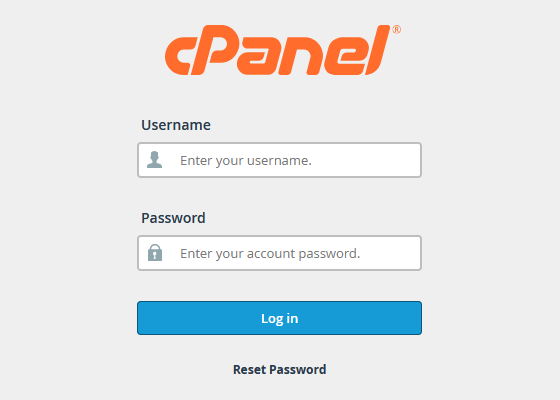
2. On the cPanel login page, enter your username and password, then click Log in.
After a successful login the cPanel control panel will open.
If your hosting package doesn’t have an active domain assigned, you must use the server hostname to log in to cPanel. In this case access cPanel through the My NEOSERV client portal by following the steps in section 2 of this guide.
2. Login to cPanel Through My NEOSERV
If you don’t have your cPanel login credentials available, you can access the control panel through the My NEOSERV client portal.
Quick Login From the Dashboard
- Log in to My NEOSERV (login instructions).
- On the main page of the client portal find the Hosting section.
- Click the button with the cPanel logo next to your hosting package.
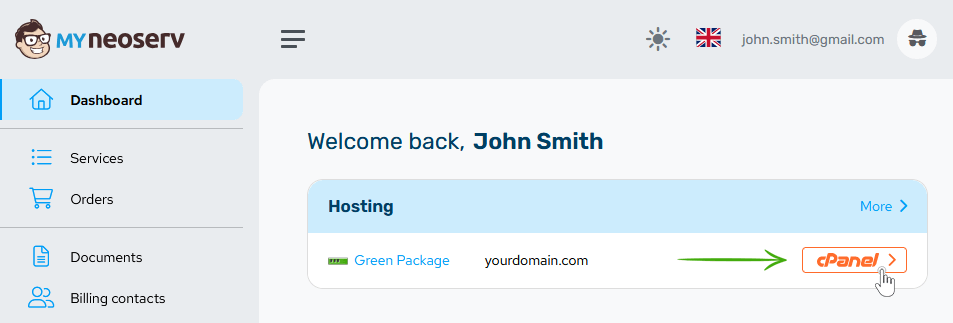
After clicking the button you will be automatically logged in to the cPanel control panel of your hosting plan.
Login If You Have Multiple Hosting Packages
If the hosting package you want to access is not visible on the My NEOSERV dashboard:
- Click Services in the left menu.
- Find the desired hosting package in the list of services and click it.
- On the hosting package details page click the cPanel button.
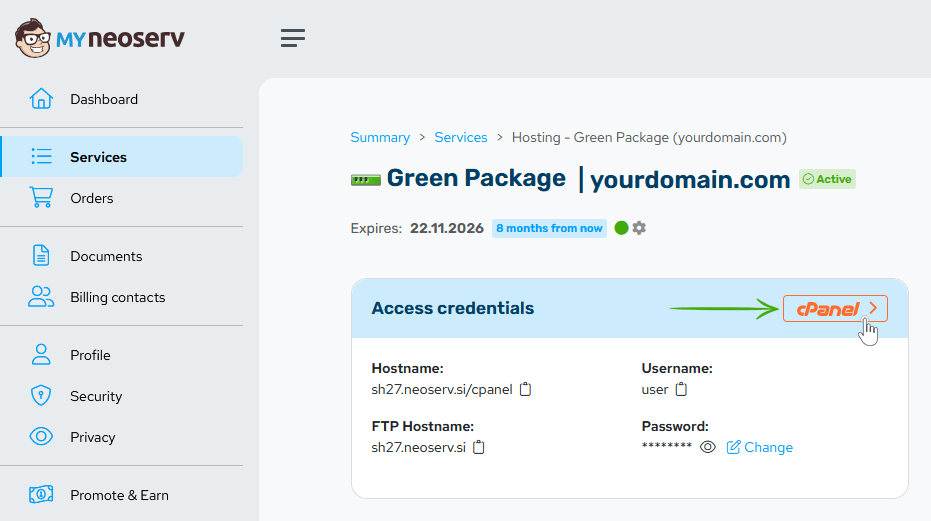
After clicking the button you will be automatically logged in to the cPanel control panel of your hosting plan.
How to Change the cPanel Login Password
Did you lose your cPanel login password? Don’t worry. You can find it in the My NEOSERV client portal, where you can also set a new password if needed.
- Log in to My NEOSERV (login instructions).
- Click Services in the left menu.
- Find your hosting package in the list of services and click it.
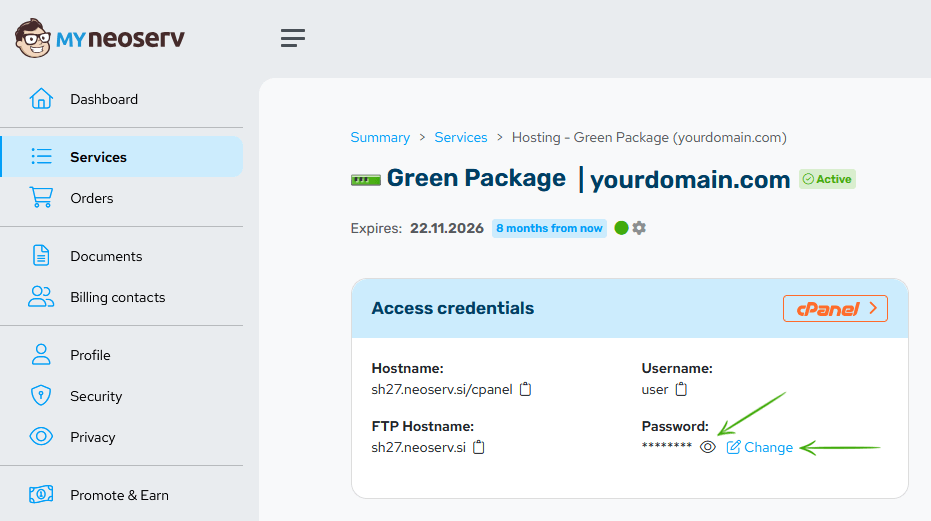
- In the Access credentials section locate the Password field.
- Check the password: click the eye icon.
- Change the password: click Change and set a new password.
Need additional help? Call us at +386 59 335 000 or email us at info@neoserv.com.

COMMENT THE POST
Your comment has been successfully submitted
The comment will be visible on the page when our moderators approve it.