


- Your cart is currently empty.
NEOSERV Studio: Accessing the Website Builder
Search results for: ""
After placing your order, you will receive a link to the My NEOSERV subscription centre in your email address, where you can access all the information you need to access the NEOSERV STUDIO editor.
On the My NEOSERV homepage, under the Roaming section, click on the link to the cPanel control panel.

In the newly opened window, find the NEOSERV STUDIO section and click on the NEOSERV Studio icon.

Select which of your registered domains you want the website to be linked to and click on the Install button.

Next, specify whether the website should be accessible directly on the domain or in a subfolder. Select a graphic template and click on the Install button. You will be redirected to the NEOSERV STUDIO editor where you can start editing your website.

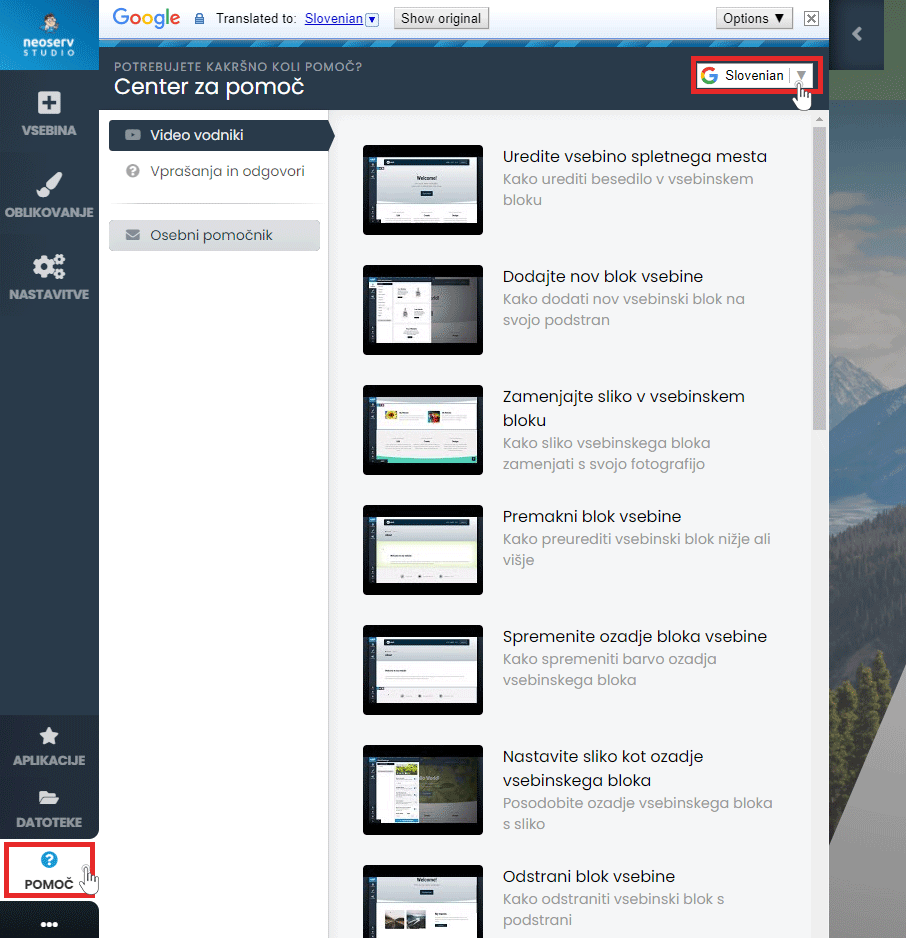
There is also a Help Centre available to assist you in creating your site. Click on the Help button in the menu and select Video Guides or Questions & Answers. The content is also available in Slovenian.
For further assistance, please call us on 059 335 000 or email us at info@neoserv.si.

COMMENT THE POST
Your comment has been successfully submitted
The comment will be visible on the page when our moderators approve it.