


- Your cart is currently empty.
NEOSERV Studio: Adding a Contact Form
Search results for: ""
In addition to the content, it is important to have a contact form on your website to make yourself accessible to your visitors. The form can be on the front page or on a separate sub-page.
Most of the graphic templates in the NEOSERV STUDIO editor come with a Contact us subpage (except for the Free package). Check below how to edit an existing form on the page or add a new one.
Editing a contact form
- Click on the Contact Us subpage.
- On the contact form, click on Form Design Tools and Module Management.
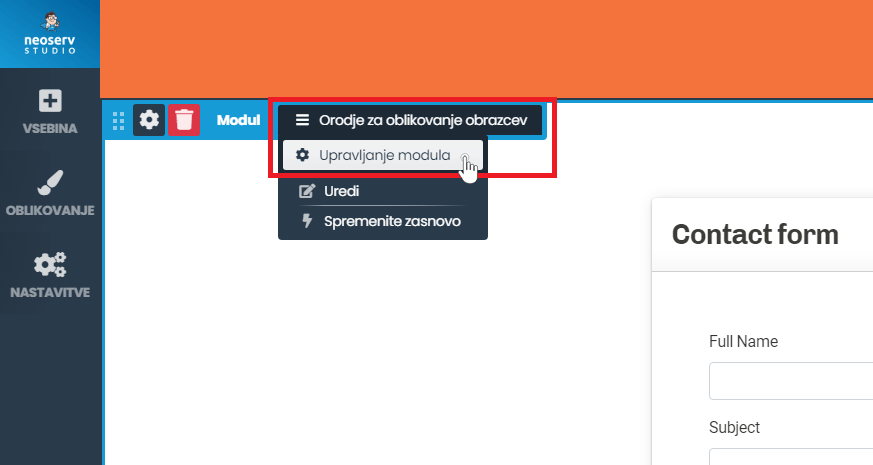
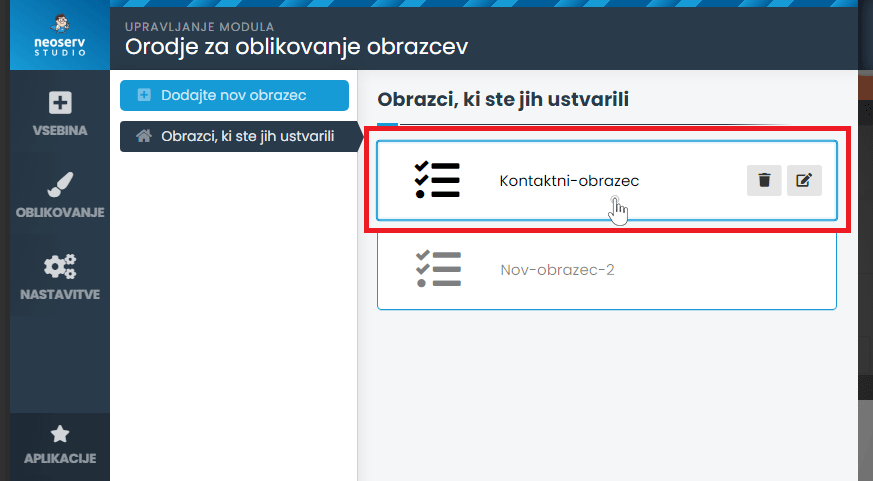
- If you have multiple forms on the page, click on the one you want to edit.
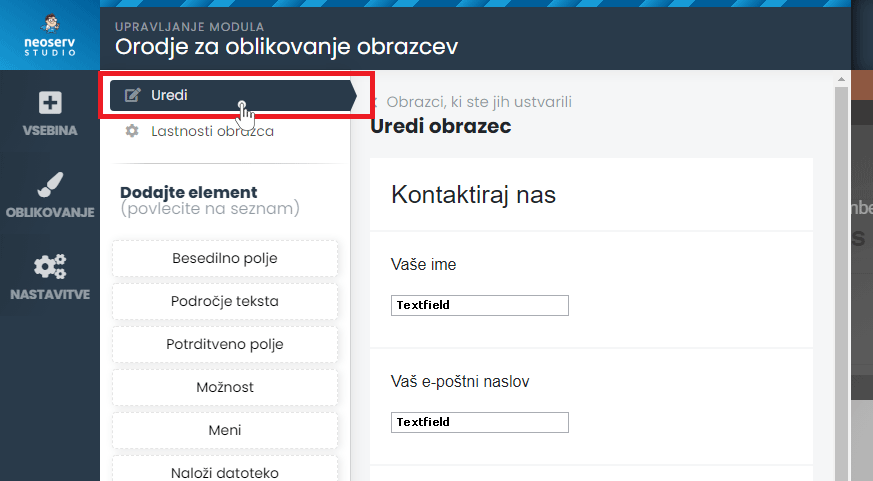
- In the Edit section, configure and add the elements you want on the contact form.
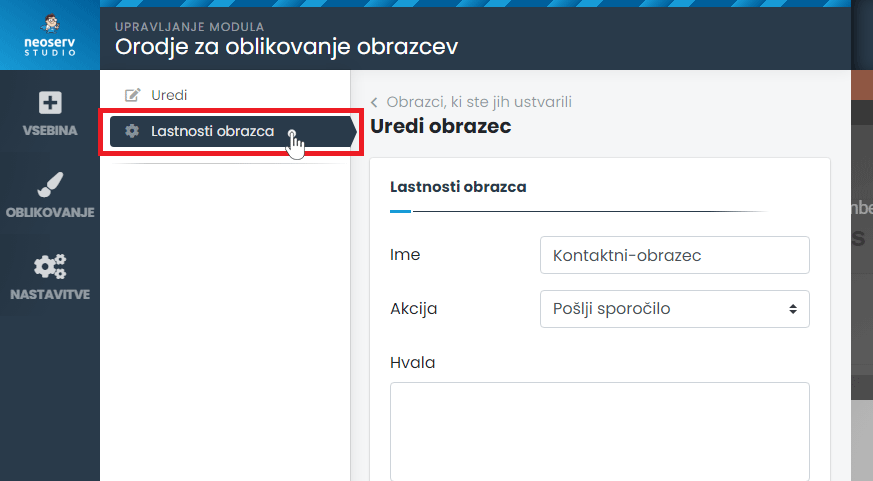
- In the Form Properties section, edit the properties you want.
- Click on the Save changes button.
Adding a contact form
Navigate to the desired sub-page and in the section where you would like to add a form, click on Add new content here. Follow the steps below to edit the new form:
- Click on Content > Applications > Form Builder.
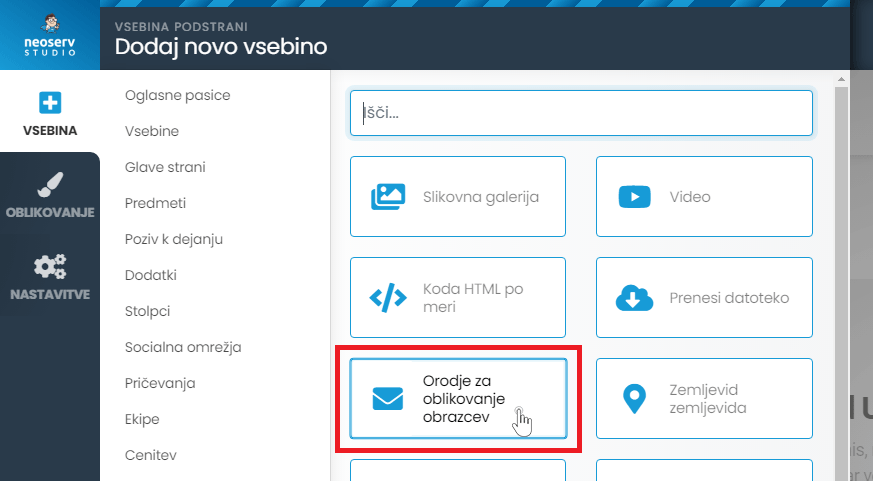
- Select Add new form.
- Select the desired elements and set the form properties.
- Click on the Save Changes button.
Once you have published the web page, make sure that the contact form is working and that you are receiving the messages sent via the form.
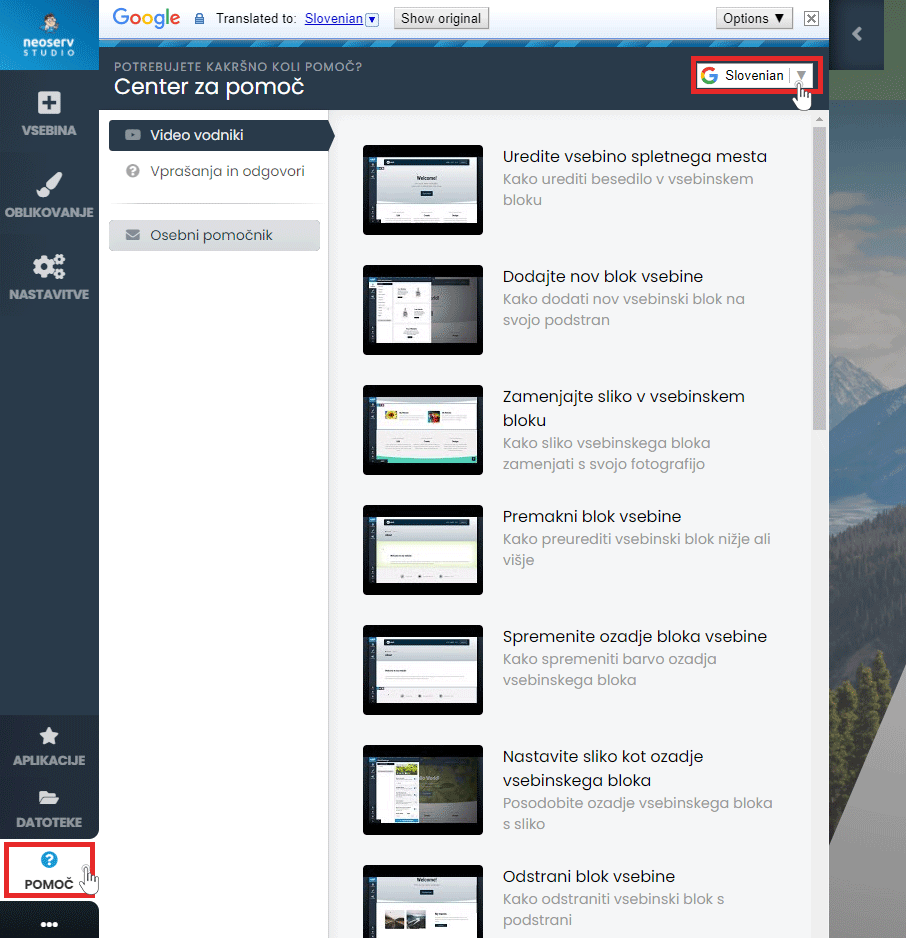
There is also a Help Centre available to assist you in creating your page. Click on the Help button in the menu and select either Video Guides or Questions & Answers. The content is also available in Slovenian.
For further assistance, please call us on 059 335 000 or email us at info@neoserv.si.

COMMENT THE POST
Your comment has been successfully submitted
The comment will be visible on the page when our moderators approve it.