


- Your cart is currently empty.
NEOSERV Studio: Adding PDF Files
Search results for: ""
If you want to add PDF files in the NEOSERV STUDIO website builder, there are six steps you can follow. You can also use the PDF file for the terms and conditions of the page or other content that you do not want to display directly on your page.
Adding a PDF file in six steps
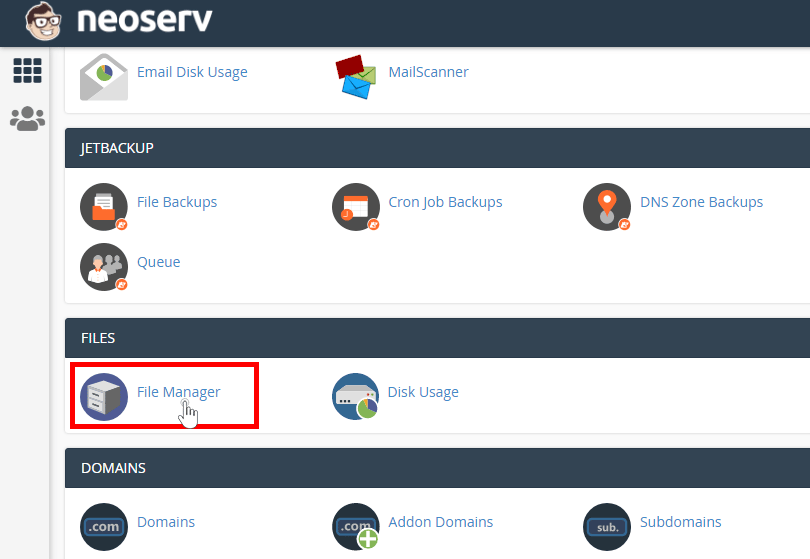
- Open the cPanel control panel and click on File Manager under Files.
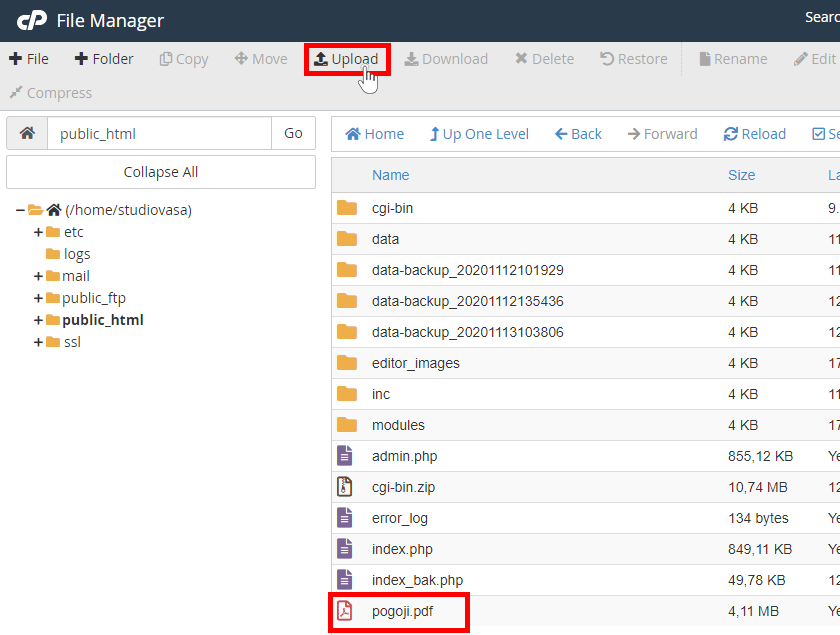
- Open the public_html folder.
- Click on the Upload icon and upload the desired PDF file (in our case terms.pdf).
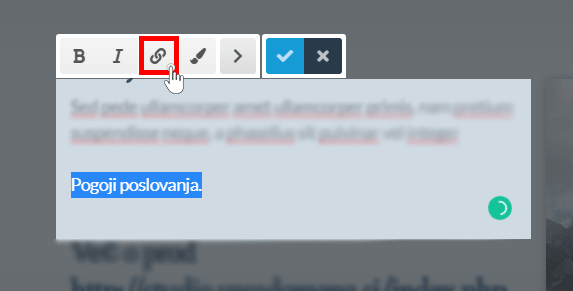
- In the NEOSERV STUDIO editor, scroll to the text or add a new text where you want to add the PDF file and click on the add link icon.
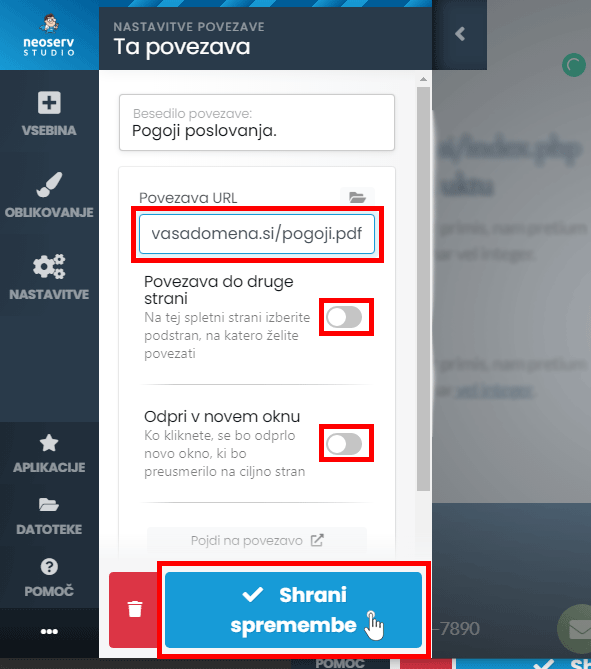
- Click on the link and in the newly opened window enter the path to your PDF file, for example http://yourdomain.com/terms.pdf.
- If you wish, specify the options (link to another page or open in a new window) and click on the Save Changes button.
Adding a PDF file to the footer of a web page
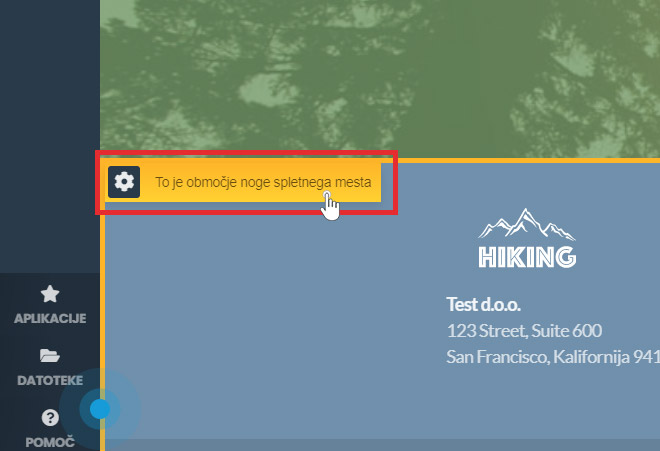
- Move to the footer area of the web page and click on Block Settings.
- Select the HTML section and, for example, add a link for the content “All rights reserved”:
<a href="http://vasadomena.si/pogoji.pdf">Linked links</a>
Instead of vasadomena.si, enter your domain and instead of terms.pdf, enter the name of the PDF file you uploaded to the cPanel. Instead of “Terms and Conditions”, type the name that will be displayed on the website.
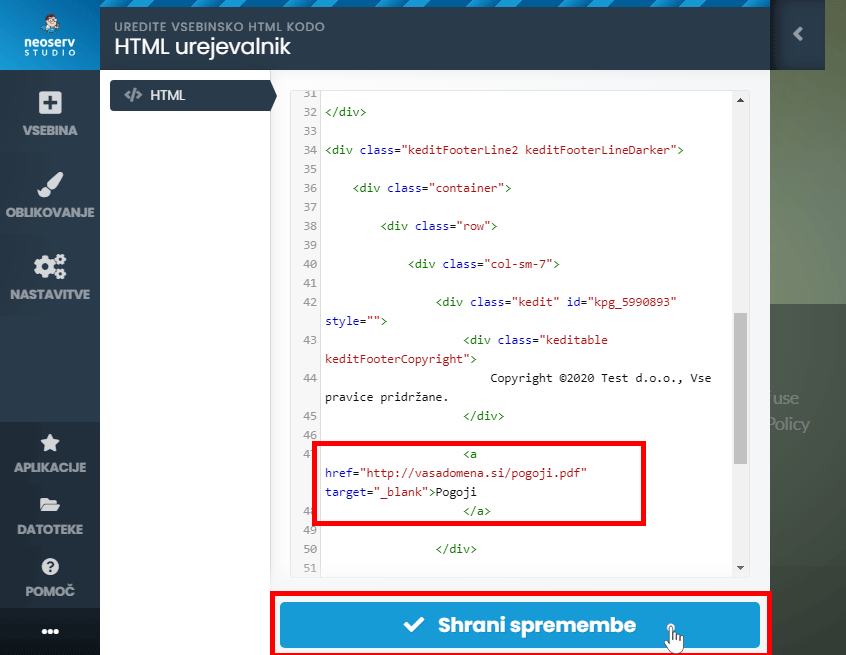
- Click on the Save Changes button.
You have successfully added a link to the PDF file in the footer of the web page.
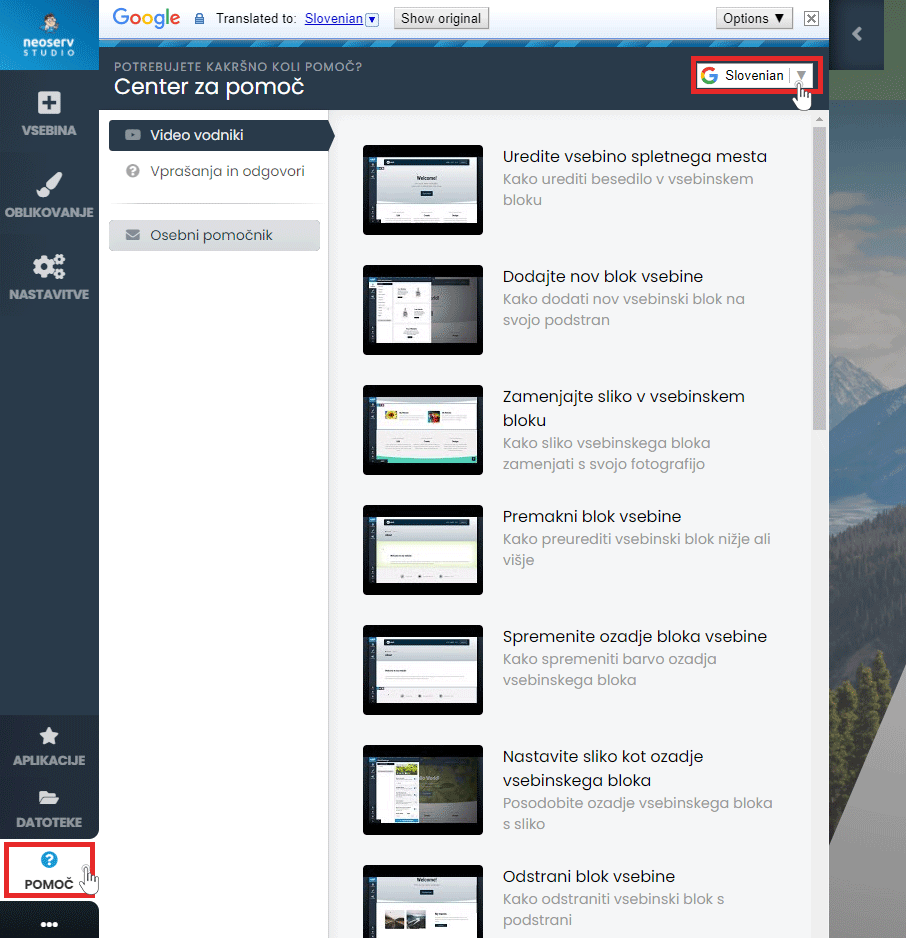
The Help Centre is available to assist you in creating your page. Click on the Help button in the menu and select either Video Guides or Questions & Answers. The content is also available in Slovenian.
For further assistance, please call us on 059 335 000 or email us at info@neoserv.si.

COMMENT THE POST
Your comment has been successfully submitted
The comment will be visible on the page when our moderators approve it.