


- Your cart is currently empty.
NEOSERV Studio: Editing Website Text
Search results for: ""
Each graphic template already contains textual content in English. Their purpose is only to show the layout of the text on the website. Your task is to modify all the text and, if necessary, remove existing or add new text elements. See below to find out how to do this.
Editing text
Modifying text is a completely simple task.
- Position yourself on the text you want to edit and left-click on it. You will be presented with options: size, style, font colour and adding a link.
- Clicking on the right arrow will open further options for editing the selected text.

- Highlight the selected text with the keyboard command CTRL + A and click the delete or backspace key.

- Enter the desired text and edit it using the top bar. NEOSERV STUDIO will take into account the style of the selected graphic template.
- Confirm the modified text by clicking on the blue tick.

Deleting text from a web page
If you don’t like a particular element on a page, you can easily remove it.
- Hover over the unnecessary element, select the right arrow to see additional options and click on the trash can icon.

- A new window opens and you click OK.
What if you delete an item by default?
- If you have deleted the wrong item, you can undelete it by clicking on the three dots in the menu on the bottom left and select Undelete.

- Click Yes, restore.

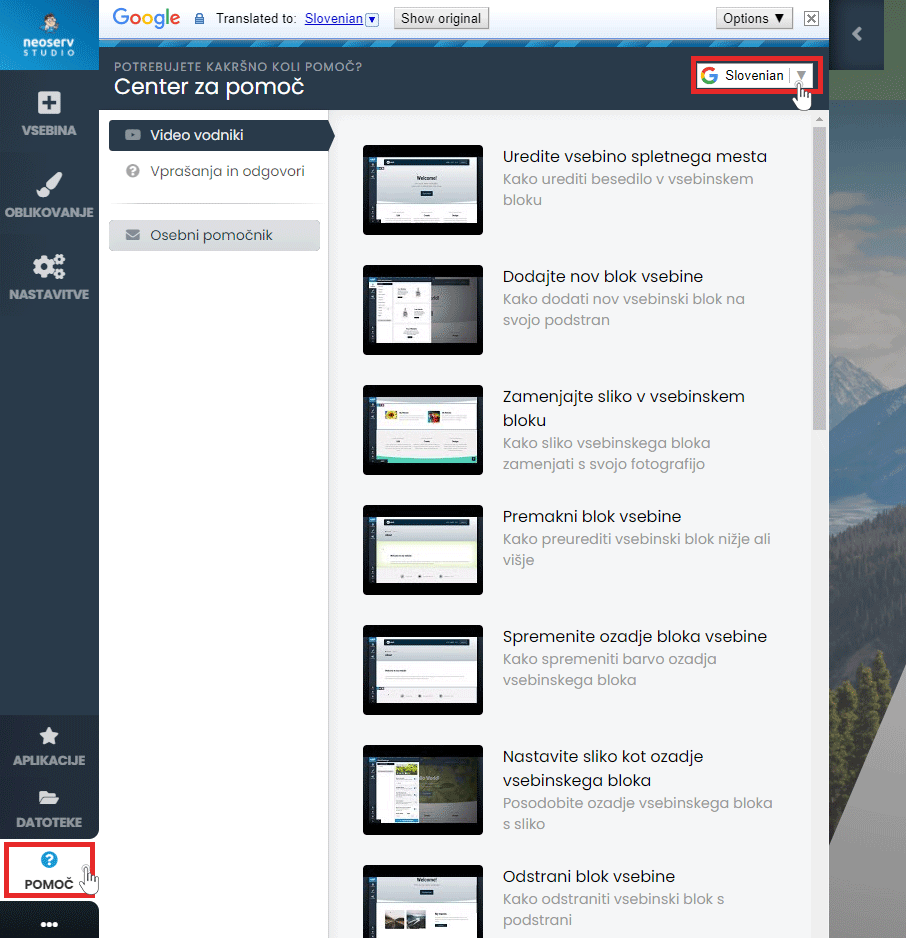
The Help Centre is also available to assist you in creating your page. Click on the Help button in the menu and select Video Guides or Questions & Answers. The content is also available in Slovenian.
For further assistance, please call us on 059 335 000 or email us at info@neoserv.si.

COMMENT THE POST
Your comment has been successfully submitted
The comment will be visible on the page when our moderators approve it.