


- Your cart is currently empty.
How to Change Domain Ownership Information (WHOIS)
Search results for: ""
WHOIS data refers to information about the domain owner stored in the domain registry. It typically includes the owner’s name, address, email address and phone number. If you want to update this information or transfer the domain to another person or company, you can make the change in the My NEOSERV client portal.
- Log in to the My NEOSERV client portal.
- In the main menu select Services. A list of all your services will appear.
- In the list find the domain for which you want to change the domain owner data and click it.
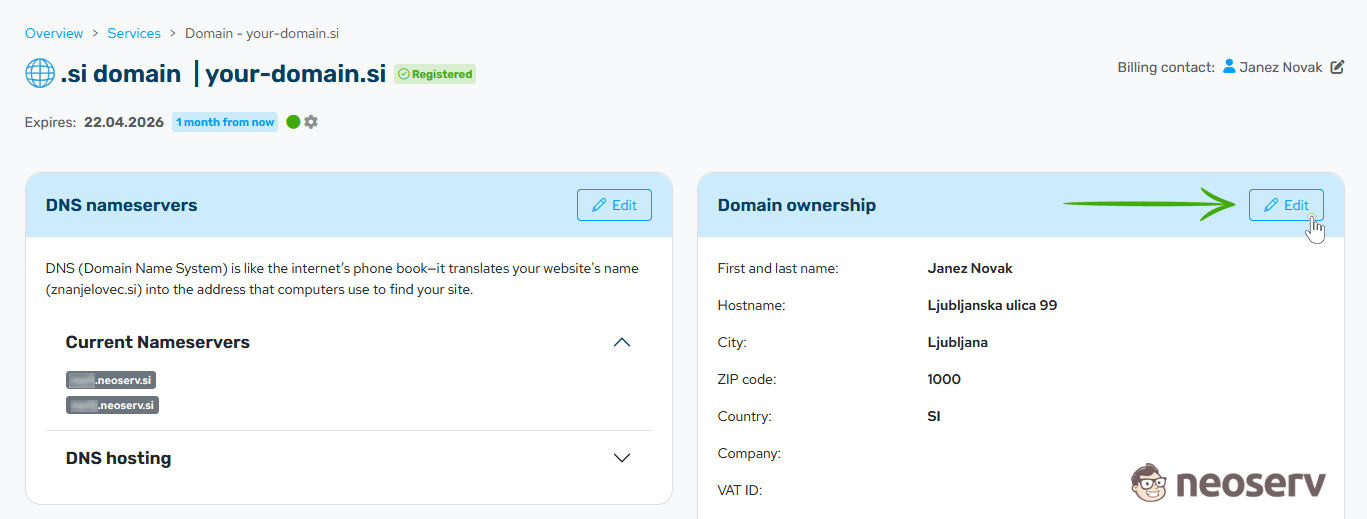
- On the domain settings page locate the Domain ownership section and click the Edit button.
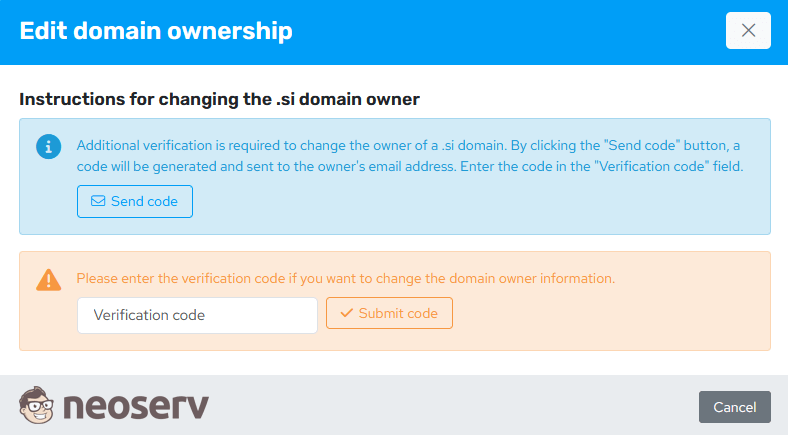
- If you are changing data for a .si domain, additional verification is required:
- Click the Send code button.
- A verification code will be sent to the email address of the current domain owner.
- Enter the code in the Verification code field.
- Confirm by clicking the Submit code button.
Additional verification is not required for other domain extensions (.com, .net, .eu, .hr, etc.).
- Edit the domain ownership information and confirm the change by clicking the Change owner button.
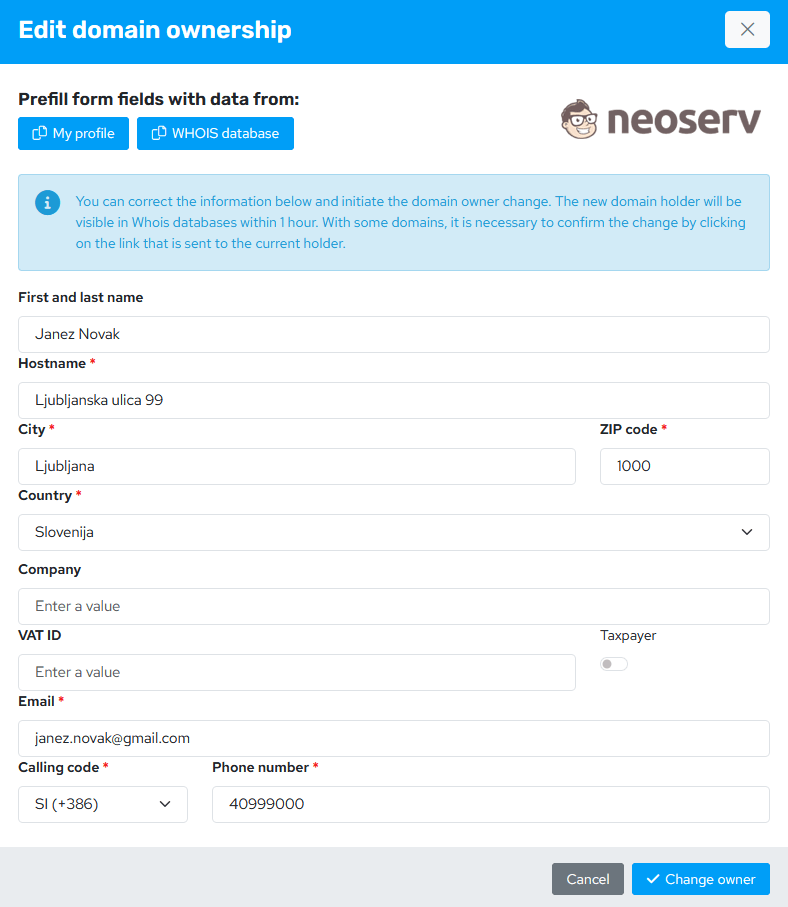
You can enter domain owner data manually in the form. The form can also be filled using data from your user profile. You can also import data from the WHOIS database, which transfers existing data from the domain registry into the form.
After confirmation the process of updating the domain owner data begins and the changes will then appear in the WHOIS database. The change of owner is usually visible within one hour.
For some domains an additional confirmation is required to complete the change. The current domain owner will receive a confirmation link at their email address. You can read more about additional domain ownership verification in this article.
For additional assistance, call us at +386 59 335 000 or email us at info@neoserv.com.

COMMENT THE POST
Your comment has been successfully submitted
The comment will be visible on the page when our moderators approve it.