


- Your cart is currently empty.
NEOSERV Studio: Adding Google Analytics
Search results for: ""
You can monitor the traffic to your website using the right tool. The data you get will help you to get more traffic and better visibility among your online visitors. Last but not least, more traffic means better sales of your products, or more regular readers in case you write a blog. To get the most accurate and in-depth data, we recommend you use Google Analytics. We’ll take a look at how to install it on a website you’ve created in NEOSERV STUDIO.
What is Google Analytics?
Google Analytics is the most widely used website traffic monitoring tool, used by everyone from small blog owners to global corporations. Its biggest advantages are:
- It’s free.
- It is suitable for basic and advanced users.
- You can monitor statistics for several different websites with one user account.
- It allows you to manage conversions, analyse pages, track visitors and much more.
To find out how to activate your Google Analytics account, see the Google Analytics – website visit statistics post.
Installing Google Analytics
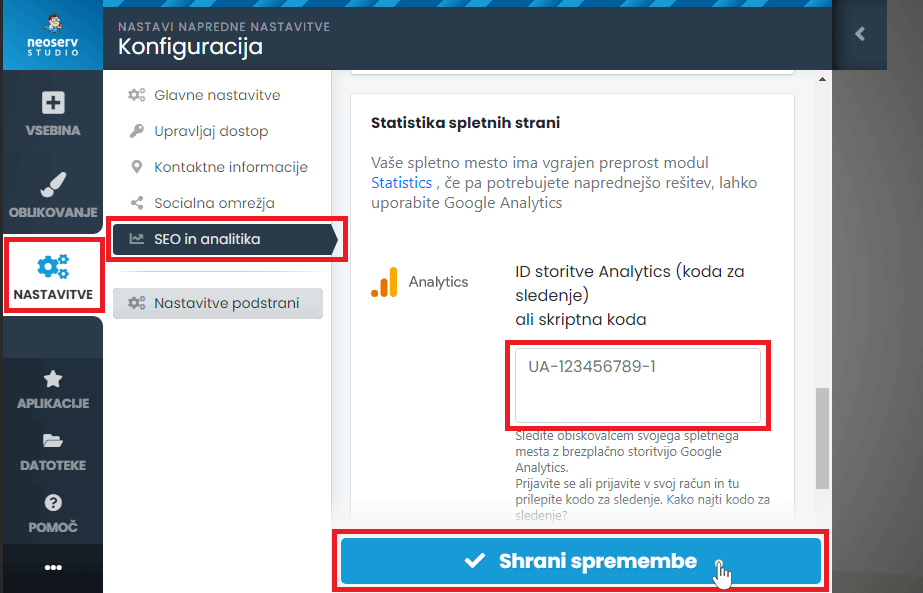
Even if you have built your website in NEOSERV STUDIO, you can take advantage of all the possibilities offered by Google Analytics. Install it for your site in four steps:
- Click on the Settings icon and select the SEO and analytics section.
- Scroll to the bottom of the page and under Website Statistics, enter your tracking code from your Google Analytics account in the Analytics field.
- By clicking the Save Changes button, you will activate Google Analytics on your website.
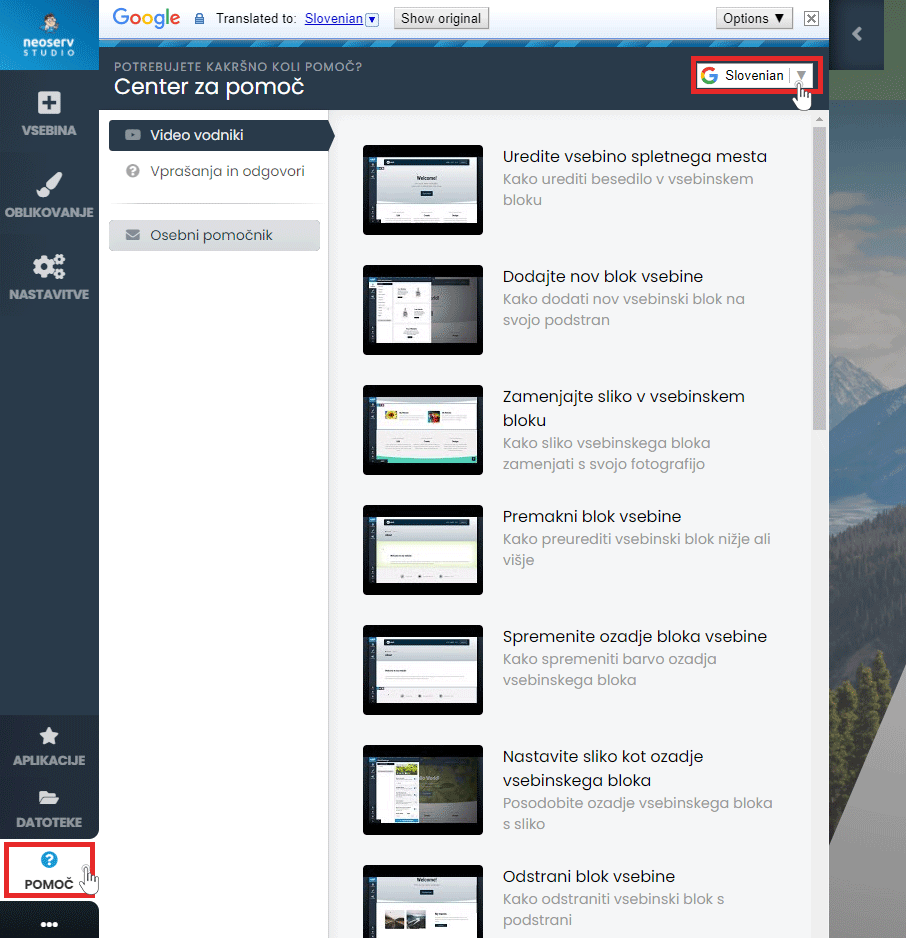
The Help Centre is also available to assist you in creating your site. Click on the Help button in the menu and select the Video Guides or Questions & Answers section. The content is also available in Slovenian.
For further assistance, please call us on 059 335 000 or email us at info@neoserv.si.

COMMENT THE POST
Your comment has been successfully submitted
The comment will be visible on the page when our moderators approve it.