


- Your cart is currently empty.
NEOSERV Studio: Choosing a Website Template
Search results for: ""
When you start NEOSERV STUDIO for the first time, you have already selected the graphic template you want, as described in the post “NEOSERV Studio: Accessing the Website Builder“. However, you can also change the graphic template you have already selected later.
You can change the selected graphic template to another one at any time, but we advise against this. If you change, you may lose the data and changes you have already made to your page. We advise you to think carefully and choose the most appropriate graphic template from the start before you start designing and editing your website.
Replacing an existing graphic template
Click on the Design button in the menu and select Web Design.

You have the option to preview the theme before selecting it. Hover over a topic and click on the Preview button. A new window will open with a preview of the selected graphic template. This allows you to see how the website looks in practice.

Simply select a theme by clicking on the Install button.
In the next step, choose whether you want to import only the design settings (recommended – if you’ve already made changes to the content on your page) or whether you want to replace all the existing data on the page by changing the graphic template. In this case, uncheck the options under Import design settings only and specify which elements should be imported and which should not.

Click Yes, install.
You have successfully replaced the graphic template.
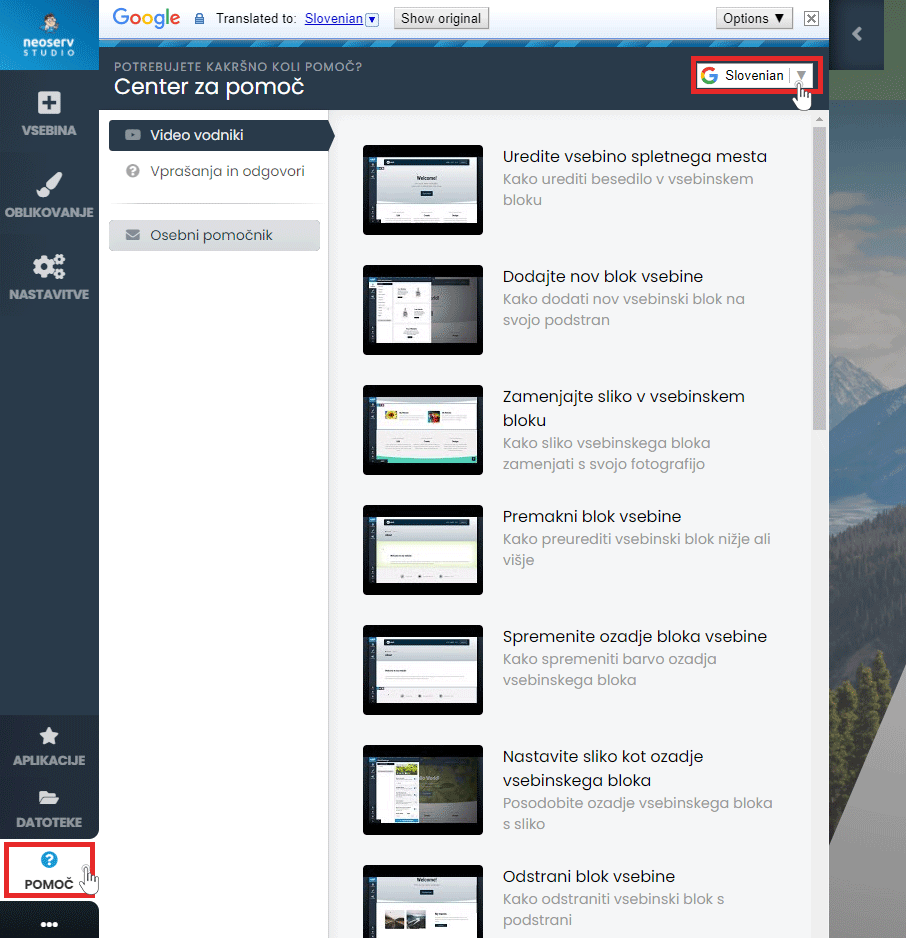
The Help Centre is available to assist you in creating your page. Click on the Help button in the menu and select either Video Guides or Questions & Answers. The content is also available in Slovenian.
For further assistance, please call us on +386 59 335 000 or email us at info@neoserv.com.

COMMENT THE POST
Your comment has been successfully submitted
The comment will be visible on the page when our moderators approve it.