


- Your cart is currently empty.
Outlook Error 0x800CCC1A – How to Fix It
Search results for: ""
Have you received error 0x800CCC1A in Outlook? This error occurs when you try to send an email over an SSL connection but the connection is not successful. In most cases, the error is displayed as follows:

Error 0x800CCC1A
Follow the five steps below to successfully resolve error 0x800CCC1A.
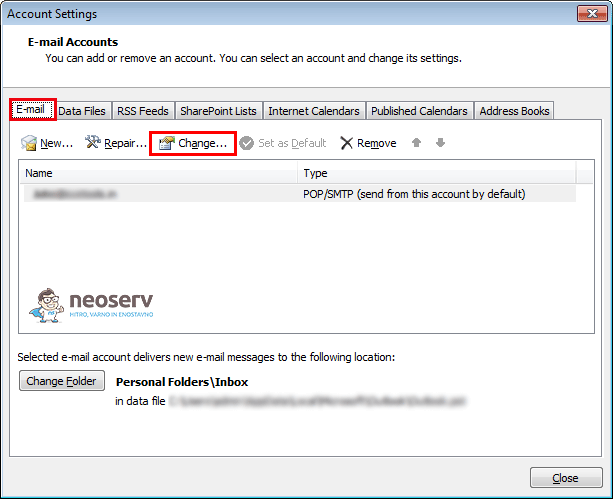
1.Open Outlook and click on Tools and select Account Settings.

2. In the newly opened window, click Change in the tab.
3. Click on More Settings.

4. In the Advanced tab, uncheck the box“This server requires an encrypted connection (SSL)“.

5. Click the OK and Finish buttons and restart Outlook.
Outlook error 0x800CCC1A should now be successfully resolved. If you have any problems, you can also contact our support team at 059 335 000 or info@neoserv.si.

COMMENT THE POST
Your comment has been successfully submitted
The comment will be visible on the page when our moderators approve it.