


- Your cart is currently empty.
Outlook Error 550 SMTP AUTH is required – How to Fix It
Search results for: ""
Did you encounter the error “550 SMTP AUTH is required” or “550 Authentication is required for relay” in your Outlook email client when you tried to send an email? Don’t worry, you can easily fix the error in just a few steps.

What’s the problem? This error means that the outgoing email server requires SMTP authentication to send outgoing mail, but the email client is not authenticated with your username and password. Please see below how to fix this problem.
How to fix Outlook error “550 SMTH AUTH is required”?
To fix the problem, enable SMTP authentication in Outlook and edit it in the settings for the outgoing server.
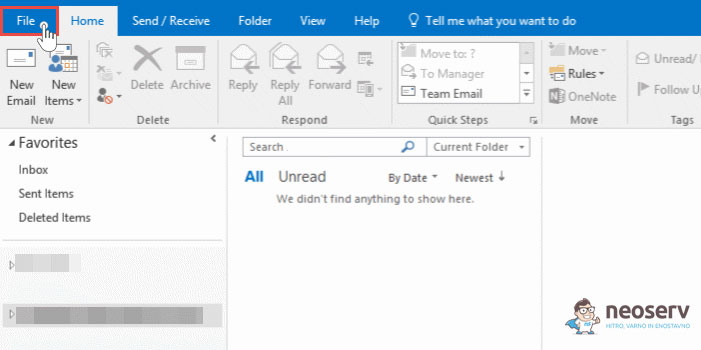
1. Open Outlook and click on File in the top left corner.
2. From the menu, select Account Settings-> Account Settings …..

3. In the Email tab, locate the email account that is causing the problem and double-click on it.

4. Click on the More Settings button in the bottom right corner.

5. In the Outgoing Server tab, tick My outgoing server (SMTP) requires authentication.

6. Make sure that the Use same settings as my incoming mail server is selected setting is selected.
Confirm and save your changes by clicking OK-> Next-> Finish.
Now that you have enabled authentication for outgoing mail (SMTP), you can check again that your email sending is working. The error“550 SMTH AUTH is required” should have been successfully resolved.
For further assistance, please call us on 059 335 000 or email us at info@neoserv.si.

COMMENT THE POST
Your comment has been successfully submitted
The comment will be visible on the page when our moderators approve it.