


- Your cart is currently empty.
Outlook Error 800CCC0E-0-0-560 – How to Fix It
Search results for: ""
If you use Outlook to send emails, in some cases you may receive the error message “IMAP Error synchronising folder 800CCC0E-0-0-560“. The error occurs if you have Outlook connected to another email sending application (e.g. Gmail or Yahoo Mail). The error results in slower performance of Outlook and/or Windows. Check below why this error occurs and how to fix it.
The most common reasons for error 800CCC0E-0-0-0-560
The error is not caused by the email server, but by incorrect synchronisation of IMAP folders on the local device or in the local email application. The most common reasons for this problem are:
- incorrect user profile settings,
- IMAP account is not synchronised correctly,
- corrupted or oversized PST file,
- insufficient space to store emails.
How to fix 800CCC0E-0-0-0-560 error in six steps
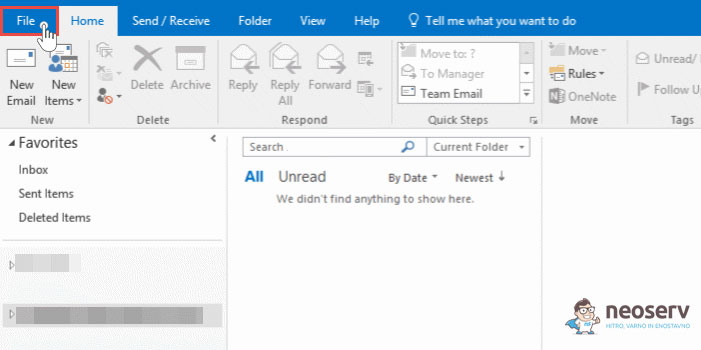
- Launch Outlook and select the File tab.
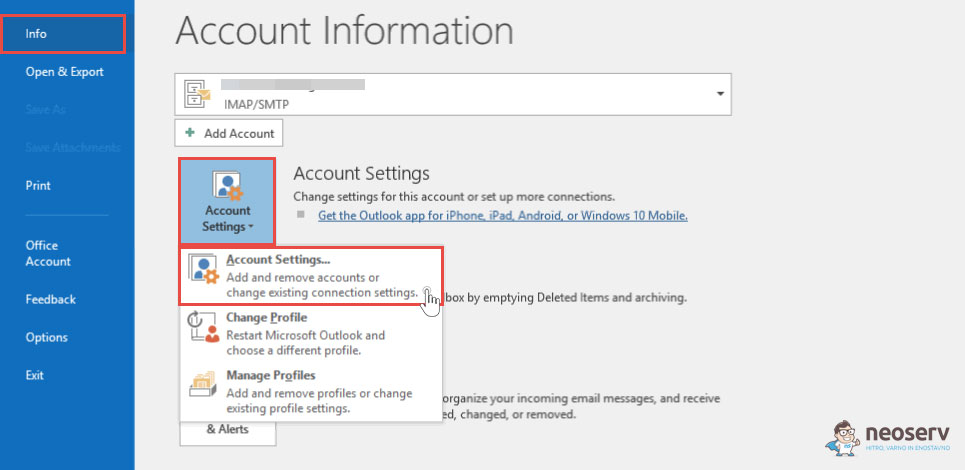
- Select Info > Account Settings > Account Settings.
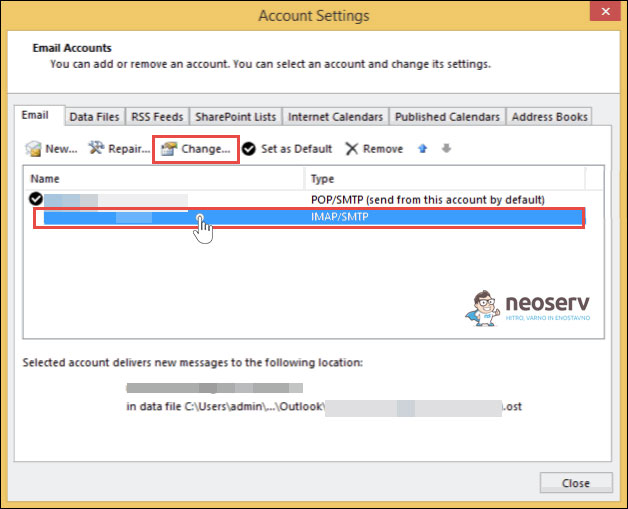
- Select the IMAP account and click the Change button.
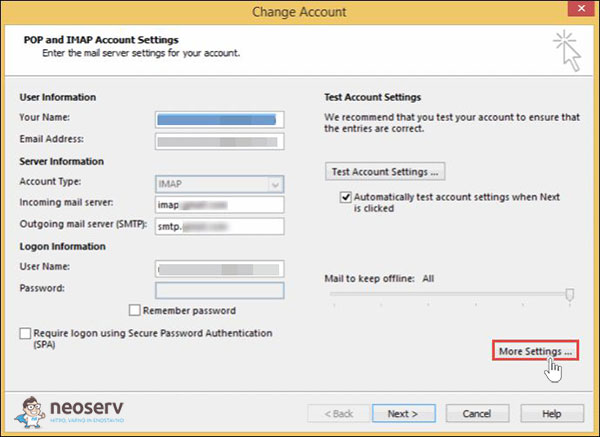
- In the newly opened window, click on More Settings.
- Select the Advanced tab and write Inbox in the Folders – Root folder path section.
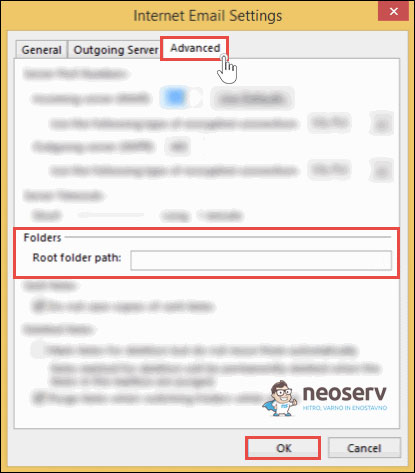
- Click OK and restart Outlook.
Outlook error 800CCC0E-0-0-0-560 should now be successfully resolved.
For further assistance, please call us on 059 335 000 or email us at info@neoserv.si.

COMMENT THE POST
Your comment has been successfully submitted
The comment will be visible on the page when our moderators approve it.