


- Your cart is currently empty.
How to Completely Delete Emails in Roundcube
Search results for: ""
Your inbox can fill up quickly if messages pile up, especially those with attachments. A full inbox makes it difficult to receive and send new messages, so it is a good idea to regularly review and remove unnecessary emails.
In the Roundcube web client, when you delete messages normally, they are not deleted completely, they are just moved to the Trash folder. However, messages in that folder still take up space until they are permanently deleted.
Manually deleting messages
1. Log in to Roundcube (login instructions).
2. Highlight the messages you want to delete, then click the Delete button in the top bar. Alternatively, you can also use the Delete key on your keyboard to delete the highlighted messages.
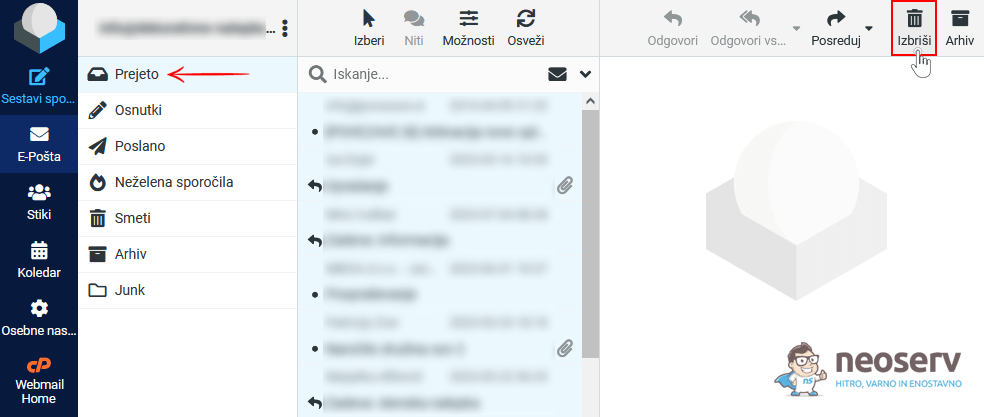
3. Click on the Trash folder on the left-hand side, highlight all the messages and click the Delete button again or use the Delete key on your keyboard.
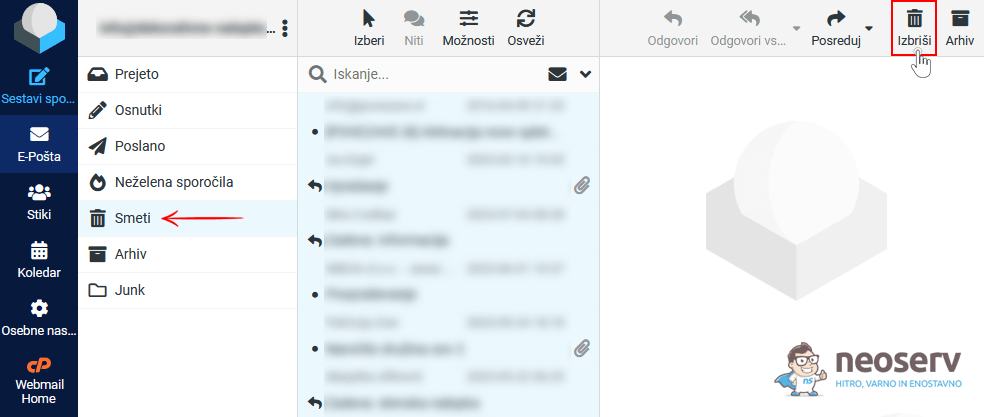
Have you got 100 or even 1000 messages in your Trash folder? Instead of deleting them 50 at a time (maximum display per page), click on the cursor icon in the top bar and select All, then click Delete or press the Delete key on your keyboard. This will delete all your messages at once.
Delete messages automatically
Messages that end up in the Trash folder can also be automatically deleted after 30, 60 or 90 days.
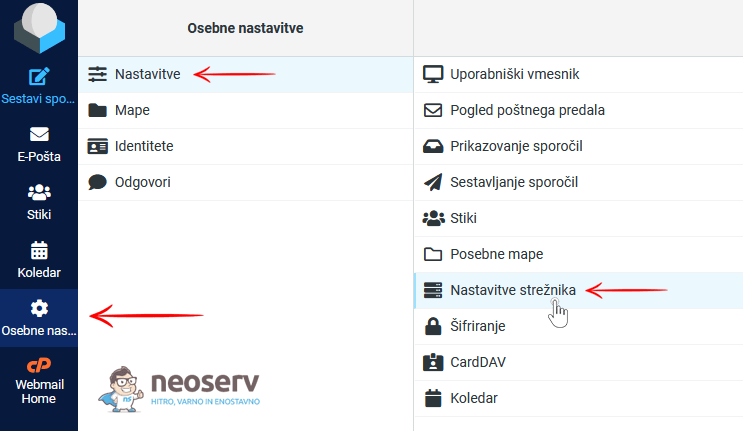
1. In the left column of the Roundcube interface, click on the Personal Settings icon.
2. Select Preferences-> Server Settings.
3. Under Clear Trash on logout, select one of the settings that will ensure that old messages stored in the Trash folder are automatically deleted.
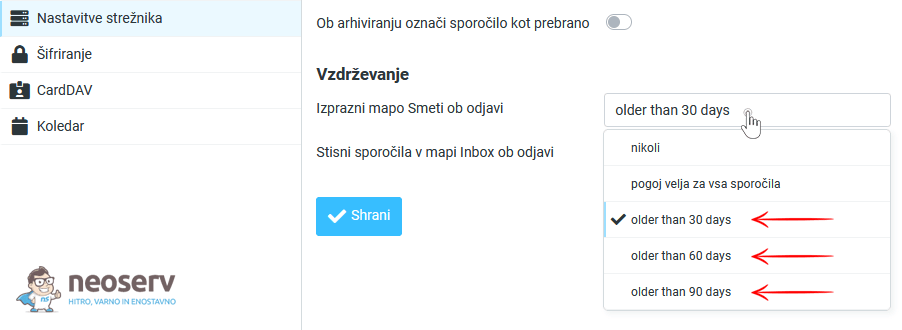
4. Confirm the new setting by clicking on the blue Save button.
By deleting emails regularly (automatically), you will ensure that unnecessary emails do not take up space on your hosting package. Your email inbox will stay tidy and you will not have to worry about your inbox being full and unable to send and receive emails.
For further assistance, please call us on 059 335 000 or email us at info@neoserv.si.

COMMENT THE POST
Your comment has been successfully submitted
The comment will be visible on the page when our moderators approve it.