


- Your cart is currently empty.
What Is Webmail and How to Access It
Search results for: ""
Webmail is a web-based email viewer installed on your server or hosting package. The key advantage of the interface is that it allows you to access your email inbox from anywhere and on any device. All you need is an internet connection and a web browser (Chrome, Firefox, Edge, Safari, etc.).
Here are two ways to access the Webmail interface or your email inbox:
1. Access via cPanel
Accessing your webmail (Webmail) via the cPanel is particularly convenient if you don’t know or remember the password to your email account.
1. Log in to the cPanel Control Panel (login instructions).
2. Locate the Email section and click on Email Accounts.
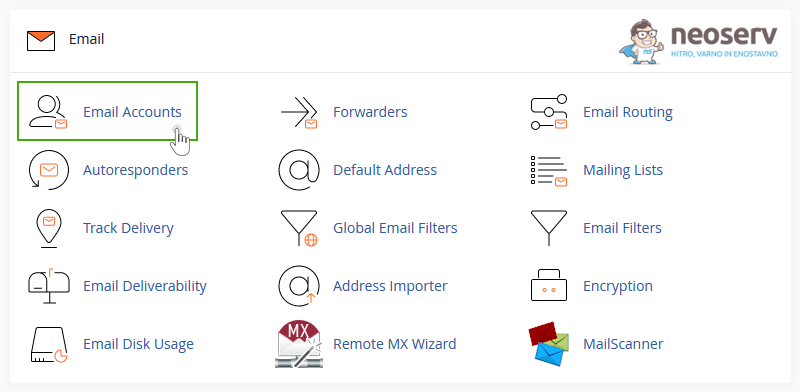
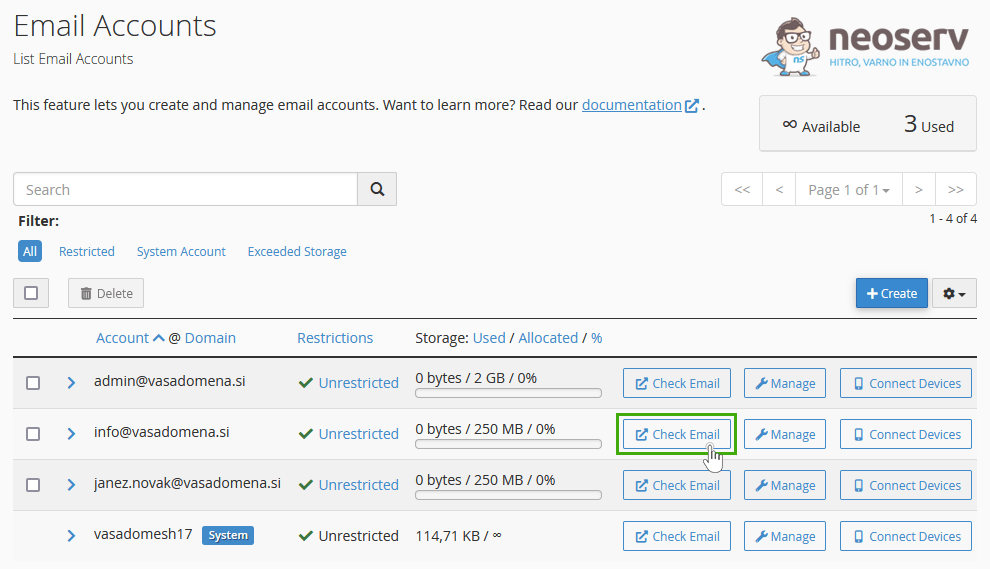
3. Find the mailbox you want to access and click on the Check Email button.
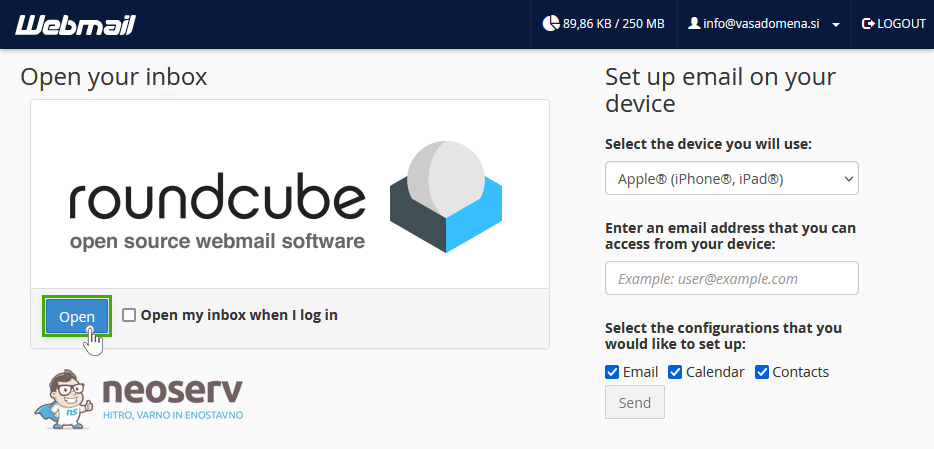
4. In the Roundcube web email client, click on the blue Open button.
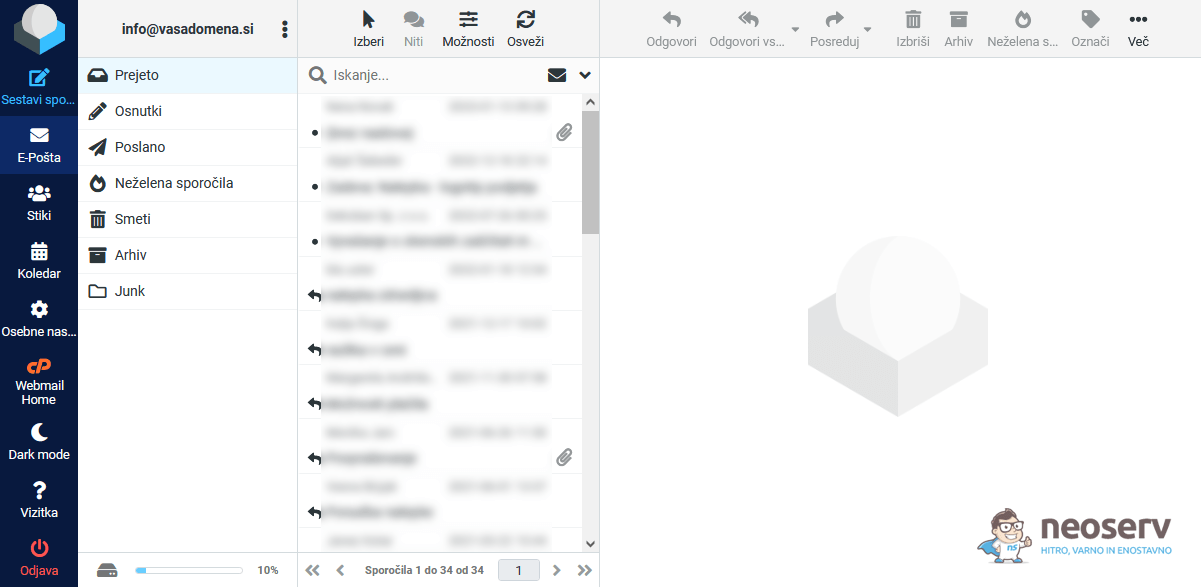
This will open the Roundcube interface where you can manage your email inbox.
2. Domain access
You can also access your email inbox directly through your domain.
1. In the address bar of your browser (e.g. Google Chrome), type your domain address and add /webmail.
- Example:
https://vasadomena.si/webmail
Instead of the example vasadomena.si above, use your actual domain.
After validation, the /webmail entry in the URL will change to :2096 (HTTPS access) or :2095 (HTTP access), as this is the port used by Webmail.
2. If your domain is directed to a hosting package with NEOSERV, the Webmail login page will open.

If your domain is hosted on a different server environment (e.g. Shopify, Wix or another provider), vasadomena.si/webmail will not work. In this case, use the format: webmail.vasadomena.si
3. Enter your email address and the corresponding password and log in to Roundcube by clicking on the Log in button.
Forgot the password to access your email inbox? You can change it in the cPanel control panel (instructions).
Important: If you also use another email client (e.g. Outlook or Thunderbird) to access your email inbox, you will need to use the new password there as well.
For further assistance, please call us on 059 335 000 or email us at info@neoserv.si.

COMMENT THE POST
Your comment has been successfully submitted
The comment will be visible on the page when our moderators approve it.