


- Your cart is currently empty.
How to Import Emails from Gmail to Thunderbird
Search results for: ""
Do you want to transfer emails from your Gmail account (e.g. janez.novak@gmail.com) to an email inbox linked to your domain (e.g.janez@vasadomena.si)? And then you want to manage this email inbox via the Thunderbird client?
Exporting MBOX and preparing an email inbox
1. First, you need to export Gmail messages in MBOX format to your computer.
2. Once you have the .mbox file ready, make sure you have already created an email inbox on your hosting package to import the messages into. If you don’t have one, create one in the cPanel control panel.
3. Next, in Thunderbird, add the new email account (if you don’t already have one) that you created in the previous step and select IMAP as the account type.
IMAP is an email access protocol where messages are stored on a server. All changes are synchronised between all devices. So if you delete a message in Thunderbird, it will also be deleted on the server and will no longer be visible on any other device.
Once you have all this ready, you can import the .mbox file into your Thunderbird email client.
Importing emails (MBOX) into Thunderbird
1. Open the Thunderbird email client.
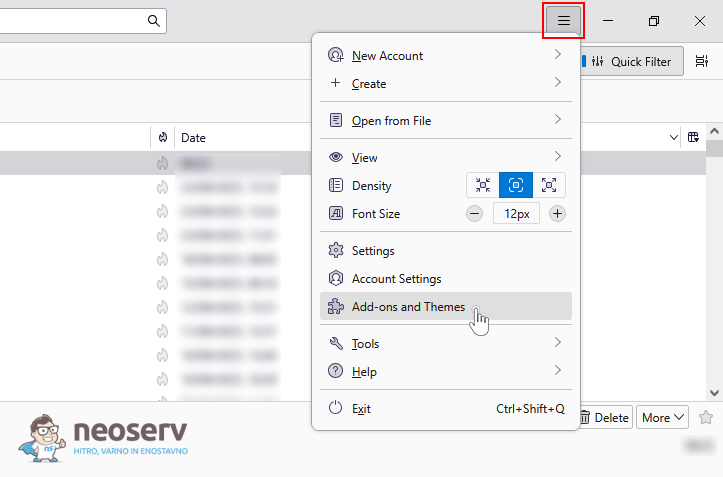
2. Click on the ≡ sign in the top right corner to open the settings and select Add-ons and Themes.
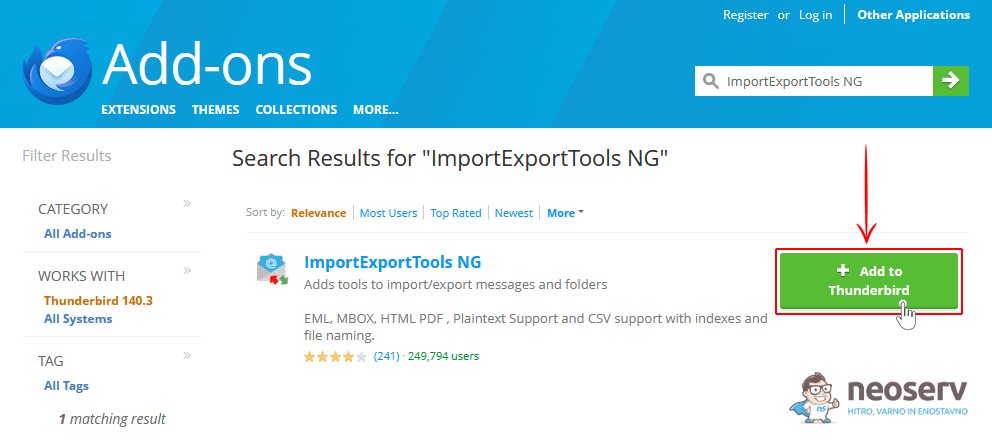
3. Type ImportExportTools NG in the search box and install the extension.
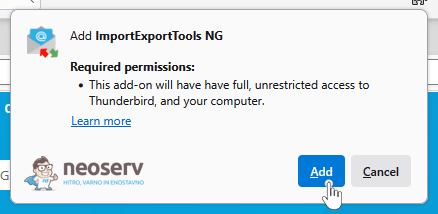
4. Confirm the installation of the extension by clicking the Add button.
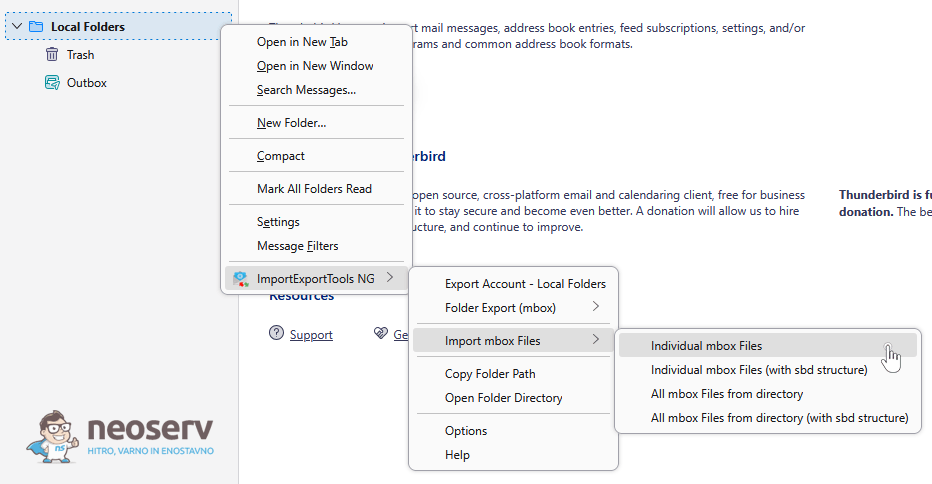
5. Once the extension is installed, right-click in the sidebar and select Local Folders → ImportExportTools NG → Import mbox Files -> Individual mbox Files.
6. In the pop-up window, locate the .mbox file you previously exported from Gmail and click Open.
7. Thunderbird will start importing your emails. Once the process is complete, you will find the imported messages in your Local Folders folder, from where you can then move them to folders under your email account.
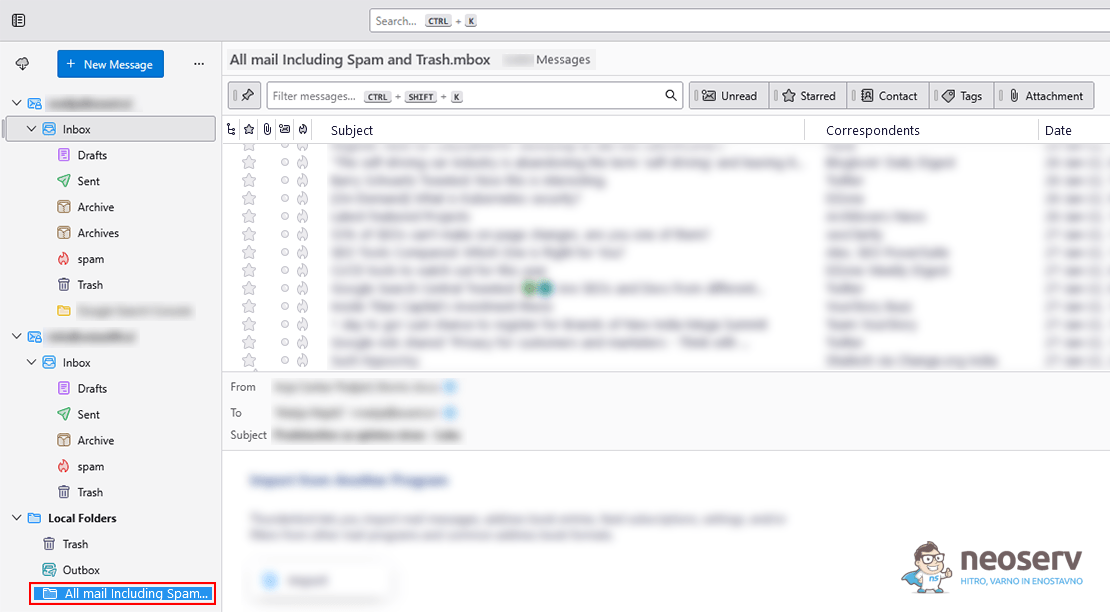
This completes the import of your emails via the .mbox file. Your Gmail messages are now available to you in Thunderbird – in your email inbox under your own domain. And because you have chosen IMAP as your account type, all your messages are also accessible via the Roundcube web client.
For further assistance, please call us on +386 59 335 000 or email us at info@neoserv.com.

COMMENT THE POST
Your comment has been successfully submitted
The comment will be visible on the page when our moderators approve it.